Freedom251 › Cloud Development Environments

Google Cloud Workstations
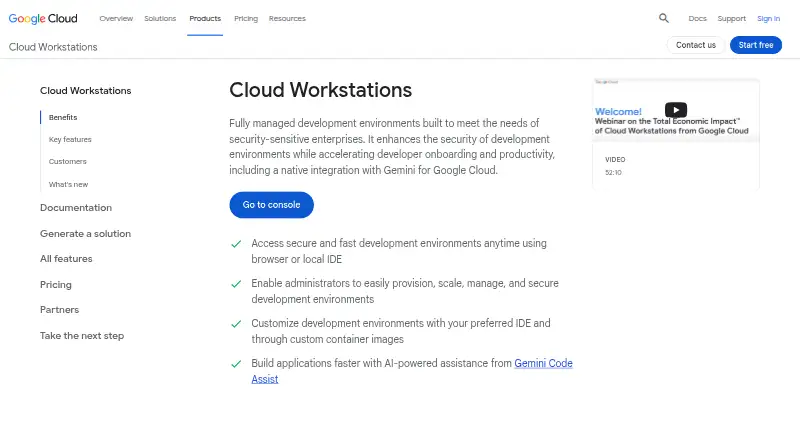
What Google Cloud Workstations is
Google Cloud Workstations provides managed development environments for enterprises with security-sensitive development needs. Developers can connect through a browser-based IDE, local IDEs or SSH, while teams define reproducible environments using preconfigured or custom container images. Images can include tools, libraries, extensions, files and startup scripts. Supported editor choices include Code OSS, JetBrains IDEs through JetBrains Gateway, Posit Workbench and other editors that run in containers. Gemini Code Assist can provide coding guidance, generate code and offer inline suggestions in the base editor. Workstations can run inside a VPC with private ingress and egress, VPC Service Controls, Cloud Audit Logs and granular IAM controls. BeyondCorp Enterprise can apply context-based access policies and prevent code exfiltration through actions such as downloading, copying, pasting and printing. Google-managed keys encrypt workstation resources at rest by default; customers can use customer-managed keys with Cloud KMS. Charges include Compute Engine and Persistent Disk resources, a $0.05-per-virtual-CPU active-hour management fee and a $0.20-per-cluster-hour control plane fee. An inactivity limit can stop workstations after a specified idle period.
Who it suits
Cloud Workstations suits enterprise development teams that need reproducible environments and controls around network access and code handling. It also fits teams that use browser or local IDEs, SSH, or container-runnable editors.
What it does well
- Access through browser IDEs, local IDEs or SSH.
- Teams can define custom container-image environments.
- Supports JetBrains IDEs through JetBrains Gateway.
- Resources are encrypted at rest by default.
- Idle time limits can stop workstations automatically.
What to know first
- No free plan is listed.
- Compute Engine and Persistent Disk resources add charges.
- Management and control plane fees are separate cost components.
- Control plane fee applies even when workstations are unused.
Limits
There is no free plan. The listed charges include $0.05 a month for each active workstation's management fee, $0.20 a month for the control plane in the us-central1 example, and usage-based compute and storage charges billed separately.
Plans
| Plan | Billed and limits | Price |
|---|---|---|
| Workstation management fee | Metered while the workstation is running · Charged for each active workstation | $0.05 a month |
| Control plane | Pricing applies in the us-central1 example region; regional pricing may vary · Applies regardless of whether workstations are in use | $0.20 a month |
| Usage-based pricing — e2-standard-2 (us-central1) | $0.16701142 / 1 hour; compute and workstation management, with control plane and Persistent Disk billed separately · 2 vCPUs · 8 GiB · us-central1 price; regional prices may vary | $0.17 a month |
As cloud.google.com lists them, read 22 Sept 2026. The maker's own page has the final word.
Getting started
- Open the Google Cloud Workstations website
- Choose a supported browser, local IDE, or SSH access method
- Define a Dockerfile or select a container image
- Configure the workstation's tools, libraries, extensions, files, and startup scripts
- Place the workstation in the required VPC and apply access controls
- Set an inactivity time limit to stop idle workstations
Verdict
Cloud Workstations combines managed, configurable development environments with multiple access methods and enterprise security controls. Its cost includes separate resource and management components, so account for active workstation and cluster fees when assessing it.
Questions
Is Google Cloud Workstations free?
No. It uses paid pricing, with Compute Engine, Persistent Disk, management, and control-plane charges.
Which platforms can access it?
The listed platforms are API, Linux, macOS, web, and Windows.
Which IDEs are supported?
Options include Code OSS, JetBrains IDEs through JetBrains Gateway, Posit Workbench, and other container-runnable editors.
Does it support GPUs and persistent storage?
Yes. GPU workspaces, persistent storage, and prebuilds are listed capabilities.
How is code protected?
VPC controls, private ingress and egress, audit logs, IAM, BeyondCorp policies, and encryption options protect workstation resources and code.
Who makes the product?
The maker is Google Cloud Workstations, headquartered in Mountain View, California, USA.
Facts from Google Cloud Workstations's own pages
- Access
- Developers can access workstations through a browser-based IDE, local IDEs, or SSH. · docs.cloud.google.com, 30 Sept 2026
- AI integration
- Gemini Code Assist can provide code guidance, generate code, and offer inline suggestions in the Cloud Workstations base editor. · docs.cloud.google.com, 30 Sept 2026
- Code protection
- BeyondCorp Enterprise integration provides context-based access policies and can prevent code exfiltration through actions such as download, copy, paste, and print. · cloud.google.com, 30 Sept 2026
- Company headquarters
- Google lists its headquarters at 1600 Amphitheatre Parkway, Mountain View, California 94043. · about.google, 30 Sept 2026
- Compliance
- Google announced that Cloud Workstations is covered under the Google Cloud HIPAA BAA on September 24, 2026. · docs.cloud.google.com, 30 Sept 2026
- Cost components
- Charges include Compute Engine and Persistent Disk resources, a management fee of $0.05 per virtual CPU per active hour, and a control plane fee of $0.20 per cluster per hour. · cloud.google.com, 30 Sept 2026
- Custom environments
- Teams define reproducible environments using preconfigured or custom container images, including tools, libraries, extensions, files, and startup scripts. · cloud.google.com, 30 Sept 2026
- Developer tools
- The product supports third-party tools such as GitLab and TeamCity, including tools hosted externally, on premises, or in other clouds. · cloud.google.com, 30 Sept 2026
- Encryption
- Google-managed keys encrypt workstation resources at rest by default, and customers can use customer-managed keys with Cloud KMS. · docs.cloud.google.com, 30 Sept 2026
- Founded
- 1998 · cloud.google.com, 28 Sept 2026
- Free plan
- No · cloud.google.com, 22 Sept 2026
- Headquarters
- Mountain View, California, USA · cloud.google.com, 28 Sept 2026
- IDE support
- Supported options include Code OSS, JetBrains IDEs through JetBrains Gateway, Posit Workbench, and other container-runnable editors. · cloud.google.com, 30 Sept 2026
- Idle cost control
- An inactivity time limit can automatically stop workstations after the specified inactive period. · cloud.google.com, 30 Sept 2026
- Network security
- Workstations can run inside a VPC and use VPC Service Controls, private ingress and egress, Cloud Audit Logs, and granular IAM controls. · cloud.google.com, 30 Sept 2026
- Purpose
- Cloud Workstations provides fully managed development environments aimed at security-sensitive enterprises. · cloud.google.com, 30 Sept 2026
Where Google Cloud Workstations stands on Freedom251
- Cloud Development Environments#20 of 27
- Cloud IDEs#23 of 27
- Coding Playgrounds#123 of 138