Freedom251 › Personal Finance Software
GnuCash
by GnuCash
What GnuCash is
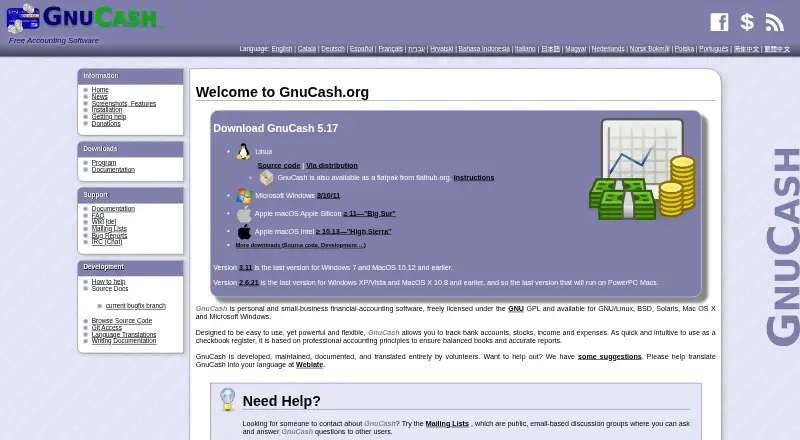
GnuCash is free personal and small-business accounting software for tracking bank accounts, stocks, income, and expenses. Its double-entry system requires each transaction’s debits and credits to balance. For small businesses, it supports customer and vendor records, jobs, invoicing, bill payment, tax and billing terms, and budgeting. Customizable reports include balance sheets, profit and loss, and portfolio valuation, alongside charts. GnuCash imports QIF and OFX files and can match imported transactions. German users can use HBCI to download statements and initiate transfers and direct debits. Data is stored in XML by default. SQLite3, MySQL, and PostgreSQL support is experimental, with some reported corner cases involving data loss. Desktop installation options are available for Linux, macOS, and Windows. GnuCash is licensed under the GNU GPL and costs nothing. The project is maintained, documented, and translated by volunteers, with help channels including public mailing lists, IRC, a wiki, documentation, and bug reports. The main application is not available for iOS or iPadOS; the separate Android app is described by the project FAQ as apparently abandoned.
Who it suits
GnuCash suits individuals tracking accounts, investments, income, and expenses, as well as small businesses needing invoicing, bill payment, and customer or vendor records. It is for desktop users on Linux, macOS, or Windows.
What it does well
- Free under the GNU GPL.
- Includes double-entry accounting.
- Offers small-business invoicing and bill-payment tools.
- Imports QIF and OFX files.
- Provides customizable reports and charts.
What to know first
- Database support beyond XML is experimental.
- Some reported database corner cases involve data loss.
- Main application is unavailable for iOS and iPadOS.
- Separate Android app appears abandoned.
Plans
| Plan | Billed and limits | Price |
|---|---|---|
| GnuCash | Free accounting software · Desktop accounting program · Windows, macOS, Linux and BSD availability · no paid tiers stated | Free |
As gnucash.org lists them, read 21 Oct 2026. The maker's own page has the final word.
Getting started
- Visit the GnuCash website.
- Choose the installation option for Linux, macOS, or Windows.
- Install the desktop application for your platform.
- Use XML storage by default when saving GnuCash data.
Overview
GnuCash is free, open-source accounting software for managing personal finances and small-business books. It suits people who want desktop bookkeeping built around double-entry accounting and are comfortable managing their own records. Its breadth of accounting and reporting tools is a strength; experimental database storage and the lack of a maintained mobile app narrow its appeal.
Key features
Every transaction must balance debits and credits. That structure can help users keep accounts rigorous, but it is less forgiving than a simple spending tracker and may take more accounting familiarity.
For personal finances, GnuCash tracks bank accounts, stocks, income, and expenses, with budgeting, bill tracking, and net-worth tracking. QIF and OFX imports support transaction matching, while reports include balance sheets, profit and loss, portfolio valuations, and charts. Customizable reporting is useful for reviewing finances from several angles, though the software remains a desktop application rather than a phone-first service.
Small businesses can track customers, vendors, and jobs; create invoices; pay bills; and set tax and billing terms. Those tools make GnuCash more capable than a basic ledger, especially for an owner handling books directly. German users also get HBCI support to download statements and initiate transfers and direct debits.
XML is the default storage format. SQLite3, MySQL, and PostgreSQL support is experimental, and reported corner cases can cause data loss; users who need database storage should treat that as a material risk rather than a routine deployment option.
Pricing
GnuCash costs nothing, with personal and small-business accounting in desktop software. It is freely licensed under the GNU GPL, and there is no free trial because the software is already free. There are no paid tiers or published usage caps to weigh against a lower-cost plan.
Platforms
GnuCash runs on Linux, macOS, and Windows; the current stable release page provides Windows 8/10/11 and macOS installers plus Linux installation options. The main application is not available on iOS or iPadOS. The Android app is a separate project whose developer appears to have abandoned it, so mobile users should not count on a supported companion app.
Help comes through public mailing lists, IRC, a wiki, documentation, and bug reports. The project is maintained, documented, and translated entirely by volunteers, which is consistent with its free, community-developed model but is not a substitute for a commercial support channel.
Who it's for
GnuCash is a good fit for individuals and small-business owners who want free desktop accounting, value double-entry books, and can work within XML storage. It is less suitable for anyone who needs dependable database-backed deployment, a supported mobile app, or commercial support.
Pros and cons
- Pros: Free GPL software covers both personal finances and small-business workflows, including invoicing, bill payment, budgeting, and customer and vendor records.
- Pros: QIF and OFX imports, transaction matching, customizable financial reports, and charts give users several ways to bring in and review their records.
- Cons: Alternative database support is experimental, with reported data-loss corner cases; XML is the safer default.
- Cons: There is no main iOS or iPadOS app, and the separate Android project appears abandoned, limiting its fit for mobile-first users.
- Cons: Volunteer-run support channels may not meet the needs of businesses that require a commercial support commitment.
Alternatives
For another free accounting option, GNUKhata supports Linux, self-hosted, web, and Windows deployments, and its current v8.0 supports Docker installation. FrontAccounting is another free GNU GPL option, delivered as self-hosted or web software. Choose between them and GnuCash based on whether those deployment formats suit your workflow better than GnuCash's desktop focus.
BUSY has a free billing and accounting plan for multiple companies and financial years, plus a free trial; it may suit readers seeking a web-based option. Frappe Books is free and supports Windows, macOS, and Linux, making it another desktop alternative to compare.
Infor Public Sector is a paid option with Android, iOS, web, Windows, API, and self-hosted platforms; pricing is custom. Adagio Accounting offers a $100 a month plan billed monthly with ledger, financial reporting, payables, EFT, and bank reconciliation features. AccountMate offers Windows software with local or hosted deployment and perpetual-license or rental arrangements. Flexi is a paid option with API, self-hosted, and web platforms.
Browse general ledger software, personal finance software, bookkeeping software, salon accounting software, or gym accounting software to compare options by category.
Verdict
Choose GnuCash if you want capable, free desktop accounting for personal finances or a small business, and double-entry discipline and XML storage suit your needs. Look elsewhere if you depend on a supported mobile app, experimental database support is not an acceptable risk, or your business needs commercial support.
Verdict
GnuCash provides free desktop accounting for personal finances and small-business workflows, with reports, imports, and business tools. Its default XML storage is distinct from experimental database support, so users should account for that limitation.
Questions
How much does GnuCash cost?
GnuCash is free of charge under the GNU GPL. Its listed plan is free.
Which platforms does GnuCash support?
GnuCash has installation options for Linux and installers for macOS and Windows. The main application is unavailable on iOS and iPadOS.
Does GnuCash have a free trial?
No. GnuCash is free software, and no free trial is offered.
Can GnuCash import bank data?
It supports QIF and OFX imports with transaction matching. German users can also use HBCI to download statements and initiate transfers and direct debits.
What reports does GnuCash provide?
It includes customizable reports such as balance sheets, profit and loss, and portfolio valuation, along with charts.
Where can users get help?
The project points users to public mailing lists, IRC, a wiki, documentation, and bug reports.
Facts from GnuCash's own pages
- Accounting
- Its double-entry accounting requires each transaction’s debits and credits to balance. · gnucash.org, 4 Oct 2026
- Account sync
- both · gnucash.org, 19 Sept 2026
- API
- A C API in the libgnucash engine abstracts XML and SQL backends for GUI and plugin programmers. · wiki.gnucash.org, 21 Oct 2026
- API documentation limitation
- The project says API documentation is split between Doxygen and C headers and lacks one current coherent documentation set. · wiki.gnucash.org, 21 Oct 2026
- Bank and file imports
- GnuCash imports QIF and OFX data and matches duplicate transactions during import. · gnucash.org, 21 Oct 2026
- Bill tracking
- Yes · gnucash.org, 19 Sept 2026
- Budgeting tools
- Yes · gnucash.org, 19 Sept 2026
- Business features
- Small-business features include customer and vendor tracking, jobs, invoicing, bill payment, tax and billing terms, and budgeting. · gnucash.org, 4 Oct 2026
- Company identity
- The product is presented as a community project called The GnuCash Project rather than a conventional vendor company. · github.com, 21 Oct 2026
- Currencies and investments
- Accounts can use multiple currencies, and users can track stock or mutual-fund portfolios with online quote updates. · gnucash.org, 21 Oct 2026
- Database limitation
- The official feature page calls SQL database support experimental and warns that insufficient test coverage may leave data-loss scenarios. · gnucash.org, 21 Oct 2026
- Data storage
- GnuCash stores data in XML by default; its SQLite3, MySQL, and PostgreSQL database support is described as experimental, with some reported corner cases causing data loss. · gnucash.org, 4 Oct 2026
- Desktop platforms
- The current stable release download page lists installers for Windows 8/10/11 and macOS, and installation options for Linux. · gnucash.org, 4 Oct 2026
- Developer extensibility
- GnuCash embeds Guile Scheme, wraps its C API for Guile with SWIG, and can create Python wrappers through a configure option. · wiki.gnucash.org, 21 Oct 2026
- Development
- GnuCash is developed, maintained, documented, and translated entirely by volunteers. · gnucash.org, 4 Oct 2026
- Documentation
- The project publishes a reference Manual, an in-depth Tutorial and Concepts Guide, community wiki material, mailing lists and IRC help. · gnucash.org, 21 Oct 2026
- Double-entry accounting
- Every transaction debits one account and credits others by equal amounts so the books balance. · gnucash.org, 21 Oct 2026
- Founded
- 1997 · gnucash.org, 28 Sept 2026
- Free plan
- Yes · gnucash.org, 19 Sept 2026
- HBCI banking
- The software supports German HBCI statement downloads, bank transfers and direct debits. · gnucash.org, 21 Oct 2026
- Imports and banking
- It supports QIF and OFX imports with transaction matching, and HBCI support for German users to download statements and initiate transfers and direct debits. · gnucash.org, 4 Oct 2026
- Independent editorial assessment
- TechRadar recommends GnuCash for home users and small businesses, highlighting imports, payroll and cross-platform support while criticizing its basic interface and few automated options. · techradar.com, 21 Oct 2026
- Latest release
- GnuCash 5.17 was announced on September 27, 2026 as the eighteenth release in the stable 5.x series. · gnucash.org, 21 Oct 2026
- Licence
- GnuCash is open-source software released under the GNU General Public License. · gnucash.org, 21 Oct 2026
Where GnuCash stands on Freedom251
- Personal Finance Software#1 of 181
- Bookkeeping Software#1 of 75
- Gym Accounting Software#1 of 31
- Salon Accounting Software#1 of 29
- Core Financial Management#1 of 28
- Accounting & Finance Software#1 of 26
- Bookkeeper Software#1 of 26
- Financial Management#2 of 29
- General Ledger Software#2 of 25