Freedom251 › Authenticator apps
GNOME Authenticator
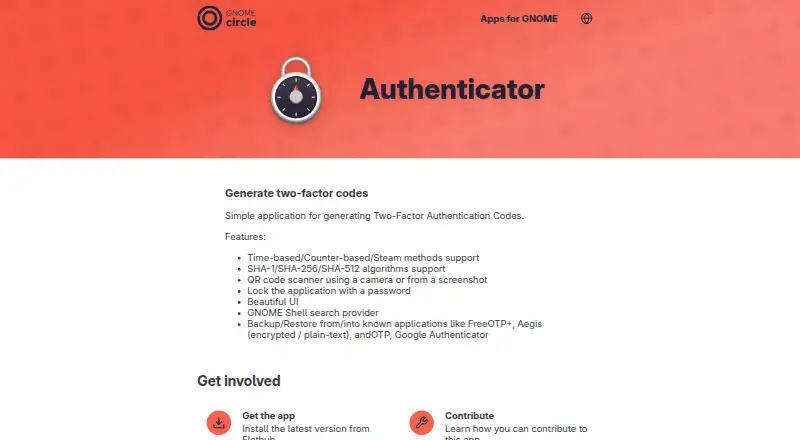
What GNOME Authenticator is
GNOME Authenticator is a free Linux desktop application for generating two-factor authentication codes. It supports time-based, counter-based, and Steam methods, using SHA-1, SHA-256, or SHA-512 algorithms. Accounts can be added by scanning QR codes with a camera or reading them from screenshots. A password can lock the application. Backup and restore support includes FreeOTP+, Aegis in encrypted or plain-text formats, andOTP, and Google Authenticator. The app provides a GNOME Shell search provider and is distributed through Flathub, where x86_64 and aarch64 architectures are listed. The latest listed release is version 4.6.2, released March 25, 2025. Flathub lists the Free plan at no cost. There is no trial. The app page names Bilal Elmoussaoui as maintainer, links to an issue tracker, and provides a way to contribute translations. Push approvals, multi-device sync, and team administration are not supported.
Who it suits
It suits Linux desktop users who need local time-based, counter-based, or Steam authentication codes. It is also useful for users moving accounts through supported backup formats.
What it does well
- Supports time-based and counter-based codes
- Steam method included
- QR scanning from camera or screenshots
- Password lock available
- Encrypted backup and restore support
What to know first
- Linux desktop only
- No push approvals
- No multi-device synchronization
- No team administration
Plans
| Plan | Billed and limits | Price |
|---|---|---|
| Free | Free app · Linux Flatpak · x86_64 and aarch64 | Free |
As apps.gnome.org lists them, read 8 Oct 2026. The maker's own page has the final word.
Verdict
GNOME Authenticator provides core one-time-password generation and migration tools at no cost. Its Linux-only desktop scope and lack of synchronization or team controls make it a personal authenticator rather than a managed service.
Facts from GNOME Authenticator's own pages
- Algorithms
- It supports SHA-1, SHA-256, and SHA-512 algorithms. · apps.gnome.org, 8 Oct 2026
- App lock
- The application can be locked with a password. · apps.gnome.org, 8 Oct 2026
- Architectures
- The Flathub listing shows x86_64 and aarch64 architectures. · flathub.org, 8 Oct 2026
- Availability
- The app page directs users to install the latest version from Flathub. · apps.gnome.org, 8 Oct 2026
- Backup and restore
- It can back up to and restore from FreeOTP+, Aegis in encrypted or plain-text formats, andOTP, and Google Authenticator. · apps.gnome.org, 8 Oct 2026
- Code type
- totp and hotp · apps.gnome.org, 22 Sept 2026
- Encrypted backup
- Yes · apps.gnome.org, 22 Sept 2026
- Free plan
- Yes · apps.gnome.org, 22 Sept 2026
- GNOME integration
- It provides a GNOME Shell search provider. · apps.gnome.org, 8 Oct 2026
- GNOME project
- GNOME says it is a community project supported by the GNOME Foundation and produces and maintains around 120 software modules. · gnome.org, 8 Oct 2026
- Maintainer
- The app page names Bilal Elmoussaoui as maintainer and lists Czechia. · apps.gnome.org, 8 Oct 2026
- Multi-device sync
- No · apps.gnome.org, 22 Sept 2026
- OTP methods
- It supports time-based, counter-based, and Steam methods. · apps.gnome.org, 8 Oct 2026
- Price
- Flathub lists the app as Free. · flathub.org, 8 Oct 2026
- Purpose
- Authenticator is a simple application for generating two-factor authentication codes. · apps.gnome.org, 8 Oct 2026
- Push approvals
- No · apps.gnome.org, 22 Sept 2026
- QR scanning
- It can scan QR codes using a camera or from a screenshot. · apps.gnome.org, 8 Oct 2026
- Release
- The listed latest release is version 4.6.2, released March 25, 2025. · apps.gnome.org, 8 Oct 2026
- Support
- The app page links to its issue tracker for feedback and issue reports, and provides a link to contribute to translations. · apps.gnome.org, 8 Oct 2026
- Supported platforms
- Linux desktop · apps.gnome.org, 22 Sept 2026
- Team administration
- No · apps.gnome.org, 22 Sept 2026
Where GNOME Authenticator stands on Freedom251
- Authenticator apps#62 of 111