Freedom251 › Version Control Software
GitFinder
by GitFinder
What GitFinder is
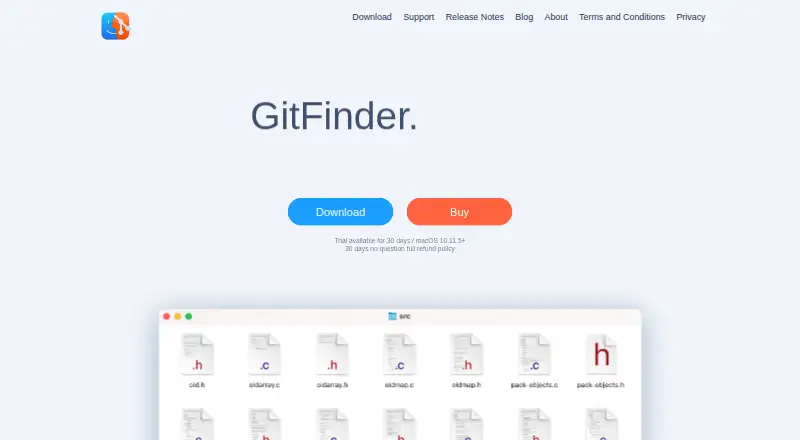
GitFinder is a macOS Git client that brings repository status and commands into Finder. Finder icon badges show Git status, while customizable contextual and toolbar menus provide Git operations. Its repository browser displays local and remote branches, tags, and submodules, with operations available from that view. Supported actions include creating and cloning repositories, staging and committing, amending, checkout, cherry-pick, revert, merge, rebase, and managing branches, tags, stashes, and submodules. File tools include diffs, commit history, blame views, and conflict resolution using a merge tool of your choice. GitFinder supports Git LFS and lists GitHub, GitLab, and Bitbucket integrations, including pull requests on hosted repositories without a browser. The fully functional trial lasts 30 days. Afterward, Finder features work only for the first repository browsed; other repositories lose badges and Finder menu commands. Finder integration also cannot show badges or menus in certain File Provider locations, including iCloud Drive, Dropbox, OneDrive, and Google Drive.
Who it suits
It suits Mac developers who want Git controls and status inside Finder, with repository browsing and file-level review tools. Users working mainly in unsupported synced locations should note the Finder limitation.
What it does well
- Finder status badges and Git menus
- Branches, tags, and submodules browser
- Diff, history, blame, and conflict tools
- GitHub, GitLab, and Bitbucket integrations
- Git LFS support
What to know first
- No free plan
- Trial becomes limited after 30 days
- Finder features limited to first repository afterward
- Some synced locations lack Finder integration
Plans
| Plan | Billed and limits | Price |
|---|---|---|
| GitFinder license | Desktop Git client for macOS · 30-day trial · 30-day full refund policy | On request |
| GitFinder | One-time license; the maker says it is not a subscription and major-version upgrades have an upgrade price. · Full price for first purchase · one license reasonably used on 3–5 Macs · no specific family, site, or business license packs | On request |
As gitfinder.com lists them, read 20 Sept 2026. The maker's own page has the final word.
Verdict
GitFinder combines a broad Git operation set with Finder-based status and menus on macOS. Its trial and location restrictions are important considerations before relying on it across repositories.
Facts from GitFinder's own pages
- External tools
- The support page lists supported diff tools including Araxis Merge, BBEdit, Beyond Compare, Kaleidoscope, and TextMate, and merge tools including Araxis Merge, Beyond Compare, and Kaleidoscope. · gitfinder.com, 9 Oct 2026
- File tools
- GitFinder provides file diffs, file commit history, blame views, and merge conflict resolution with a merge tool of the user's choice. · gitfinder.com, 9 Oct 2026
- Finder integration constraint
- The maker says Finder badges and menus cannot be shown for repositories in certain synced locations using Apple's File Provider technology, including iCloud Drive, Dropbox, OneDrive, and Google Drive. · gitfinder.com, 9 Oct 2026
- Finder status
- It shows Git status using Finder icon badges and provides Git operations in customizable contextual and toolbar menus. · gitfinder.com, 9 Oct 2026
- Free plan
- No · gitfinder.com, 20 Sept 2026
- Git operations
- Listed operations include creating and cloning repositories, staging, committing, amending, checkout, cherry-pick, revert, merge, rebase, and managing branches, tags, stashes, and submodules. · gitfinder.com, 9 Oct 2026
- Headquarters
- ’s-Hertogenbosch, Netherlands · gitfinder.com, 28 Sept 2026
- Hosting integrations
- Release notes list GitHub, GitLab, and Bitbucket integrations, including support for pull requests on those services. · gitfinder.com, 9 Oct 2026
- Latest listed release
- The release notes list version 1.7.11 dated February 26, 2025, with fixes including some macOS 15 Sequoia UI incompatibilities. · gitfinder.com, 9 Oct 2026
- Maker
- The maker identifies itself as ZigZag, a small group of macOS/iOS developers based in ’s-Hertogenbosch, the Netherlands. · gitfinder.com, 9 Oct 2026
- Privacy
- The privacy policy says the app does not collect or share user-linked privacy data; credentials are passed directly to Git hosts or remotes, and passwords can optionally be saved in the Mac keychain. · gitfinder.com, 9 Oct 2026
- Product
- GitFinder is a fast, lightweight Git client for Mac with Finder integration. · gitfinder.com, 9 Oct 2026
- Pull requests
- The product page says users can work with pull requests on hosted remote repositories from GitFinder without using a web browser. · gitfinder.com, 9 Oct 2026
- Repository browser
- The repository browser can show local and remote branches, tags, and submodules, and perform Git operations. · gitfinder.com, 9 Oct 2026
- Support
- The maker accepts feature requests, bug reports, and sales inquiries through a form or at [email protected]. · gitfinder.com, 9 Oct 2026
- Trial limit
- After the fully functional 30-day trial, the app works with only the first Git repository browsed in Finder, and other repositories have no icon badges or Finder menu commands. · gitfinder.com, 9 Oct 2026
Where GitFinder stands on Freedom251
- Version Control Software#50 of 62
- Git GUI Clients#29 of 32
- Git clients#24 of 24