Freedom251 › AI Coloring Page Generators
GenColoring
What GenColoring is
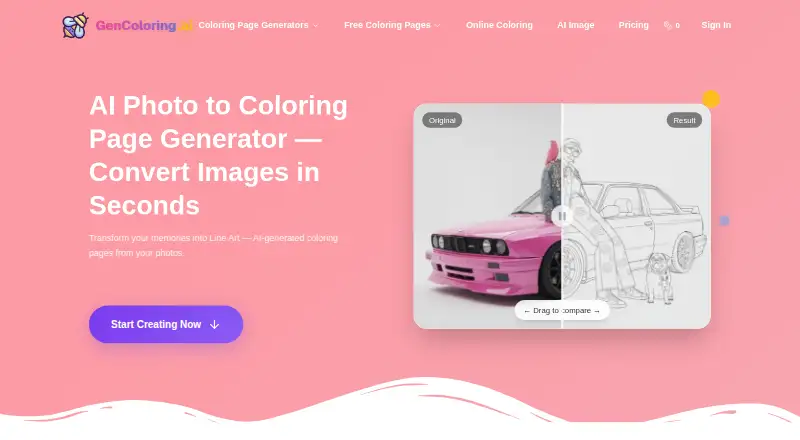
GenColoring creates printable coloring pages from photos, text prompts, and names. Its photo tool accepts JPEG, PNG, WebP, and other image formats, turns them into line art, and offers PDF or PNG downloads in A4 or US Letter size. For prompt-based pages, users can include a reference image and choose a style such as simple lines, detailed art, cartoon and chibi, or illustrative realism. The name generator handles names up to 50 characters and offers different layouts, lettering styles, and decorative elements.
A browser-based editor lets users color uploaded line art with bucket-fill and brush tools, undo or redo edits, and download a PNG. The text generator describes 300 DPI PNG and print-ready PDF exports. Each AI-generated page costs 10 credits. The free plan includes 20 signup credits and up to 47 credits per week through daily check-ins; downloads are watermarked and generations are public. Paid plans start at $4.80/mo (annual). Pro includes a commercial license, while Max adds batch conversion API access. Subscription credits reset each billing cycle without rolling over. GenColoring says prompts are processed by Google's Imagen API and are not used by GenColoring or Google to train AI.
Who it suits
GenColoring suits people who want printable coloring pages from their own images, written prompts, or names, as well as users who want to color line art in a browser. Its free plan supports personal and classroom use, while Pro and Max include commercial use.
What it does well
- Creates pages from photos, prompts, and names.
- Photo tool accepts JPEG, PNG, WebP, and other formats.
- Offers PDF and PNG downloads in A4 or US Letter.
- Browser editor includes bucket-fill, brush, undo, and redo.
- Pro and Max include commercial use.
What to know first
- Free downloads are watermarked and generations are public.
- Each AI-generated page costs 10 credits.
- Subscription credits reset each billing cycle without rolling over.
- Commercial use is not included by default with Free, Basic, or Pay As You Go.
Limits
The free plan provides 20 signup credits and up to 47 credits per week from daily check-ins. Each AI-generated page costs 10 credits; free downloads are watermarked, generations are public, and use is limited to personal and classroom purposes. Subscription credits reset each billing cycle and do not roll over.
Plans
| Plan | Billed and limits | Price |
|---|---|---|
| Free | 20 signup credits · up to 47 credits/week from daily check-ins · standard queue · ads may appear · watermarked downloads · public generations · personal and classroom use only | Free |
| Pro | $130.8/year · 1,560 credits/month · share credits with up to 3 accounts · commercial license | $130.80 a year |
| Max | $357.6/year · 6,000 credits/month · share credits with up to 20 accounts · batch conversion API access | $357.60 a year |
| Basic | $57.6/year · 550 credits/month · priority queue · ad-free · watermark-free downloads · private generations · home and classroom use | $57.60 a year |
As gencoloring.ai lists them, read 3 Oct 2026. The maker's own page has the final word.
Getting started
- Open https://gencoloring.ai/ in a web browser.
- Choose photo conversion, text generation, or the name generator.
- For a prompt-based page, enter a text prompt and optionally add a reference image.
- Select a style or name-page layout and lettering options, as applicable.
- Use credits to generate a page, then download it in an available format.
Verdict
Choose GenColoring if you want to make printable pages from photos, prompts, or names, or color line art in a browser. The free plan supports personal and classroom use, and Pro or Max is the route to commercial use; look elsewhere if you need credits to carry over between billing cycles.
Questions
Is GenColoring free?
Yes. Its free plan costs nothing and includes 20 signup credits plus up to 47 credits per week from daily check-ins.
How much do the paid plans cost?
Basic is $57.60 a year, Pro is $130.80 a year, and Max is $29.80 a year, billed at $357.6/year. The pricing note also says paid plans start at $4.80/mo (annual).
What can I download?
The photo tool offers PDF or PNG in A4 or US Letter. The text generator describes 300 DPI PNG and print-ready PDF exports; the browser editor downloads PNG.
Can I use pages commercially?
Commercial use is included with Pro and Max. It is not included by default with Free, Basic, or Pay As You Go.
Does GenColoring provide API access?
Batch conversion API access is listed as a Max plan benefit.
How does GenColoring handle prompts and images?
Prompts and generated images are stored in account history until manually deleted, and free-user generations or prompts may be made public. GenColoring says Google Imagen processes prompts and that neither it nor Google uses prompts or images for AI training.
Facts from GenColoring's own pages
- AI processing
- The privacy policy says prompts are processed by Google's Imagen API and that neither GenColoring nor Google uses prompts or images for AI training. · gencoloring.ai, 3 Oct 2026
- API access
- Batch conversion API access is listed as a Max plan benefit. · gencoloring.ai, 3 Oct 2026
- Commercial use
- The pricing comparison lists commercial use as included with Pro and Max, while Free, Basic, and Pay As You Go do not include it by default. · gencoloring.ai, 3 Oct 2026
- Credit cost
- The pricing FAQ states that each AI-generated coloring page costs 10 credits and subscription credits reset each billing cycle without rolling over. · gencoloring.ai, 3 Oct 2026
- Exports
- The photo tool offers A4 or US Letter downloads in PDF or PNG, and the text generator describes 300 DPI PNG and print-ready PDF exports. · gencoloring.ai, 3 Oct 2026
- Integrations and providers
- The privacy policy names Clerk, Creem, Vercel, Cloudflare R2, Supabase, Google Analytics, Google Imagen API, and Pinterest API as third-party services or APIs used. · gencoloring.ai, 3 Oct 2026
- Name pages
- The name generator supports up to 50 characters, multiple layouts, lettering styles, and decorative elements. · gencoloring.ai, 3 Oct 2026
- Online coloring editor
- The browser editor colors uploaded line art with bucket-fill and brush tools, undo and redo, and PNG download. · gencoloring.ai, 3 Oct 2026
- Photo conversion
- Users can upload JPEG, PNG, WebP, and other image formats, generate line art, and download their result. · gencoloring.ai, 3 Oct 2026
- Privacy
- The privacy policy says prompts and generated images are stored in account history until manually deleted, and free-user generations or prompts may be made public. · gencoloring.ai, 3 Oct 2026
- Purpose
- GenColoring generates printable coloring pages from photos, text prompts, and names. · gencoloring.ai, 3 Oct 2026
- Security and compliance
- The policy describes encryption, HTTPS, and access controls, and lists GDPR rights for EU users; it does not identify a named security certification. · gencoloring.ai, 3 Oct 2026
- Support
- The site gives [email protected] for support and says privacy requests will receive a response within 30 days. · gencoloring.ai, 3 Oct 2026
- Text and reference images
- The generator accepts a text prompt and an optional reference image, with selectable styles including simple lines, detailed art, cartoon and chibi, and illustrative realism. · gencoloring.ai, 3 Oct 2026
Where GenColoring stands on Freedom251
- AI Coloring Page Generators#23 of 37