Freedom251 › Game Engine Software
GB Studio
What GB Studio is
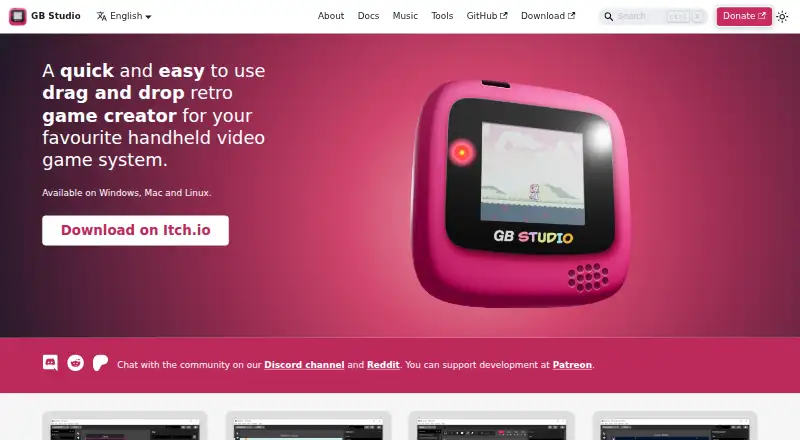
GB Studio is a drag-and-drop creator for making games for the Game Boy. Its visual scripting is designed for people with little or no programming knowledge. The project editor brings scenes, actors, triggers, and scripting events into one workspace, with tools for collision setup and color drawing. A debugger can show game state and variable values, pause at breakpoints, step through scripts, and display build warnings. The built-in music editor offers piano roll and tracker modes, accepts MIDI input, and has four channels with 45 configurable 8-bit instruments. It also supports hUGETracker patterns, while GBS Music can export tracks in MP3, WAV, or FLAC formats. Projects can be built as ROM files for emulators or real Game Boy hardware, or as web pages; exported games can be uploaded to itch.io. Plugins can add reusable assets, custom scripting events, and engine changes. Advanced users can access GBVM and modify the engine’s C and SM83 assembly code through plugins; engine editing is recommended for developers familiar with GBDK. GB Studio is free under the MIT license and is listed for Linux, macOS, Windows, and web. Its listed release, version 4.3.2, added web templates and bug fixes.
Who it suits
GB Studio suits people who want to make Game Boy games through visual scripting, including those with little programming experience. Developers familiar with GBDK can also use plugins to modify the engine and add custom events or assets.
What it does well
- Visual scripting is designed for little or no programming experience.
- Builds ROM files, web pages, and games for real Game Boy hardware.
- Debugger exposes game state, variables, breakpoints, and build warnings.
- Music editor supports MIDI input and four configurable instrument channels.
- MIT-licensed and free to use.
What to know first
- Engine modification is recommended only for developers familiar with GBDK.
- The game creator is focused on making Game Boy games.
Plans
| Plan | Billed and limits | Price |
|---|---|---|
| GB Studio | Name your own price · Windows, macOS, Linux | Free |
As gbstudio.dev lists them, read 5 Oct 2026. The maker's own page has the final word.
Getting started
- Visit the GB Studio website.
- Choose the listed Linux, macOS, or Windows option, or use the web platform.
- Create a project using the visual editor and scripting events.
- Build the game as a ROM file or web page for your target.
Verdict
Choose GB Studio if you want to create Game Boy games with visual scripting, build them for emulators, web pages, or Game Boy hardware, and use an integrated music editor. Its plugins also provide an engine-editing route for experienced developers. Consider another tool if your project is not a Game Boy game.
Questions
How much does GB Studio cost?
GB Studio is free. Its listed plan is free, with a name-your-own-price note.
Which platforms are listed?
Linux, macOS, web, and Windows are listed.
Do I need programming experience?
The visual scripting workflow is designed for people with little to no programming knowledge.
Can I modify the game engine?
Plugins can provide access to GBVM and engine changes in C and SM83 assembly. Engine editing is recommended for developers familiar with GBDK.
What can I build with it?
Games can be generated as ROM files for emulators or real Game Boy hardware, or as web pages.
Is GB Studio open source?
Its public GitHub repository says it is released under the MIT license.
Facts from GB Studio's own pages
- Advanced access
- Advanced users can access GBVM and modify the game engine’s C and SM83 assembly code through plugins. · gbstudio.dev, 5 Oct 2026
- Build targets
- Games can be generated as ROM files for emulators, web pages, or real Game Boy hardware. · gbstudio.dev, 5 Oct 2026
- Debugger
- The debugger can show game state and variable values, set breakpoints, step through scripts, and display build warnings. · gbstudio.dev, 5 Oct 2026
- Extensibility
- Plugins can add reusable assets, custom scripting events, and engine modifications; engine editing is recommended only for developers familiar with GBDK. · gbstudio.dev, 5 Oct 2026
- Free plan
- Yes · gbstudio.dev, 21 Sept 2026
- Integrations
- The music editor supports hUGETracker patterns, and exported games can be uploaded to itch.io. · gbstudio.dev, 5 Oct 2026
- Latest listed release
- The itch.io page lists GB Studio version 4.3.2 and says that release added web templates and bug fixes. · chrismaltby.itch.io, 5 Oct 2026
- Music editor
- The built-in music editor offers piano roll and tracker modes, supports MIDI input, and provides four channels with 45 configurable 8-bit instruments. · gbstudio.dev, 5 Oct 2026
- Music exports
- GBS Music exports tracks to MP3, WAV, or FLAC. · gbstudio.dev, 5 Oct 2026
- Music privacy
- The GBS Music page says it requires no accounts or logins and that users own their files. · gbstudio.dev, 5 Oct 2026
- Open source
- The public GitHub repository says GB Studio is released under the MIT license. · github.com, 5 Oct 2026
- Programming
- It is designed for people with little to no programming knowledge and uses visual scripting. · gbstudio.dev, 5 Oct 2026
- Purpose
- GB Studio is a drag-and-drop game creator for making Game Boy games. · gbstudio.dev, 5 Oct 2026
- Support
- The maker points users to Discord and Reddit for community discussion and Patreon for development support and progress updates. · gbstudio.dev, 5 Oct 2026
- Visual editor
- The project editor combines scenes, actors, triggers, and scripting events, and includes tools for collision and color drawing. · gbstudio.dev, 5 Oct 2026
- Visual scripting
- Yes · gbstudio.dev, 21 Sept 2026
Where GB Studio stands on Freedom251
- Game Engine Software#25 of 92
- Game Development Software#14 of 43