GameTrainerLauncher
What GameTrainerLauncher is
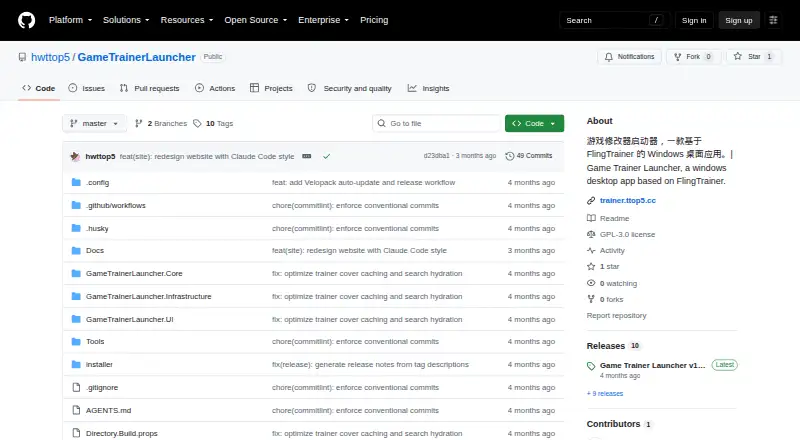
GameTrainerLauncher is a free, open-source Windows desktop app for finding and managing game trainers. Based on FlingTrainer, it lets users search for games by Chinese or English title, browse popular trainers, download a selected trainer version, and add it to a local library. Search uses a local title index that can be filled in the background. Choosing a trainer version before downloading is intended to reduce mismatches between a trainer and a game.
The library supports ordering trainers, launching them, removing them, filling in cover information, and viewing status feedback. The app also provides language and theme switching and an in-app update check. The project describes scraping with HtmlAgilityPack and local services for scanning, downloading, and launching trainers. GameTrainerLauncher is a standalone application built with .NET 8 and WPF. It requires Windows 10 or 11, and its application data is stored under %LocalAppData%\GameTrainerLauncher\Data by default. The project uses the GNU General Public License v3.0; its listed latest release is v1.2.3.
Who it suits
GameTrainerLauncher suits Windows users who want to search for game trainers, choose versions, and keep them organized in a local library. It is also a fit for people looking for a free, open-source desktop app and who use Windows 10 or 11.
What it does well
- Searches game titles in Chinese or English.
- Allows trainer version selection before download.
- Local library supports ordering, launching, and removal.
- Offers language and theme switching.
- Includes an in-app update check.
- Licensed under GNU General Public License v3.0.
What to know first
- Requires Windows 10 or 11.
- The project describes the app as Windows only.
- Requires .NET 8 and WPF.
Getting started
- Open the project's GitHub page.
- Use a Windows 10 or 11 computer.
- Get the standalone app from the releases page.
- Search for a game using its Chinese or English title.
- Choose a trainer version, download it, and add it to the library.
Verdict
Choose GameTrainerLauncher if you use Windows 10 or 11 and want a free desktop launcher for searching, downloading, and organizing game trainers. Its version selection and local library are central to that workflow. Look elsewhere if you need an app for another operating system.
Questions
Is GameTrainerLauncher free?
Yes. The project describes it as free and open source.
Which operating systems does it support?
It is Windows only and requires Windows 10 or 11.
What license does it use?
It is licensed under GNU General Public License v3.0.
Can I choose a trainer version before downloading?
Yes. Users can select a trainer version before downloading.
Where is its application data stored?
By default, application data is stored under %LocalAppData%\GameTrainerLauncher\Data.
What is the latest listed release?
The GitHub releases page lists v1.2.3 as the latest release.
Facts from GameTrainerLauncher's own pages
- Bilingual search
- It searches by Chinese or English game title using a local title index with background backfill. · github.com, 10 Oct 2026
- Browse and download
- Users can browse popular trainers, download them, and add them to a local library. · github.com, 10 Oct 2026
- Integrations
- The project describes scraping with HtmlAgilityPack and local scanning, downloading, and launching services. · github.com, 10 Oct 2026
- Language and appearance
- The app supports switching languages and themes. · github.com, 4 Oct 2026
- Language and theme
- The app supports language and theme switching. · github.com, 10 Oct 2026
- Library management
- The local library supports ordering, launching, removal, cover backfill, and status feedback. · github.com, 10 Oct 2026
- License
- The project is licensed under GNU General Public License v3.0. · github.com, 10 Oct 2026
- Local data
- Application data is stored under %LocalAppData%\GameTrainerLauncher\Data by default. · github.com, 10 Oct 2026
- Platform requirements
- The app is Windows only and its quick-start requirements specify Windows 10 or 11 and the .NET 8 SDK. · github.com, 10 Oct 2026
- Purpose
- Game Trainer Launcher is a Windows desktop app based on FlingTrainer for searching, downloading, organizing, and launching game trainers. · github.com, 10 Oct 2026
- Release
- The GitHub releases page lists Game Trainer Launcher v1.2.3 as its latest release. · github.com, 10 Oct 2026
- Search
- It supports searching for games by Chinese or English title, using a local title index with background backfill. · github.com, 4 Oct 2026
- Technology
- The project uses .NET 8, WPF, SQLite, and Entity Framework Core 8. · github.com, 10 Oct 2026
- Updates
- The app includes an in-app update check. · github.com, 10 Oct 2026
- Version selection
- Users can select a trainer version before downloading to reduce version mismatch problems. · github.com, 10 Oct 2026
Where GameTrainerLauncher stands on Freedom251
- Metronome Apps#25 of 26
- Game Trainers#29 of 30