
Desktop Metronome
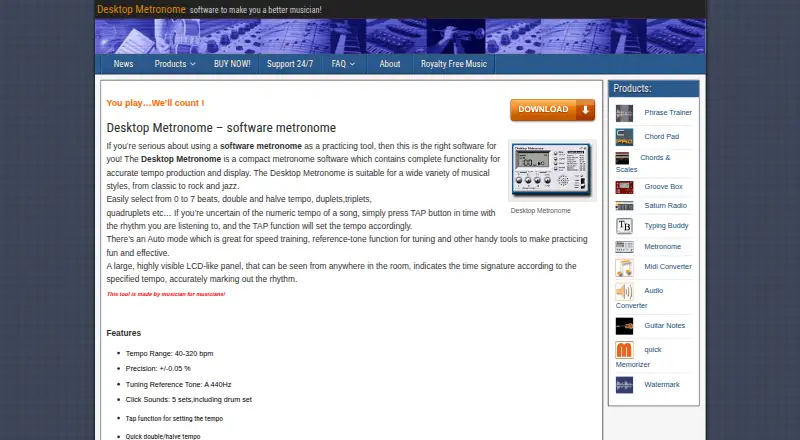
What Desktop Metronome is
Desktop Metronome is Windows software for producing and displaying tempos during musical practice. It covers 40–320 bpm, with stated precision of ±0.05%. Tap tempo sets a pace from a rhythm, and quick controls double or halve it; an Auto mode is described as useful for speed training. Rhythm settings include meters from 1/4 through 7/4 and subdivisions or tuplets from 1 to 10. Five click sound sets include a drum set, and an A 440 Hz tone provides a tuning reference. Users can adjust volume and view the selected time signature on a prominent LCD-like panel. Keyboard shortcuts are available for rhythm-related controls, including tap tempo. The maker describes the software as suitable for styles such as classical, rock, and jazz. A 14-day trial is available, after which functionality is minimized. The listed single-product purchase costs €15, paid once; no subscription term is stated. The maker accepts support questions by email, and buyers who lose a purchased program can request a licensed download link using their purchase reference or email.
Who it suits
Desktop Metronome may suit musicians practicing styles such as classical, rock, or jazz who need adjustable tempo and rhythm settings on Windows. Its trial also lets prospective users try the software for 14 days.
What it does well
- Tempo range spans 40–320 bpm.
- Stated tempo precision is ±0.05%.
- Includes meters from 1/4 through 7/4.
- Five click sound sets include a drum set.
- A 14-day trial is available.
What to know first
- Listed platform is Windows only.
- Trial functionality is minimized after 14 days.
- No free plan is listed.
Limits
The trial runs for 14 days, after which product functionality is minimized. Continued use requires the 15.00 EUR one-time purchase.
Plans
| Plan | Billed and limits | Price |
|---|---|---|
| Desktop Metronome | Single product; no subscription term stated | €15, paid once |
As desktopmetronome.com lists them, read 9 Oct 2026. The maker's own page has the final word.
Getting started
- Open the DesktopMetronome.com product page
- Download the Windows trial
- Install and launch Desktop Metronome
- Set a tempo or use tap tempo
- Choose a meter, subdivision, and click sound
- Purchase the single product for continued full functionality
Verdict
Desktop Metronome offers tempo, meter, subdivision, and sound controls in a Windows practice tool. Consider the 14-day trial and the €15 as a one-time purchase before choosing it.
Questions
What does Desktop Metronome cost?
The Desktop Metronome product costs 15.00 EUR once. No subscription term is stated.
Is there a free version?
There is no free plan, but a 14-day trial is available.
Which operating system does it support?
The listed platform is Windows, and the trial download is a Windows version.
What tempo range does it provide?
The tempo range is 40–320 bpm, with stated precision of ±0.05%.
Can it handle subdivisions and unusual meters?
Yes. It supports meters from 1/4 through 7/4 and tuplets or subdivisions from 1 to 10.
What happens after the trial?
After 14 days, product functionality is minimized.
Facts from Desktop Metronome's own pages
- Display and volume
- It has adjustable volume and a highly visible LCD-like panel that displays the time signature according to the selected tempo. · desktopmetronome.com, 9 Oct 2026
- Download platform
- The maker labels the trial download as a Windows version. · desktopmetronome.com, 9 Oct 2026
- Intended users
- The maker describes it as suitable for a wide variety of musical styles, including classical, rock, and jazz, and says it is made by musicians for musicians. · desktopmetronome.com, 9 Oct 2026
- Keyboard shortcuts
- Keyboard shortcuts are available for rhythm-related functions, including tap tempo. · desktopmetronome.com, 9 Oct 2026
- Maker focus
- DesktopMetronome.com describes itself as a software firm specializing in audio software and utilities for Windows. · desktopmetronome.com, 9 Oct 2026
- Purchase recovery
- The FAQ says buyers who lose a purchased program can email their purchase reference number or purchase email to receive a licensed download link. · desktopmetronome.com, 9 Oct 2026
- Purpose
- Desktop Metronome is compact software for producing and displaying accurate tempos for musical practice. · desktopmetronome.com, 9 Oct 2026
- Rhythm settings
- It supports beat meters from 1/4 through 7/4 and tuplets or subdivisions from 1 to 10. · desktopmetronome.com, 9 Oct 2026
- Sounds and tuning
- It offers five click sound sets, including a drum set, and an A 440 Hz tuning reference tone. · desktopmetronome.com, 9 Oct 2026
- Support
- The support page invites questions and suggestions by email and says the maker will answer as soon as possible. · desktopmetronome.com, 9 Oct 2026
- Tempo
- Its tempo range is 40–320 bpm, with stated precision of ±0.05%. · desktopmetronome.com, 9 Oct 2026
- Tempo controls
- It includes tap tempo, quick double and halve tempo, and an Auto mode described as useful for speed training. · desktopmetronome.com, 9 Oct 2026
- Trial
- The trial runs for 14 days, after which product functionality is minimized. · desktopmetronome.com, 9 Oct 2026
Where Desktop Metronome stands on Freedom251
- Metronome Apps#22 of 26