Freedom251 › Adaptive Learning Software
FullRecall
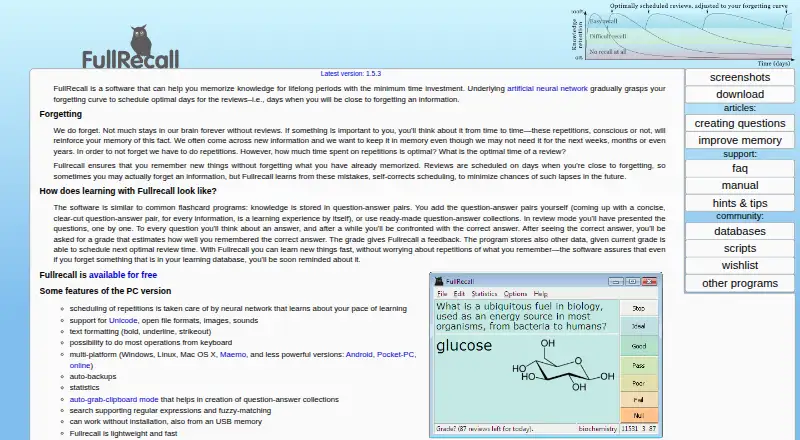
What FullRecall is
FullRecall helps users retain knowledge through scheduled reviews of question-and-answer pairs. Users can write their own pairs or import them from collections and other databases. After each review, they rate how well they remembered the answer; the software uses that feedback and earlier repetitions to choose the next review time, following a neural network that learns the user’s forgetting curve. The free plan has no limit on the number of database items or total database size, though each question and answer is limited to 8192 bytes and category names to 128 bytes. The PC version supports Unicode, open file formats, images, sounds, and text formatting, and includes backups, statistics, clipboard capture, keyboard controls, and search with regular expressions and fuzzy matching. Users can import tab-delimited Excel exports or ready-made databases from the maker’s library. FullRecall can run without installation, including from a USB drive. Versions are listed for Windows, Linux, FreeBSD, macOS (x86), PocketPC, Maemo, and Android; the listed platforms also include iOS and web. The FAQ says it helps with remembering, not understanding, and does not support using your own server for network import and export.
Who it suits
FullRecall suits people who want to build long-term recall with scheduled question-and-answer practice, whether from their own material or imported collections. Its wide platform listing and portable use may also suit learners who want access across devices or from a USB drive.
What it does well
- Free plan has no item-count or database-size limit
- Review timing adapts to recall feedback
- Imports tab-delimited Excel exports
- Can run without installation from a USB drive
- PC version supports images, sounds, and formatting
What to know first
- Questions and answers are limited to 8192 bytes each
- Category names are limited to 128 bytes
- Does not support own-server network import and export
- Designed for remembering, not understanding
Limits
The free plan has no limit on the number of database items or total database size. Each question and answer can be up to 8192 bytes, and each category name can be up to 128 bytes.
Plans
| Plan | Billed and limits | Price |
|---|---|---|
| FullRecall | No limit on number of database items or database size; 8192 bytes per question and answer; 128 bytes per category name | Free |
| Free | 8192-byte questions · 8192-byte answers · 128-byte category names · unlimited items and database size | Free |
As fullrecall.com lists them, read 7 Oct 2026. The maker's own page has the final word.
Getting started
- Open the FullRecall website or download page.
- Choose a listed version for your platform.
- Create question-and-answer pairs or import tab-delimited data exported from Excel.
- Import a ready-made database from the maker’s library if useful.
- For portable use, copy the executable and database directory to a USB drive.
Overview
FullRecall is a question-and-answer memorization tool for people who want recurring reviews to take less time. It suits independent learners who can build or import study material and value offline, portable use. Its adaptive scheduling is useful for recall practice, but it is not a tool for building understanding.
Key features
Learning starts with question-and-answer pairs, which users can create or import from collections and other databases. After each review, learners grade how well they recalled the answer; FullRecall uses those grades and prior repetitions to schedule the next review according to a learned forgetting curve. That makes practice responsive to recall rather than a fixed timetable, though the method depends on having suitable questions and answers to study.
The PC version supports Unicode, open file formats, images, sounds and text formatting. It also includes statistics, automatic backups, clipboard capture, keyboard controls, and search with regular expressions and fuzzy matching. Excel-exported tab-delimited files can be imported, and the maker hosts ready-made databases. Those options reduce the work of moving or preparing content, while the per-question and per-answer size caps matter for anyone trying to store long passages or media-heavy material.
FullRecall supports offline access and can run without installation, including from a USB drive by copying its executable and database directory. Database formats are compatible across Windows, Linux, FreeBSD, PocketPC and Maemo versions. The FAQ says scripts can work around the lack of support for using a personal server for network import and export, but that is a less direct route than built-in network sync.
Pricing
The FullRecall plan costs free. It has no cap on database item count or total database size, a meaningful advantage for long-running personal libraries. The practical constraints are 8192 bytes per question, 8192 bytes per answer and 128 bytes per category name. Those field limits may be restrictive for lengthy prompts or answers, even though the database as a whole can grow without a stated size cap.
There is no paid plan to weigh against the free one in this offering. FullRecall is a strong fit for a learner willing to maintain their own materials; readers seeking a managed learning service or built-in own-server synchronization should consider another option.
Platforms
FullRecall is available on Android, iOS, Linux, macOS, web and Windows. The download page also lists FreeBSD, PocketPC and Maemo versions. Portable execution and compatible database formats across several desktop and legacy platforms make it practical for users who move between machines, though the feature details for study materials and utilities specifically describe the PC version.
Who it's for
Choose FullRecall if your goal is to retain facts, terms or other knowledge through repeated question-and-answer practice, and you are comfortable creating or importing the content. The free plan and absence of an overall database-size cap suit personal collections that grow over time. It is a weaker match for learners who need instruction that develops comprehension: the FAQ draws a clear line between remembering material and understanding it.
Pros and cons
- Pros: Adaptive scheduling uses self-rated recall and repetition history, so review timing responds to performance.
- Pros: The free plan has no item-count or total-database-size cap, supporting extensive collections.
- Pros: Offline and portable use, imports, and ready-made databases offer several ways to study and move material.
- Cons: Questions and answers are capped at 8192 bytes each, with category names capped at 128 bytes; long-form material may not fit comfortably.
- Cons: There is no built-in support for own-server network import and export; scripts are the workaround.
- Cons: Recall practice is not a substitute for learning to understand a subject.
Alternatives
Adaptive Learning Software is a broader category to explore when you want to compare adaptive-learning options. Consider MobyMax if an educator-oriented free version or a family plan is a better fit; its free educator version has limited access compared with licensed features, while Family costs $7.99 a month. Duolingo offers a free plan and a one-week free trial, making it an alternative to consider for language learning.
Khan Academy is another free-plan option, with Android, iOS and web availability; its Enterprise Starter plan is $10 a year for up to 1,000 student licenses at U.S. schools and districts. Lumastery may suit a family looking for a child-focused starting point: its free plan allows one child and one daily session, and its Family plan is $19.99 a month.
Rhapsode uses custom licensing based on client needs, with options including per-user, per-course and revenue-share models. IXL Math is worth considering for interactive exercises and real-time statistics; its Family monthly plan is $9.95 a month for one child, with access to all school levels. Lecturio offers accredited courses starting at $299, paid once. Axonify is a paid option with pricing that depends on team size, locations and features, and requires a quote.
Verdict
FullRecall is a sound choice for self-directed learners who want adaptive recall practice without paying for a plan or facing a total database-size cap. Its main draw is the combination of performance-based review scheduling and portable, offline use; look elsewhere if your priority is understanding a subject, extensive individual answers, or direct synchronization through your own server.
Verdict
FullRecall offers adaptive question-and-answer reviews with a free plan and no total database-size cap. Readers should account for the per-field limits and the FAQ’s distinction between remembering material and understanding it.
Questions
Is FullRecall free?
Yes. The listed FullRecall plan is free, with no item-count or total database-size limit.
Which platforms are listed?
The platform listing includes Android, iOS, Linux, macOS, web, and Windows. The download page also lists FreeBSD, macOS (x86), PocketPC, and Maemo.
Can I import study material?
Yes. FullRecall imports question-and-answer data from tab-delimited files exported from Excel, and the maker hosts ready-made databases that can be imported.
Can I use it without installing it?
Yes. FullRecall can run without installation, including from a USB drive. Its FAQ describes copying the executable and database directory to the drive.
Does FullRecall support syncing through my own server?
The FAQ says it does not support using an own server for network import and export, and describes scripts as a workaround.
What are the database limits?
There is no limit on item count or total database size. Questions and answers are limited to 8192 bytes each, and category names to 128 bytes.
Facts from FullRecall's own pages
- Algorithm criticism
- SuperMemo argues that FullRecall's neural network omits parts of repetition history needed to model memory stability and retrievability, which can make scheduling inaccurate when study patterns are irregular. · supermemo.com, 15 Oct 2026
- Android release
- The Android page lists version 1.12, released June 12, 2017, with Google Play and direct APK downloads. · fullrecall.com, 15 Oct 2026
- Available platforms
- The download page lists Windows, Linux, FreeBSD, macOS (x86), PocketPC, Maemo, and Android versions. · fullrecall.com, 7 Oct 2026
- Backups and statistics
- The PC version provides automatic database backups and learning statistics. · fullrecall.com, 15 Oct 2026
- Categories and queue
- Items can be organized into categories and held in a queue before entering the review schedule. · fullrecall.com, 15 Oct 2026
- Clipboard capture
- Auto-grab-clipboard mode can turn alternating copied text selections into question-and-answer items. · fullrecall.com, 15 Oct 2026
- Cross-platform database
- The FAQ says database formats are compatible between Windows, Linux, FreeBSD, PocketPC and Maemo versions. · fullrecall.com, 15 Oct 2026
- Cross-platform databases
- The FAQ says database file formats are fully compatible between Windows, Linux, FreeBSD, PocketPC, and Maemo versions. · fullrecall.com, 7 Oct 2026
- Database limits
- Each question and answer is limited to 8192 bytes and category names to 128 bytes, while item count and total database size have no stated limit. · fullrecall.com, 15 Oct 2026
- Documentation
- The official manual is a 28-page PDF covering menus, settings, statistics, keyboard controls, grades and troubleshooting. · fullrecall.com, 15 Oct 2026
- Excel import
- Tab-delimited files exported from Excel can be imported into the learning queue. · fullrecall.com, 15 Oct 2026
- External extensibility
- Exec tags can launch external programs to open media that FullRecall cannot handle directly. · fullrecall.com, 15 Oct 2026
- Graded recall
- After revealing an answer, users grade how well they remembered it, and the grade affects the next interval. · fullrecall.com, 15 Oct 2026
- Import options
- FullRecall can import question and answer data from tab-delimited files exported from Excel. · fullrecall.com, 7 Oct 2026
- Independent comparison
- Omniglot describes FullRecall as straightforward, Unicode-capable and multi-platform, while noting that its FOX toolkit is simplistic and its database is open to third-party analysis. · omniglot.com, 15 Oct 2026
- Keyboard operation
- Most operations can be performed from the keyboard and shortcuts are configurable. · fullrecall.com, 15 Oct 2026
- Latest PC release
- The download page identifies version 1.5.3 and dates its release changelog to July 12, 2013. · fullrecall.com, 15 Oct 2026
- Learning limitation
- The FAQ says FullRecall helps with remembering knowledge, not understanding it. · fullrecall.com, 7 Oct 2026
- License classification
- AlternativeTo lists FullRecall as a proprietary freemium product. · alternativeto.net, 15 Oct 2026
- Limit: conceptual learning
- The official FAQ states that FullRecall helps with remembering knowledge but does not provide understanding of the material. · fullrecall.com, 15 Oct 2026
- Limit: maintenance
- Another AlternativeTo commenter said the software had not been maintained since about 2013 and required unidentified 32-bit libraries on newer Linux systems. · alternativeto.net, 15 Oct 2026
- Limit: review hang
- An AlternativeTo user reported intermittent review-button hangs that drove one CPU core to 100 percent on Windows XP until the process was killed. · alternativeto.net, 15 Oct 2026
- Maker identity
- SuperMemo identifies David Calinski as FullRecall's creator and says he developed MemAid before turning it into the commercial FullRecall product. · supermemo.com, 15 Oct 2026
- Media support
- The PC version supports Unicode, open file formats, images, sounds and basic text formatting. · fullrecall.com, 15 Oct 2026
Where FullRecall stands on Freedom251
- Adaptive Learning Software#2 of 30