Freedom251 › E-Signature Software
Formstack Sign
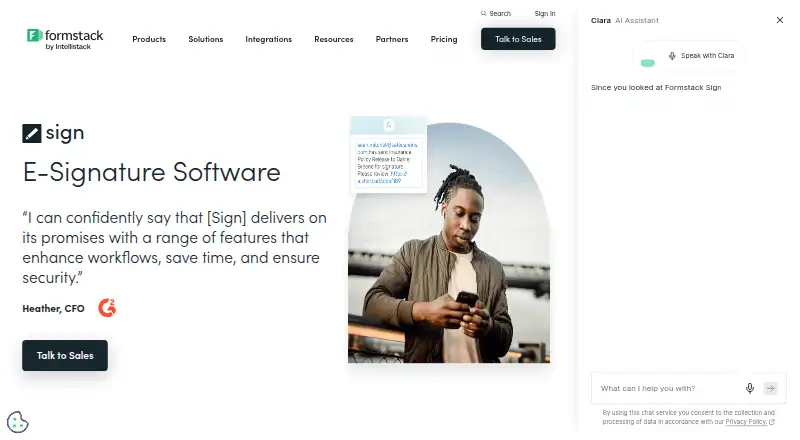
What Formstack Sign is
Formstack Sign is a digital signing service for organizations that handle contracts, agreements, invoices, and other business documents. Users can send documents by email or SMS, with automated email and text reminders, and add multiple signers in a sequential order. Uploads can be DOCX, PDF, PPTX, or CSV files. Signature fields support names, dates, initials, checkboxes, radio buttons, and freeform text, while reusable templates help standardize frequently used documents. Recipients can review and sign from a phone or tablet. The service includes audit trails, bulk sending, API access, SSL encryption, and password protection, with web, iOS, and Android platforms listed. Formstack says Sign can support HIPAA workflows and provides a standard Business Associate Agreement for all accounts. It can work with Formstack Documents to generate and route documents, and signed files can be returned to Salesforce with relevant records updated. The Suite costs $250 a month, billed annually, includes Forms, Documents, and Sign, three Builder users, 250 document deliveries monthly, and unlimited eSignatures. Accounts do not have a free plan, and documents currently support only 8.5-by-11-inch sizing.
Who it suits
Formstack Sign suits organizations sending revenue-related contracts, invoices, and agreements that need digital signing, templates, multiple signers, or API connections. It may also fit teams using Formstack Documents, Salesforce, or HIPAA workflows.
What it does well
- Email and SMS signing requests with reminders
- Sequential signing for multiple signers
- DOCX, PDF, PPTX, and CSV uploads
- Audit trails, bulk sending, and API access
- Unlimited eSignatures in Suite
What to know first
- No free plan
- Suite billed annually
- 250 monthly document deliveries in Suite
- Documents limited to 8.5-by-11 inches
Plans
| Plan | Billed and limits | Price |
|---|---|---|
| Suite | paid annually; page also shows $299/month · 3 Builder users · 100 Forms · 5,000 Submissions per form · 10GB Storage · 250 Document deliveries per month · Unlimited eSignatures | $250 a month |
As formstack.com lists them, read 11 Oct 2026. The maker's own page has the final word.
Verdict
Formstack Sign combines digital document delivery, structured signing fields, templates, and business-system connections. Buyers should account for annual Suite billing, its delivery allowance, and the document-size restriction.
Facts from Formstack Sign's own pages
- API access
- Yes · sign.formstack.com, 19 Sept 2026
- Audience
- Formstack describes Sign for organizations handling revenue-generating documents such as contracts, invoices, and agreements. · formstack.com, 11 Oct 2026
- Audit trail
- Each signed document automatically receives an audit trail that records document activity. · formstack.com, 11 Oct 2026
- Bulk sending
- Yes · sign.formstack.com, 19 Sept 2026
- Delivery
- Documents can be sent to signers by email or SMS, with automated email and text reminders. · formstack.com, 11 Oct 2026
- File formats
- The product page lists DOCX, PDF, PPTX, and CSV as supported upload formats. · formstack.com, 11 Oct 2026
- Founded
- 2006 · formstack.com, 4 Oct 2026
- Free plan
- No · sign.formstack.com, 19 Sept 2026
- Healthcare compliance
- Formstack says Sign can be used in HIPAA workflows and provides a standard Business Associate Agreement for all accounts. · formstack.com, 11 Oct 2026
- Integrations
- Formstack Sign can be paired with Formstack Documents to generate documents and route them for signature; the product also offers an Open API for custom connections. · formstack.com, 11 Oct 2026
- Mobile signing
- Send signing requests by text so recipients can review and sign on a phone or tablet. · formstack.com, 11 Oct 2026
- Multiple signers
- Users can add multiple signers and set the signing order. · formstack.com, 11 Oct 2026
- Notable limit
- The Sign account limits help page says the product currently supports documents sized 8.5 by 11 inches only. · help.formstack.com, 11 Oct 2026
- Purpose
- Formstack Sign lets organizations send, sign, and complete business documents such as contracts, agreements, and invoices digitally. · formstack.com, 11 Oct 2026
- Salesforce
- With Formstack Documents, signed documents can be sent back to Salesforce and relevant records updated. · formstack.com, 11 Oct 2026
- Security
- Listed security features include SSL encryption and password protection. · formstack.com, 11 Oct 2026
- Signature fields
- Documents can include fields for names, dates, initials, checkboxes, radio buttons, and freeform text. · formstack.com, 11 Oct 2026
- Templates
- Reusable signature templates can apply fields to frequently used documents. · formstack.com, 11 Oct 2026
Where Formstack Sign stands on Freedom251
- E-Signature Software#52 of 68
- E-signature tools#52 of 68
- Electronic Signature Software#28 of 33