Freedom251 › Forecasting Software

Forecast Pro
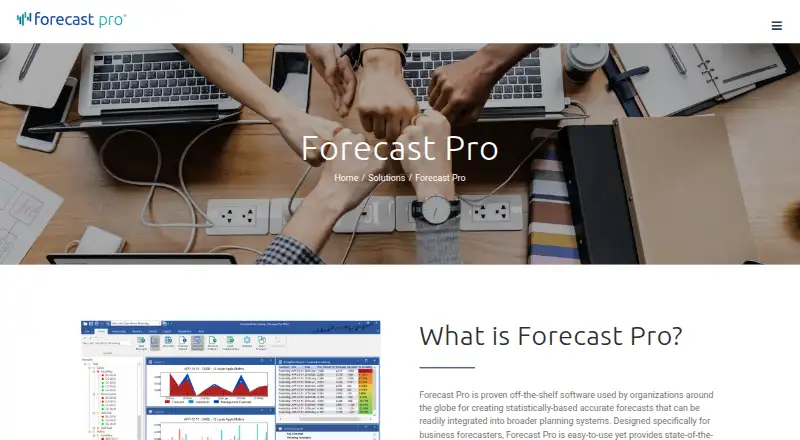
What Forecast Pro is
Forecast Pro creates statistically based business forecasts for use in broader planning systems. Its automatic best-pick algorithm considers seasonal patterns, trends, business cycles, promotional activity, and other factors. Forecasts can be organized at different hierarchy levels, including SKU granularity, while working with units, dollars, and other measures simultaneously. Users can adjust forecasts at any hierarchy level; comments and override reports reconcile and document those changes. The software keeps previous forecasts so teams can compare them with actual results and review forecast value added across process steps.
Data can be imported or exported through Excel, CSV, text files, or ODBC connections, and the maker says the product integrates with ERP, MRP, and BI systems. Forecast Pro runs on Windows and can be installed on a client machine or server, including Citrix or Windows Server. Its SDK is available as a Windows DLL or Linux shared library, with .NET and Java interfaces. Professional is aimed at forecasters and organizations moving beyond Excel; TRAC is intended for collaborative planning and S&OP teams. Subscriptions include product updates and unlimited phone and email technical support while active. Founded in 1986, Forecast Pro is headquartered in Waltham, Massachusetts, USA.
Who it suits
Forecast Pro Professional suits forecasters and organizations moving beyond Excel that need statistically based forecasts, hierarchy-level adjustments, and accuracy analysis. TRAC is positioned for collaborative planning teams and S&OP processes that need shared worksheets, exception reporting, and accuracy tracking.
What it does well
- Best-pick forecasting considers seasonality, trends, business cycles, and promotions.
- Supports simultaneous forecasting in units, dollars, and other measures.
- Comments and override reports document forecast adjustments across hierarchy levels.
- Archives forecasts for actual-result comparisons and value-added analysis.
- Imports and exports through Excel, CSV, text files, and ODBC.
- Subscriptions include updates and unlimited phone and email technical support.
What to know first
- No free plan; the trial lasts 21 days.
- Professional starts at $199/user/mo, billed annually with a 12-month minimum.
- Forecast generation in a TRAC team requires at least one Forecaster license.
- The main application runs on Windows.
Limits
The free trial provides access to all features for 21 days and then ends automatically. Professional costs $199/user/mo, billed annually with a 12-month minimum; TRAC pricing is custom by license type and volume, and a TRAC team needs at least one Forecaster license to generate forecasts.
Plans
| Plan | Billed and limits | Price |
|---|---|---|
| Forecast Pro Professional | annually; 12-month minimum · AI, ML and statistical forecasting · Expert Model Selection · forecast overrides with audit trail · unlimited forecasting · Excel integration · email and phone support | $199 a month |
| Forecast Pro TRAC | annually; 12-month minimum · Professional features plus team collaboration · multiple hierarchies and units of measure · accuracy tracking and FVA reporting · exception reporting · customizable forecast worksheets · ABC/Pareto analysis | On request |
As forecastpro.com lists them, read 15 Oct 2026. The maker's own page has the final word.
Getting started
- Visit the Forecast Pro website.
- Choose Professional for individual forecasting or TRAC for collaborative planning.
- Start the 21-day free trial with access to all features.
- After the trial, use an annual subscription; Professional has a 12-month minimum.
- Install the Windows application on a client machine or server, including Citrix or Windows Server.
- For a TRAC team to generate forecasts, obtain at least one Forecaster license.
Verdict
Choose Forecast Pro if your work requires statistical forecasts at multiple hierarchy levels, documented adjustments, and review against actual results. Professional has a stated annual starting price, while collaborative planning teams may consider TRAC, whose pricing is custom by license type and volume. Look elsewhere if you need a free plan or a main application that runs on Linux.
Questions
Is there a free plan or trial?
There is no free plan. The free trial includes all features for 21 days and ends automatically.
How much does Forecast Pro cost?
Professional costs $199/user/mo, billed annually, with a 12-month minimum. TRAC uses custom pricing by license type and volume.
What platforms does it support?
The main application runs on Windows and can be installed on a client machine or server, including Citrix or Windows Server. The SDK is available as a Windows DLL or Linux shared library, with .NET and Java interfaces.
Can Forecast Pro connect to other systems?
Data can be imported or exported through Excel, CSV, text files, or ODBC. The maker says the product integrates with ERP, MRP, and BI systems.
Is Forecast Pro open source?
The facts do not characterize Forecast Pro as open source; they describe paid annual per-user subscriptions.
What support comes with a subscription?
Subscriptions include product updates and unlimited technical support by phone and email while the subscription is active.
Facts from Forecast Pro's own pages
- Accuracy analysis
- Forecast Pro archives previous forecasts so users can compare them with actual results and review forecast value add across process steps. · forecastpro.com, 8 Oct 2026
- Adjustments and collaboration
- Forecast adjustments can be made at any hierarchy level, with changes reconciled and documented through comments and override reports. · forecastpro.com, 8 Oct 2026
- AI and machine learning
- The product combines AI, machine-learning and statistical forecasting in a best-pick algorithm. · forecastpro.com, 15 Oct 2026
- Command-line extensibility
- An SDK executable can read forecast inputs from CSV files and write forecast results to CSV without compiling code. · forecastpro.com, 15 Oct 2026
- Company founding and headquarters
- Business Forecast Systems says it was founded in 1986 and is headquartered in Waltham, Massachusetts. · forecastpro.com, 15 Oct 2026
- Company legal name
- The maker is Business Forecast Systems, Inc. · forecastpro.com, 15 Oct 2026
- Company size
- LinkedIn lists Forecast Pro as privately held with 11–50 employees. · linkedin.com, 15 Oct 2026
- Company users
- The maker reports more than 40,000 users worldwide and thousands of customer companies. · forecastpro.com, 15 Oct 2026
- Deployment
- The software can be installed on a client machine or server, including Citrix and Windows Server, with native 32-bit and 64-bit versions. · forecastpro.com, 15 Oct 2026
- Documentation
- The online reference contains tutorials for setup, data, collaboration, accuracy tracking, FVA, exceptions, Pareto analysis and command-line operation. · forecastpro.com, 15 Oct 2026
- Event handling
- Event models support promotions, strikes, irregular events and movable holidays through an Event Manager. · forecastpro.com, 15 Oct 2026
- Expert model selection
- Its Expert Selection system analyzes data, chooses a forecasting technique, builds the model and explains the choice in plain language. · forecastpro.com, 15 Oct 2026
- Forecasting
- Its automatic best-pick algorithm accounts for seasonal patterns, trends, business cycles, promotional activity, and other factors. · forecastpro.com, 8 Oct 2026
- Founded
- 1986 · forecastpro.com, 28 Sept 2026
- GetApp feature ratings
- GetApp shows 5.0/5 for forecasting and demand forecasting, with an overall features score of 4.5/5 from two reviews. · getapp.com, 15 Oct 2026
- Headquarters
- Waltham, Massachusetts, USA · forecastpro.com, 28 Sept 2026
- Hierarchies
- Multiple-level models reconcile grouped data with top-down or bottom-up approaches to produce consistent forecasts across aggregation levels. · forecastpro.com, 15 Oct 2026
- Hierarchy and units
- Users can forecast at different hierarchy levels and work with units, dollars, and other units of measure simultaneously. · forecastpro.com, 8 Oct 2026
- Integrations
- Data can be exchanged through Excel, CSV or text files and direct ODBC database connections, with outputs commonly sent to ERP or MRP systems. · forecastpro.com, 15 Oct 2026
- Intended users
- The maker positions Professional for forecasters and organizations moving beyond Excel, and TRAC for collaborative planning teams and S&OP processes. · forecastpro.com, 8 Oct 2026
- License model
- Forecast Pro uses annual per-user subscription licenses; TRAC also offers Forecaster and Collaborator roles. · forecastpro.com, 15 Oct 2026
- License requirement
- Forecast Pro uses annual per-user subscriptions, and a TRAC team needs at least one Forecaster license to generate forecasts. · forecastpro.com, 8 Oct 2026
- Limit: collaboration and scale
- G2 feedback says scalability and simultaneous multi-user work can be limited for larger organizations. · g2.com, 15 Oct 2026
- Limit: performance
- Several G2 reviewers report slow processing with large datasets or large machine-learning projects. · g2.com, 15 Oct 2026
Where Forecast Pro stands on Freedom251
- Forecasting Software#2 of 34
- Demand Planning Software#4 of 53
- Predictive Analytics Software#17 of 37