Freedom251 › Ebook Reader Software
Foliate
What Foliate is
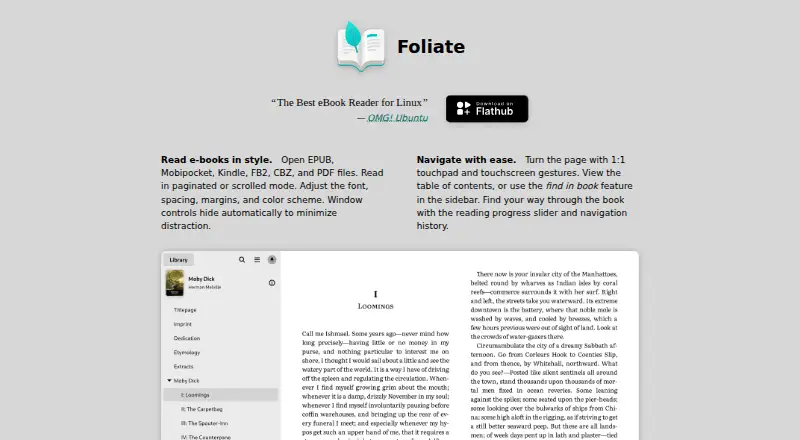
Foliate is a free e-book reader for Linux that opens EPUB, Mobipocket, Kindle, FB2, CBZ, and PDF files. Readers can choose paginated or scrolling layouts and adjust fonts, spacing, margins, and colors. Navigation includes a table of contents, in-book search, a progress slider, history, and touchpad or touchscreen page-turn gestures. Foliate supports right-to-left text, vertical writing, fixed-layout books, automatic hyphenation, popup footnotes, and media overlays. Reading progress, bookmarks, and annotations are saved as JSON files that can be copied for backup or syncing. Readers can look up words in Wiktionary and Wikipedia or translate passages with Google Translate. Narration requires Speech Dispatcher and an output module such as espeak-ng; it is unavailable while a book’s embedded audio overlay is active. Foliate blocks JavaScript and external resources in EPUBs, and its project recommends a sandboxed setup such as Flatpak for additional protection. Packages are listed for Arch Linux, Debian, Fedora, and openSUSE, as well as Flathub and the Snap Store.
Who it suits
Foliate suits Linux readers who want to open several e-book and document formats and customize reading layouts. It also offers annotations, lookups, and translation tools.
What it does well
- Opens EPUB, Mobipocket, Kindle, FB2, CBZ, and PDF
- Supports layout, font, spacing, margin, and color adjustments
- Stores progress, bookmarks, and annotations in copyable JSON files
- Blocks JavaScript and external resources in EPUB files
What to know first
- Listed platform is Linux
- Narration requires Speech Dispatcher and an output module
- Narration is unavailable during embedded audio overlays
Limits
Foliate is free software at no cost. Text-to-speech needs Speech Dispatcher and an output module, and is unavailable when the book’s embedded audio media overlay is active.
Plans
| Plan | Billed and limits | Price |
|---|---|---|
| Free software | Free to redistribute and modify under the GNU General Public License | Free |
As johnfactotum.github.io lists them, read 8 Oct 2026. The maker's own page has the final word.
Getting started
- Visit the Foliate project website.
- Choose a Linux distribution package or use Flathub or the Snap Store.
- Open a supported EPUB, Mobipocket, Kindle, FB2, CBZ, or PDF file.
- Adjust the reading layout and display controls as needed.
- Install Speech Dispatcher and an output module such as espeak-ng to use text-to-speech.
Verdict
Foliate brings broad file support and adjustable reading controls to Linux, with notes and progress saved in portable files. Readers interested in narration should account for its additional software requirement and audio-overlay limit.
Questions
How much does Foliate cost?
The Free software plan costs nothing and is free to redistribute and modify under the GNU General Public License.
Which platforms does Foliate support?
It is listed for Linux. Packages are listed for Arch Linux, Debian, Fedora, and openSUSE, and it is available on Flathub and the Snap Store.
Which file formats can Foliate open?
It supports EPUB, Mobipocket, Kindle, FB2, CBZ, and PDF.
Can Foliate sync reading progress?
Reading progress, bookmarks, and annotations are stored in JSON files that users can copy to sync or back up.
Does Foliate support text-to-speech?
Yes. It uses Speech Dispatcher and requires an output module such as espeak-ng; it is unavailable while embedded audio media overlays are active.
Is Foliate open source?
The Free software plan allows redistribution and modification under the GNU General Public License.
Facts from Foliate's own pages
- Advanced rendering
- It supports right-to-left text, vertical writing, fixed-layout books, auto-hyphenation, popup footnotes, and media overlays. · johnfactotum.github.io, 8 Oct 2026
- Distribution
- The project lists packages for Arch Linux, Debian, Fedora, and openSUSE, and says it is available on Flathub and the Snap Store. · github.com, 8 Oct 2026
- File formats
- It opens EPUB, Mobipocket, Kindle, FB2, CBZ, and PDF files. · johnfactotum.github.io, 8 Oct 2026
- Integrations
- Optional Flatpak permissions enable network access for online lookup and translation tools, Speech Dispatcher access for narration, and Tracker access to locate files in the library view. · github.com, 8 Oct 2026
- Limit
- Text-to-speech is unavailable when the book's embedded audio media overlay is active. · github.com, 8 Oct 2026
- Lookup and translation
- Foliate can look up words in Wiktionary and Wikipedia and translate passages with Google Translate. · johnfactotum.github.io, 8 Oct 2026
- Navigation
- It includes a table of contents, in-book search, a reading progress slider, navigation history, and touchpad and touchscreen page-turn gestures. · johnfactotum.github.io, 8 Oct 2026
- Notes
- Reading progress, bookmarks, and annotations are stored in JSON files that users can copy to sync or back up. · github.com, 8 Oct 2026
- Purpose
- Foliate is an e-book reader for Linux. · johnfactotum.github.io, 8 Oct 2026
- Reading controls
- Readers can choose paginated or scrolled mode and adjust font, spacing, margins, and color scheme. · johnfactotum.github.io, 8 Oct 2026
- Security
- Foliate blocks JavaScript and external resources in EPUB files, and recommends running in a sandboxed environment such as its Flatpak package for additional protection. · github.com, 8 Oct 2026
- Support
- The project directs users to its FAQ, issue tracker, and discussion forum for questions and feedback. · johnfactotum.github.io, 8 Oct 2026
- Text to speech
- Text-to-speech uses Speech Dispatcher and requires Speech Dispatcher and an output module such as espeak-ng to be installed. · github.com, 8 Oct 2026
Where Foliate stands on Freedom251
- Ebook Reader Software#14 of 27