Freedom251 › Social Media Feed Software
Flow-Flow Social Streams
What Flow-Flow Social Streams is
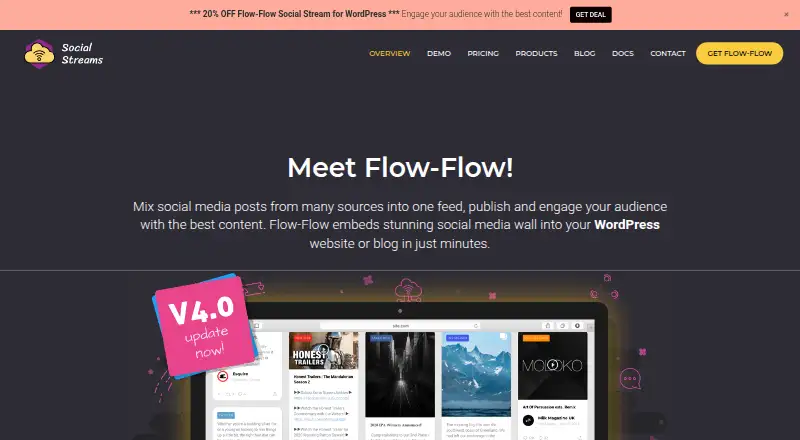
Flow-Flow Social Streams brings posts from multiple sources into social media walls for WordPress websites and blogs. Listed sources include Facebook, Twitter, Instagram, WordPress, Pinterest, SoundCloud, Tumblr, Foursquare, Dribbble, YouTube, Vimeo, Flickr and RSS. Users can adjust colors, card width, margins and templates, and display feeds in masonry, slider, wall or justified layouts. Visitors can share posts, filter by network, search, open items in a lightbox and load more. The WordPress plugin supports responsive layouts and swipe motion for mobile. Flow-Flow describes server caching for feeds and image caching that calculates image sizes on the server. Posts can be excluded by word, username or URL; pre-moderation is a Pro feature. The free WordPress plan includes four sources and a masonry layout. WordPress Pro costs $49, paid once and includes 14 sources. Shopify plans start at $4.99 a month. Stream capacity depends on server specifications.
Who it suits
It suits WordPress site owners or bloggers who want to combine posts from several sources in embedded walls. It may also suit Shopify users seeking feed plans with specified feed limits.
What it does well
- Supports feeds from 14 listed sources.
- Customizes colors, card width, margins and templates.
- Includes sharing, filtering, search and lightbox viewing.
- Responsive layouts and swipe motion for mobile.
- Posts can be excluded by word, username or URL.
What to know first
- Free WordPress plan includes four sources.
- Pre-moderation is a Pro feature.
- WordPress plugin requires PHP 7.x or above and specified components.
- Stream capacity depends on server specifications.
Limits
The free WordPress plan includes four sources and a masonry layout. Shopify plans cap data feeds at five, 20 or 50 depending on the plan; downgrading below the active feed count deactivates excess recent feeds until re-enabled after an upgrade.
Plans
| Plan | Billed and limits | Price |
|---|---|---|
| Free Version (WordPress) | 4 sources · Masonry layout · Unlimited streams (server dependent) | Free |
| Standard (Shopify) | Up to 20 data feeds · Unlimited streams · Pre-moderation · 7-day free trial | $14.99 a month |
| Shopify Standard | $14.99 / mo · Up to 20 data feeds · unlimited streams · pre-moderation · 7-day free trial | $14.99 a month |
| Flow-Flow standalone PHP | one-time purchase · Standalone PHP social wall · multiple layouts · RSS and social feeds | $29, paid once |
| Shopify Top | $34.99 / mo · Up to 50 data feeds · unlimited streams · pre-moderation · no free trial | $34.99 a month |
| Top (Shopify) | Up to 50 data feeds · Unlimited streams · Pre-moderation | $34.99 a month |
| PRO Version (WordPress) | 14 sources including WordPress and RSS · Masonry, Slider, Wall, Justified layouts · Unlimited streams (server dependent) | $49, paid once |
| Shopify Basic | $4.99 / mo · Up to 5 data feeds · unlimited streams · no pre-moderation · no free trial | $4.99 a month |
The first 8 of 10 plans, as social-streams.com lists them, read 2 Oct 2026. The maker's own page has the final word. Every plan
Getting started
- Visit the Flow-Flow website.
- Choose the WordPress plugin or a Shopify plan.
- For WordPress, confirm the server has the required PHP version and components.
- Choose the free WordPress plan, WordPress Pro, or a Shopify plan.
- Add feeds and customize the wall design.
Flow-Flow Social Streams aggregates social posts into embeddable walls for WordPress sites and blogs, with Shopify plans for hosted storefronts. It is best for site owners combining several networks who want control over presentation and visitor interaction. The main choice is between broad source coverage and the hosting or feed-count limits attached to each platform.
Overview
Flow-Flow turns feeds from multiple services into social-media walls displayed on a website. WordPress users install a self-hosted plugin, while Shopify users choose a monthly plan with a defined number of data feeds. WordPress streams are described as unlimited, but actual capacity depends on the server; the maker estimates an average server can handle ten streams with ten feeds each. That makes hosting resources a practical constraint for busy or feed-heavy sites.
Server caching stores feed data, and image caching calculates image sizes on the server. These measures are useful when a wall combines many sources, though they do not remove the underlying server-capacity dependency.
Key features
Supported sources include Facebook, Twitter, Instagram, WordPress, Pinterest, SoundCloud, Tumblr, Foursquare, Dribbble, YouTube, Vimeo, Flickr and RSS. This mix suits organizations bringing social networks, publishing platforms and media services into one display; a site with one simple feed may not need such breadth.
Colors, card width, margins, templates and other design settings can be adjusted. WordPress Pro adds masonry, slider, wall and justified layouts, while the free WordPress version includes masonry. Responsive layouts and swipe motion support mobile sliding. Visitors can share posts, filter by network, search as they type, open content in a lightbox and load more items, making the wall more than a static collage.
Moderation can exclude posts by word, username or URL. Pre-moderation is reserved for the Pro comparison tier, so teams needing approval before publication should select a plan that includes it rather than relying only on exclusions.
WordPress hosting must provide PHP 7.x or newer, mysqli, cURL, GD, mbstring and allow_url_fopen; some network APIs also require server SSL. These prerequisites make the plugin a better fit for administrators who control compatible hosting than for owners seeking a managed embed.
Pricing
The model is freemium: a free WordPress option is available, paid plans start at $49, and a free trial is offered on one Shopify tier.
| Plan | Price | What it includes |
|---|---|---|
| Free Version (WordPress) | free | 4 sources, masonry layout, unlimited streams subject to server capacity |
| Basic (Shopify) | $4.99 a month | Up to 5 data feeds, unlimited streams |
| Standard (Shopify) | $14.99 a month | Up to 20 data feeds, unlimited streams, pre-moderation, 7-day free trial |
| Top (Shopify) | $34.99 a month | Up to 50 data feeds, unlimited streams, pre-moderation |
| PRO Version (WordPress) | $49, paid once | 14 sources including WordPress and RSS; masonry, slider, wall and justified layouts; unlimited streams subject to server capacity |
The free WordPress plan is a sensible starting point for small sites that can work within four sources and masonry presentation. Pro is a one-time purchase for WordPress publishers needing all 14 sources and more layout choices. Shopify Basic keeps the monthly cost low but limits feeds to five; Standard is the practical step up when 20 feeds and pre-moderation justify the higher price, while Top is for up to 50. Downgrading below the active feed count deactivates excess recent feeds until the account is upgraded again.
CodeCanyon purchases include six months of free support. Support tickets usually receive a response within 1–2 business days (UTC+3).
Platforms
Flow-Flow is available as self-hosted WordPress software and as Shopify plans. The WordPress route gives more control but requires compatible PHP extensions, SSL where APIs demand it, and a server able to sustain the streams. Shopify offers simpler plan-based limits, with feed capacity tied directly to the subscription.
Who it's for
Choose Flow-Flow if you run a WordPress site or Shopify store that needs several social sources, branded layouts and visitor tools such as filtering, search and sharing. It is especially suitable for administrators comfortable checking hosting requirements and capacity. It is less suitable when you want hosting-independent operation, a fixed WordPress capacity guarantee, or only a single lightweight feed.
Pros and cons
Pros
- Thirteen named network and content integrations plus RSS support broad, mixed-source walls.
- Design controls and four WordPress Pro layouts allow a wall to match the surrounding page.
- Filtering, live search, sharing, lightbox viewing and load-more behavior encourage exploration.
- Word and username/URL exclusions provide practical moderation controls.
Cons
- WordPress capacity is server-dependent, with an estimate rather than a fixed allowance.
- Self-hosting requires specific PHP modules and related server configuration.
- Shopify tiers cap data feeds, and downgrades can deactivate excess recent feeds.
- Pre-moderation is limited to the higher Shopify tiers and Pro comparison tier.
Alternatives
Curator.io is a better fit when a web or API-based service with a free tier of three sources, 2,000 monthly views and 1,000 posts is enough. EmbedSocial suits teams wanting API or web delivery, a free trial and a free tier with one source and 500 monthly views. FeedPane is narrower but appropriate for one Instagram account with six posts in its free plan. Juicer offers a free-forever tier with one source, one page and 300 monthly feed views. ElectricBlaze is an option for extension or web widgets, including five free widgets and 1,000 monthly views. Onstipe provides API or web plans with source and update limits. FeedWind is another web-based freemium alternative. Common Ninja Form Builder is a freemium web form tool rather than a direct social-wall match.
Browse more options in Social Media Feed Software.
Verdict
Flow-Flow is a strong choice for WordPress publishers and Shopify merchants who need multi-network walls with substantial styling and visitor interaction. Pick it for source breadth and WordPress Pro's one-time price; look elsewhere if server administration, uncertain capacity or Shopify feed ceilings conflict with your requirements.
Verdict
Flow-Flow combines multi-source feeds with layout customization and visitor interactions. Check the source limits, server requirements and capacity needs before choosing a plan.
Questions
Is there a free plan?
Yes. The WordPress free version costs nothing and includes four sources, a masonry layout and unlimited streams subject to server capacity.
How much does WordPress Pro cost?
The PRO Version (WordPress) costs $49, paid once and includes 14 sources and four layouts.
What do the Shopify plans cost?
Basic costs $4.99 a month, Standard costs $14.99 a month, and Top costs $34.99 a month.
Which platforms does Flow-Flow support?
Its listed platforms are self-hosted and web. The product is offered as a WordPress plugin and has Shopify plans.
Can I moderate posts before they appear?
Posts can be excluded by word, username or URL. Pre-moderation is included with the Standard and Top Shopify plans and listed as a Pro feature.
What server requirements apply to the WordPress plugin?
It requires PHP 7.x or above, mysqli, cURL, GD, mbstring and allow_url_fopen. Some network APIs require server SSL.
Facts from Flow-Flow Social Streams's own pages
- AJAX and infinite scroll
- The plugin advertises AJAX loading and infinite scrolling optimized for page speed. · wordpress.org, 15 Oct 2026
- API data retention
- Facebook and Instagram post caches default to a 60-minute refresh and posts older than 30 days may be purged automatically. · social-streams.com, 15 Oct 2026
- Authentication
- One-click API authentication is provided for Instagram and Facebook, while other networks require their own credentials or keys. · wordpress.org, 15 Oct 2026
- Caching
- Background caching stores feed data so later visitors can receive cached content without waiting for live API calls. · wordpress.org, 15 Oct 2026
- Capacity limit
- The maker says stream capacity depends on server specifications and estimates an average server can handle ten streams with ten feeds each. · docs.social-streams.com, 2 Oct 2026
- Customization
- Users can customize colors, card width, margins, templates and other feed design elements. · social-streams.com, 2 Oct 2026
- Developer API
- The PHP product documents an FFInjector class with methods to inject assets, the admin panel and a selected stream into custom pages. · docs.social-streams.com, 15 Oct 2026
- Documentation depth
- The help center covers setup, authentication, installation, troubleshooting, moderation, feed updates, Shopify plans, PHP installation and injector-class programming. · docs.social-streams.com, 15 Oct 2026
- Engagement counters
- Cards can show social engagement counts such as comments, likes and views. · wordpress.org, 15 Oct 2026
- Feeds
- The product lists feeds for Facebook, Twitter, Instagram, WordPress, Pinterest, SoundCloud, Tumblr, Foursquare, Dribbble, YouTube, Vimeo, Flickr and RSS. · social-streams.com, 2 Oct 2026
- Filtering
- Feeds support sorting, live search and post exclusion rules based on words, usernames or URLs. · wordpress.org, 15 Oct 2026
- Hosting requirements
- The WordPress plugin requires PHP 7.x or above, mysqli, cURL, GD, mbstring and allow_url_fopen; some network APIs require server SSL. · docs.social-streams.com, 2 Oct 2026
- Installation
- WordPress installation supports dashboard upload or FTP placement in wp-content/plugins followed by activation. · docs.social-streams.com, 15 Oct 2026
- Interaction
- Feeds support sharing, filtering by network, live search, lightbox viewing and loading more items. · social-streams.com, 2 Oct 2026
- Layouts
- Pro adds boxed and justified galleries, carousel or slider layouts and fixed-height grids. · wordpress.org, 15 Oct 2026
- Lightbox
- Pro includes an interactive lightbox with comments support for Facebook, Instagram and YouTube content. · wordpress.org, 15 Oct 2026
- Limit: authorization complexity
- WPMarmite found social-network authorization technically demanding for beginners. · wpmarmite.com, 15 Oct 2026
- Limit: breakage and support
- WordPress.org reviews include reports that the social wall stopped working, crashed Elementor and had nonexistent support. · wordpress.org, 15 Oct 2026
- Limit: LinkedIn availability
- WPMarmite commenters reported that LinkedIn support was removed or unavailable because of LinkedIn API changes. · wpmarmite.com, 15 Oct 2026
- Limit: load balancing
- A WPMarmite commenter reported incompatibility with HyperDB and direct database writes that can be problematic in read/write load-balanced WordPress deployments. · wpmarmite.com, 15 Oct 2026
- Limit: missing design preview
- WPMarmite criticized the lack of a complete design preview while configuring a wall. · wpmarmite.com, 15 Oct 2026
- Limit: uninstall failures
- Several WordPress.org reviewers reported that deactivation or uninstall became stuck on the survey screen. · wordpress.org, 15 Oct 2026
- LinkedIn product description
- LinkedIn describes Social Stream for WordPress by Looks Awesome as software that mixes posts from many sources into one feed for WordPress sites. · linkedin.com, 15 Oct 2026
- Maker identity
- The product is developed and sold by Looks Awesome, also named as the developer in the WordPress listing and privacy policy. · social-streams.com, 15 Oct 2026
Where Flow-Flow Social Streams stands on Freedom251
- Social Media Feed Software#1 of 25