Freedom251 › Debugging Software
Firefox Developer Tools
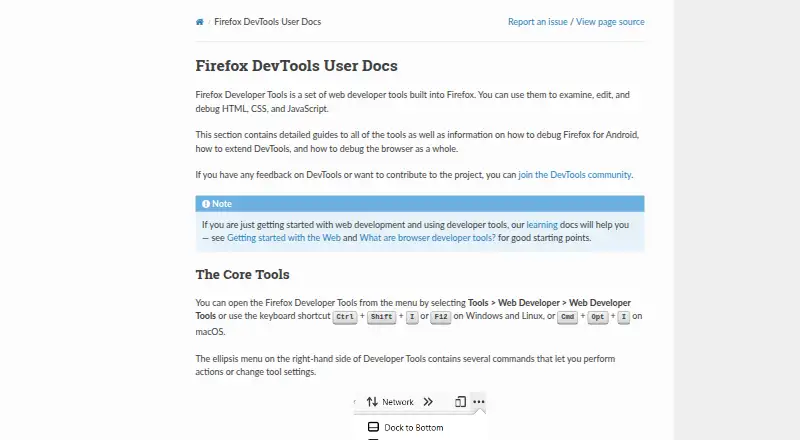
What Firefox Developer Tools is
Firefox Developer Tools are free, open-source tools built into Firefox for examining, editing, and debugging HTML, CSS, and JavaScript. Page Inspector lets developers change markup, styles, and layout. Web Console records network, JavaScript, CSS, and security messages and can run JavaScript in the page context. The JavaScript debugger steps through code and allows state inspection or changes, while Network Monitor details HTTP requests and durations. Responsive Design Mode previews sites across devices and network types, though its throttling is approximate rather than intended for exact performance measurements. Accessibility Inspector exposes the accessibility tree, and the Application panel covers progressive web apps, service workers, and manifests. Other tools handle storage, memory, screenshots, rulers, style editing, and tracing. DevTools can connect to other browsers or devices, including Firefox for Android, and run docked or separately.
Who it suits
It suits web developers debugging Firefox pages, responsive layouts, accessibility, storage, browser behavior, and web applications. Developers can use it on supported desktop environments and connect to other devices.
What it does well
- Free and open source
- Inspects and edits HTML, CSS, and layout
- Debugger can inspect or modify JavaScript state
- Network Monitor details HTTP requests
- Supports remote device debugging
What to know first
- Network throttling is only approximate
- Accessibility engine may affect performance
- Documentation lists desktop support
Plans
| Plan | Billed and limits | Price |
|---|---|---|
| Firefox Developer Tools | Built into Firefox · examines, edits, and debugs HTML, CSS, and JavaScript | Free |
As firefox-source-docs.mozilla.org lists them, read 12 Oct 2026. The maker's own page has the final word.
Verdict
Firefox Developer Tools cover page inspection, scripting, network analysis, responsive views, accessibility, storage, and web-app debugging in one Firefox-integrated toolkit. Its approximate network simulation means it should not be treated as an exact performance-measurement tool.
Facts from Firefox Developer Tools's own pages
- Accessibility
- The Accessibility Inspector exposes a page’s accessibility tree to help identify missing information or other issues. · firefox-source-docs.mozilla.org, 12 Oct 2026
- Accessibility performance note
- When enabled, the accessibility engine runs in the background and may affect other panel metrics and overall browser performance. · firefox-source-docs.mozilla.org, 12 Oct 2026
- Additional tools
- Built-in tools include Memory, Storage Inspector, Style Editor, screenshot, rulers, and JavaScript tracing features. · firefox-source-docs.mozilla.org, 12 Oct 2026
- AI integration
- The docs list Firefox DevTools MCP, an MCP server that enables AI assistants to automate and interact with Firefox. · firefox-source-docs.mozilla.org, 12 Oct 2026
- Browser and add-on debugging
- The Browser Console displays messages from the browser and add-ons and can run JavaScript in the browser’s scope. · firefox-source-docs.mozilla.org, 12 Oct 2026
- Browser debugging
- The Browser Console displays messages from the browser and add-ons and can run JavaScript in the browser’s scope. · firefox-source-docs.mozilla.org, 12 Oct 2026
- Browser engine
- gecko · firefox-source-docs.mozilla.org, 21 Sept 2026
- Configuration
- Developer Tools can be docked at the bottom or side of the browser window or opened in a separate window. · firefox-source-docs.mozilla.org, 12 Oct 2026
- Developer audience
- Firefox Developer Edition is described as a browser made for developers and includes developer tools in beta. · mozilla.org, 12 Oct 2026
- Extension support
- The documentation describes extending Firefox DevTools through browser extensions. · firefox-source-docs.mozilla.org, 12 Oct 2026
- Free plan
- Yes · firefox-source-docs.mozilla.org, 21 Sept 2026
- JavaScript debugger
- The debugger can step through JavaScript and examine or modify its state to help track down bugs. · firefox-source-docs.mozilla.org, 12 Oct 2026
- Limit of network simulation
- Responsive Design Mode says its network throttling is approximate and should not be relied on for exact performance measurements. · firefox-source-docs.mozilla.org, 12 Oct 2026
- Maker
- Mozilla says Mozilla Corporation makes Firefox and was established in August 2005 as a wholly owned taxable subsidiary of Mozilla Foundation. · mozilla.org, 12 Oct 2026
- Network Monitor
- The Network Monitor displays HTTP requests, their durations, and request details. · firefox-source-docs.mozilla.org, 12 Oct 2026
- Open source
- Yes · firefox-source-docs.mozilla.org, 21 Sept 2026
- Page Inspector
- The Page Inspector examines and modifies a page’s HTML and CSS, including its box model, fonts, animations, and layouts. · firefox-source-docs.mozilla.org, 12 Oct 2026
- Supported platforms
- desktop · firefox-source-docs.mozilla.org, 21 Sept 2026
- Purpose
- Firefox Developer Tools are built into Firefox and let web developers examine, edit, and debug HTML, CSS, and JavaScript. · firefox-source-docs.mozilla.org, 12 Oct 2026
- Remote debugging
- DevTools can connect to targets in other browsers or devices, including Firefox for Android. · firefox-source-docs.mozilla.org, 12 Oct 2026
- Responsive testing
- Responsive Design Mode simulates device screen sizes, pixel density, touch, and network conditions to test how a site looks and behaves. · firefox-source-docs.mozilla.org, 12 Oct 2026
- Storage
- The Storage Inspector can inspect cookies, local storage, IndexedDB, and session storage on a page. · firefox-source-docs.mozilla.org, 12 Oct 2026
- Supported download platforms
- Firefox Developer Edition download options listed include Windows, macOS, and Linux builds. · mozilla.org, 12 Oct 2026
- Web app debugging
- The Application panel includes tools for inspecting and debugging progressive web apps, service workers, and web app manifests. · firefox-source-docs.mozilla.org, 12 Oct 2026
Where Firefox Developer Tools stands on Freedom251
- Debugging Software#1 of 30
- Web browsers#34 of 154