Freedom251 › Restaurant Drive-Thru Software

Fingermark Eyecue
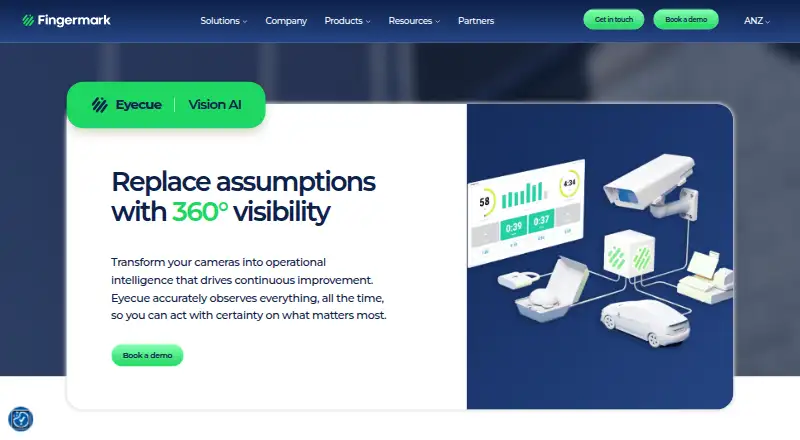
What Fingermark Eyecue is
Fingermark Eyecue uses AI and computer vision to monitor quick-service restaurant operations and surface performance issues across locations. Its central hub provides multi-location dashboards, customizable camera views and mobile or desktop access. Teams can set alerts for conditions such as queue depth and wait times, then route them by text, email or dashboard. Analytics cover operating stages, shift trends, cross-location benchmarks, KPIs and leaderboards. Context Capture lets teams review front- and back-of-house activity around performance drops, and footage can be tagged for staff training. Heatmaps and trajectory views show movement patterns through stores and drive-thrus to help locate bottlenecks. Eyecue works with most existing IP cameras or purpose-built camera packages; an edge server handles continuous recording and AI tasks. Listed integrations include Adyen, Cog, Hiauto, Ingenico, NCR, Oracle and PAR, as well as a Qu POS connection linking transaction data with video insights. The cloud platform has customer-configured data-retention settings. Installation, training, onboarding, a dedicated customer success manager and 24/7 technical support are included. Pricing is available on request.
Who it suits
Eyecue is intended for quick-service restaurants seeking to monitor operations and improve performance across locations. It suits teams that can use camera-based operational insights and alert routing.
What it does well
- Dashboards and camera views cover multiple locations.
- Alerts can be routed by text, email or dashboard.
- Analytics include shift trends, KPIs and leaderboards.
- Works with most existing IP cameras.
- Includes installation, training and 24/7 technical support.
What to know first
- Pricing is available on request.
- Deployment includes an edge server for recording and AI tasks.
- Designed for quick-service restaurant operations.
Limits
Eyecue is a paid product with custom pricing; access begins through a personalized demo and deployment consultation. Deployment includes professional installation, and the system works with IP cameras or purpose-built camera packages.
Plans
| Plan | Billed and limits | Price |
|---|---|---|
| Eyecue | Custom pricing; personalized demo and deployment consultation | On request |
As fingermark.ai lists them, read 4 Oct 2026. The maker's own page has the final word.
Getting started
- Visit the Eyecue product page and request a personalized demo and deployment consultation.
- Discuss a deployment using existing IP cameras or a purpose-built camera package.
- Arrange the included professional installation, onboarding, and training.
- Set up location dashboards, camera views, and alerts for operational conditions.
- Use the cloud platform from a browser or mobile device and configure data-retention settings.
Fingermark Eyecue is a camera-based operations platform for quick-service restaurants. It is best suited to teams responsible for service performance across multiple locations. Its strength is tying operational measures to video context; custom pricing and a camera-and-server deployment make it a considered purchase.
Overview
Eyecue uses AI and computer vision to help restaurant operators spot performance issues and examine activity around them. Dashboards, analytics and camera views bring service monitoring into one cloud platform, while footage can also support staff training. That combination is more useful to operators trying to understand why a service measure changed than to teams looking only for basic video recording.
The system works with most existing IP cameras or purpose-built camera packages, and an edge server handles continuous recording and AI tasks. Professional installation, onboarding and training are included, along with a dedicated customer success manager and 24/7 technical support. This guided approach can suit restaurant groups making a substantial operational change, but it is less suited to a small operator seeking a quick, self-serve setup.
Key features
Fleet monitoring and alerts
A central hub brings together multi-location dashboards and customizable camera views, with mobile and desktop access. Teams can set alerts for conditions such as queue depth or wait times and route them by text, email or dashboard. This gives managers a way to surface emerging service problems, although the benefit depends on having people able to act on alerts across locations.
Operational analytics and context
Analytics cover stages of service, shift trends, cross-location benchmarks, KPIs and leaderboards. Heatmaps and trajectory views reveal movement patterns across stores and drive-thrus, helping teams look for bottlenecks. Context Capture adds footage from before, during and after a performance drop, so teams can investigate surrounding activity rather than relying on a metric alone. Clips can be tagged for training, extending the footage’s use beyond incident review.
Integrations, security and storage
The product lists integrations with Adyen, Cog, Hiauto, Ingenico, NCR, Oracle and PAR across POS, KDS, business intelligence and operations. Its Qu POS integration connects transaction data with video-based operational insights for fraud investigation and drive-thru performance analysis. Eyecue states that it is SOC 2 Type II compliant and describes end-to-end encryption, role-based access, continuous network monitoring and independent penetration testing. Cloud storage retention settings are customized to customer needs.
Pricing
Eyecue uses custom pricing. The Eyecue plan includes throughput analytics, with a personalized demo and deployment consultation; prospective buyers need to request pricing. There are no published tiers to compare, so operators should establish the cost and deployment scope directly before deciding whether the platform suits their locations.
Platforms
Eyecue supports Android, iOS and web access. Its cloud platform is available through a browser or mobile device, while the edge server handles recording and AI tasks at the restaurant. That arrangement provides remote visibility without making the deployment cloud-only.
Who it's for
Eyecue is aimed at quick-service restaurants pursuing continuous operational improvement, particularly operators coordinating performance across several locations. It fits teams that can use benchmarks, alerts and footage to investigate service issues and train staff. A restaurant needing only a basic camera system, or one unwilling to take on a consultation-led deployment, should look elsewhere.
Pros and cons
- Pro: Operational analytics connect with camera context, giving teams a way to investigate performance drops rather than seeing metrics in isolation.
- Pro: Multi-location benchmarks, dashboards and configurable alerts support oversight across a restaurant fleet.
- Pro: Professional installation, training, onboarding and 24/7 technical support provide substantial deployment assistance.
- Con: Custom pricing requires a direct sales conversation, making costs harder to compare before committing time to a consultation.
- Con: The camera setup and edge server make this a more involved deployment than a lightweight software tool.
Alternatives
For a wider set of options, see Restaurant Drive-Thru Software.
- SoundHound is the alternative to consider if a free plan or a one-time ad-free purchase matters more than Eyecue’s QSR monitoring focus: its free plan is ad-supported, while SoundHound∞ costs $6.99, paid once.
- Solink Drive-Thru AI is another paid option for teams comparing drive-thru AI software across Android, iOS and web.
- Dine Out Pro Drive-Thru Software may suit operators looking for ordering and billing functions: its Premium Plan includes four staff accounts, one to two terminals, POS billing, KOT and TAB ordering, a web module and offline-online mode. Its Basic Plan includes two staff accounts and an Android mobile app.
- PAR Ordering is a paid option for operators who want to contact PAR for a demo and pricing details.
- Qu Drive-Thru is another paid drive-thru option with pricing on request.
- Arc is another paid alternative.
- Berry AI Drive-Thru Timer is a paid web option for buyers seeking a drive-thru timer, with pricing and setup handled by contact.
- ConverseNow Drive-Thru Automation is a paid web alternative for teams considering drive-thru automation, with service terms provided by consultation or order form.
Verdict
Choose Eyecue if you run QSR locations and need service analytics tied to camera footage, especially for comparing performance across a fleet. Its combination of alerts, benchmarks and contextual video is the main reason to choose it. Look elsewhere if transparent pricing or a simpler deployment is a priority.
Verdict
Eyecue brings camera-based monitoring, alerts and operational analytics into a cloud platform for restaurant teams. Pricing is custom, so prospective customers need to request details and a deployment consultation.
Questions
How much does Fingermark Eyecue cost?
Pricing is on request. The Eyecue plan uses custom pricing, with a personalized demo and deployment consultation.
Which platforms can I use?
Eyecue is listed for Android, iOS, and web. Its cloud platform is accessible from a browser or mobile device.
What camera setup does Eyecue support?
It works with most existing IP cameras or purpose-built camera packages. An edge server handles continuous recording and AI tasks.
What systems does Eyecue integrate with?
The product page lists Adyen, Cog, Hiauto, Ingenico, NCR, Oracle, and PAR among its POS, KDS, business intelligence, and operations integrations. It also lists a Qu POS integration connecting transaction data with video-based operational insights.
What support comes with deployment?
Professional installation, training, onboarding, a dedicated customer success manager, and 24/7 technical support are included.
How does Eyecue handle security and video retention?
The product page states that Eyecue is SOC 2 Type II compliant and describes end-to-end encryption, role-based access, continuous network monitoring, and independent penetration testing. Cloud storage offers data-retention settings customized to customer needs.
Facts from Fingermark Eyecue's own pages
- Alerts
- Users can trigger alerts for conditions such as queue depth or wait times and route them by text, email, or dashboard. · fingermark.ai, 4 Oct 2026
- Analytics
- Analytics include stage-by-stage breakdowns, shift trends, cross-location benchmarks, KPIs, and leaderboards. · fingermark.ai, 4 Oct 2026
- Cameras and edge server
- Eyecue works with most existing IP cameras or purpose-built camera packages, and its edge server handles continuous 24/7 recording and AI tasks. · fingermark.ai, 4 Oct 2026
- Cloud and retention
- The cloud platform is accessible from a browser or mobile device and offers secure cloud storage with data-retention settings customized to customer needs. · fingermark.ai, 4 Oct 2026
- Context capture
- Context Capture shows front- and back-of-house activity before, during, and after performance drops, and footage can be tagged for staff training. · fingermark.ai, 4 Oct 2026
- Deployment and support
- Professional installation, training, and onboarding are included, along with a dedicated customer success manager and 24/7 technical support. · fingermark.ai, 4 Oct 2026
- Fleet visibility
- A central hub provides multi-location dashboards, customizable camera views, and mobile and desktop access. · fingermark.ai, 4 Oct 2026
- Headquarters
- Hawke’s Bay, New Zealand · fingermark.ai, 4 Oct 2026
- Heatmaps
- Heatmaps and trajectory views show movement patterns across drive-thrus and stores to help identify bottlenecks. · fingermark.ai, 4 Oct 2026
- Integrations
- The product page lists Adyen, Cog, Hiauto, Ingenico, NCR, Oracle, and PAR among its POS, KDS, business intelligence, and operations integrations. · fingermark.ai, 4 Oct 2026
- Purpose
- Eyecue uses AI and computer vision to monitor QSR operations and reveal performance issues across restaurants. · fingermark.ai, 4 Oct 2026
- Qu POS integration
- Fingermark says its Qu POS integration connects transaction data with video-based operational insights for fraud investigation and drive-thru performance analysis. · fingermark.ai, 4 Oct 2026
- Security
- The product page states Eyecue is SOC 2 Type II compliant and describes end-to-end encryption, role-based access, continuous network monitoring, and independent penetration testing. · fingermark.ai, 4 Oct 2026
- Target users
- Fingermark describes Eyecue as built for continuous improvement in quick-service restaurants. · fingermark.ai, 4 Oct 2026
Where Fingermark Eyecue stands on Freedom251
- Restaurant Drive-Thru Software#4 of 23