Freedom251 › File transfer services
FileDrop
by FileDrop
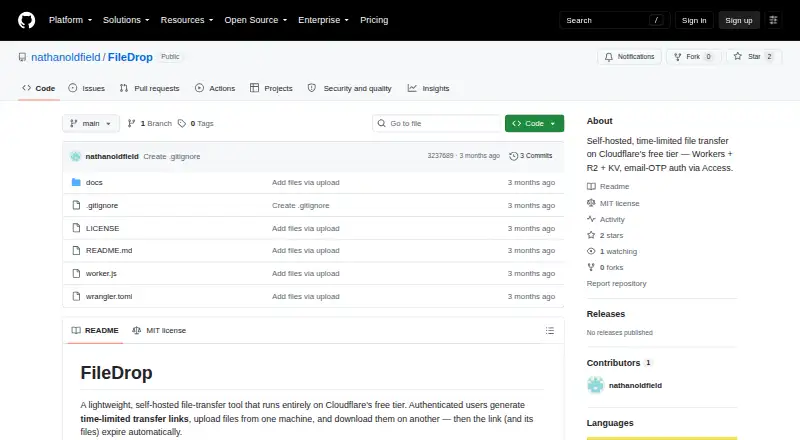
What FileDrop is
FileDrop is a free, self-hosted web tool for moving files between computers through temporary transfer links. It runs on Cloudflare Workers, R2, KV and Access, and recipients need only a browser and shared URL; neither computer requires an app installation. Cloudflare Access protects the dashboard with email one-time codes and an email whitelist. Transfer recipients can upload or download without logging in. Links expire after four hours by default, and an hourly cron removes files for expired or deactivated links. Uploads stream directly to R2, whose bucket has no public access; files are delivered through the Worker. Defaults allow files up to 500 MB and 20 files per link. Deployment needs a Cloudflare account and local Node.js for Wrangler, with a guide estimate of about 20 minutes. A free workers.dev address is available, with an optional custom domain. The MIT license permits use, modification and distribution. Usage beyond Cloudflare’s free tier may incur charges.
Who it suits
FileDrop suits people who want browser-based, self-hosted transfers without installing client software. It is aimed at users comfortable deploying and administering Cloudflare services.
What it does well
- No app installation on either computer
- Links expire automatically after four hours
- Private R2 bucket served through Worker
- Free workers.dev address available
- MIT-licensed project
What to know first
- Interrupted uploads cannot resume
- Large files may hit Workers request limits
- Anyone with the URL can upload or download
- Cloudflare usage beyond free tier may cost
Plans
| Plan | Billed and limits | Price |
|---|---|---|
| Self-hosted | Cloudflare free tier; usage beyond free tier may incur Cloudflare charges · Cloudflare Access: up to 50 users · Workers: 100,000 requests/day · R2: 10 GB storage · KV: 1 GB and 100,000 reads/day | On request |
As github.com lists them, read 12 Oct 2026. The maker's own page has the final word.
Verdict
FileDrop offers a straightforward self-hosted transfer workflow with expiring links and browser access. Its Cloudflare setup and link-sharing security limits require attention before deployment.
Facts from FileDrop's own pages
- Authentication
- Cloudflare Access uses email one-time codes and an email whitelist to protect the dashboard. · github.com, 12 Oct 2026
- Deployment
- The deployment guide says FileDrop works at a free workers.dev URL, with a custom domain optional. · github.com, 12 Oct 2026
- Desktop app
- No · github.com, 23 Sept 2026
- Expiry and cleanup
- Links expire after four hours by default, and an hourly cron deletes files for expired or deactivated links. · github.com, 12 Oct 2026
- File handling
- Uploads stream directly to R2 rather than being buffered in the Worker. · github.com, 12 Oct 2026
- Free plan
- Yes · github.com, 23 Sept 2026
- Headquarters
- Brisbane, Australia · github.com, 19 Oct 2026
- Integrations
- FileDrop is built on Cloudflare Workers, R2, KV, and Access; the project lists no other integrations. · github.com, 12 Oct 2026
- Known limitation
- Interrupted uploads cannot resume, and very large single files may hit Workers request size limits. · github.com, 12 Oct 2026
- License
- The repository is licensed under MIT, which its README describes as free to use, modify, and distribute. · github.com, 12 Oct 2026
- Limits
- Defaults allow files up to 500 MB and up to 20 files per link. · github.com, 12 Oct 2026
- Link security limitation
- Anyone with a shared transfer URL can upload or download, so the project advises against sharing links over insecure channels. · github.com, 12 Oct 2026
- No client installation
- The project says users need only a browser and URL, with no app installs on either computer. · github.com, 12 Oct 2026
- Public transfer links
- Recipients can upload or download through a transfer link without logging in. · github.com, 12 Oct 2026
- Purpose
- FileDrop is a self-hosted web tool for moving files between computers with time-limited transfer links. · github.com, 12 Oct 2026
- Setup
- Deployment requires a Cloudflare account and locally installed Node.js to run Wrangler; the guide estimates about 20 minutes. · github.com, 12 Oct 2026
- Storage access
- The R2 bucket has no public access and files are reachable through the Worker. · github.com, 12 Oct 2026
- Support and administration
- User access, login logs, files, metadata, and Worker logs are managed through Cloudflare dashboards. · github.com, 12 Oct 2026
Where FileDrop stands on Freedom251
- File transfer services#69 of 105