Freedom251 › Video Converter Software
FFQueue
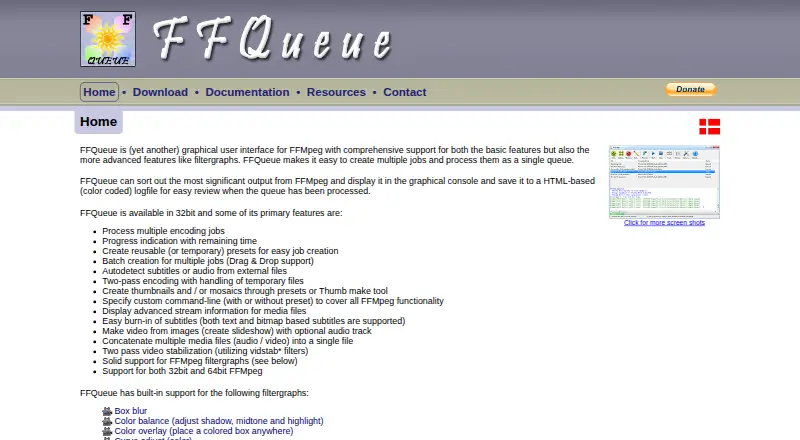
What FFQueue is
FFQueue is a free graphical interface for FFmpeg that organizes multiple encoding jobs in a queue. Users can create batches by dragging and dropping files, track progress and remaining time, and choose reusable or temporary presets. Built-in tools make thumbnails and mosaics, create video slideshows from images, concatenate media, stabilize video, and convert video to GIF. FFQueue provides audio and video filtergraphs and also accepts custom filters and command-line arguments. It can detect external subtitle or audio files and burn in text-based or bitmap subtitles. Selected FFmpeg output appears in its console, and completed jobs can be saved as color-coded HTML logs. FFQueue runs on Linux and Windows, with Windows and Ubuntu builds listed. Its binaries are free to use, and the source code is released under GNU GPL v3. FFQueue's download does not include FFmpeg, which users must obtain separately; the maker recommends matching FFmpeg's architecture to Windows.
Who it suits
FFQueue suits Linux or Windows users who want a graphical way to queue FFmpeg encoding work and use batch media tools. Users who need FFmpeg support should note that the maker directs them to documentation and does not provide that support.
What it does well
- Queues multiple encoding jobs with progress estimates.
- Batch jobs can be created by drag and drop.
- Includes tools for mosaics, slideshows, stabilization, and GIFs.
- Supports custom filters and command-line arguments.
- Binaries are free; source code is under GNU GPL v3.
What to know first
- FFmpeg must be downloaded separately.
- The license provides no warranty.
- User-supplied resource exchange is labeled beta.
- The maker does not provide FFmpeg support.
Limits
The free plan requires a separate FFmpeg download. The license provides no warranty and does not guarantee that FFQueue will work in every situation.
Plans
| Plan | Billed and limits | Price |
|---|---|---|
| FFQueue | Freeware; no charge · Requires a separate FFmpeg download · Windows and Ubuntu builds listed | Free |
As ffqueue.bruchhaus.dk lists them, read 11 Oct 2026. The maker's own page has the final word.
Getting started
- Download an FFQueue build for Linux or Windows
- Download FFmpeg separately
- Match FFmpeg’s architecture to Windows when applicable
- Open FFQueue and add media files
- Create jobs with presets, filters, or command-line arguments
- Run the queue and review its console or HTML logs
Verdict
FFQueue brings queue management and a range of media utilities into a free graphical interface for FFmpeg. Plan for a separate FFmpeg download, and consult the documentation for guidance because FFmpeg support is outside the maker's scope.
Questions
What does FFQueue cost?
The FFQueue plan is free, billed as Freeware with no charge.
Which platforms are supported?
FFQueue supports Linux and Windows, with Ubuntu and Windows builds listed.
Is FFmpeg included?
No. FFmpeg must be downloaded separately.
Is FFQueue open source?
Its source code is released under the GNU GPL v3 license.
Does it support subtitles?
Yes. It can detect external subtitle or audio files and burn in text-based or bitmap subtitles.
Is there a free trial?
No. The listed plan is freeware, and no free trial is offered.
Facts from FFQueue's own pages
- Batch conversion
- Yes · ffqueue.bruchhaus.dk, 20 Sept 2026
- Filter support
- FFQueue includes built-in audio and video filtergraphs and allows custom filters and command-line arguments. · ffqueue.bruchhaus.dk, 11 Oct 2026
- Free plan
- Yes · ffqueue.bruchhaus.dk, 20 Sept 2026
- License
- The maker's license grants free use of FFQueue binaries and says the source code is released under GNU GPL v3. · ffqueue.bruchhaus.dk, 11 Oct 2026
- Limits and warranty
- The license states FFQueue has no warranty and is not guaranteed to function in every situation. · ffqueue.bruchhaus.dk, 11 Oct 2026
- Logs
- FFQueue displays selected FFmpeg output in its console and can save color-coded HTML log files for completed jobs. · ffqueue.bruchhaus.dk, 11 Oct 2026
- Media tools
- Built-in tools create thumbnails or mosaics, make video slideshows from images, concatenate media files, stabilize video, and convert video to GIF. · ffqueue.bruchhaus.dk, 11 Oct 2026
- Platforms
- The download page lists Windows 32/64-bit and Ubuntu 26.04 LTS 64-bit GTK3 builds, plus a Snap package. · ffqueue.bruchhaus.dk, 11 Oct 2026
- Privacy
- The license states FFQueue does not attempt to gather private information or disclose the identity of its users. · ffqueue.bruchhaus.dk, 11 Oct 2026
- Purpose
- FFQueue is a graphical user interface for FFmpeg that lets users create multiple encoding jobs and process them as a queue. · ffqueue.bruchhaus.dk, 11 Oct 2026
- Queue features
- It supports multiple encoding jobs, progress and remaining-time indication, reusable or temporary presets, and batch job creation with drag and drop. · ffqueue.bruchhaus.dk, 11 Oct 2026
- Resource exchange
- The maker says user-supplied resources may not have been thoroughly verified and labels the resource exchange as beta. · ffqueue.bruchhaus.dk, 11 Oct 2026
- Separate dependency
- FFQueue downloads do not include FFmpeg, which must be downloaded separately; the maker recommends matching FFmpeg's architecture to Windows. · ffqueue.bruchhaus.dk, 11 Oct 2026
- Subtitle handling
- It can autodetect external subtitle or audio files and supports burning in text-based and bitmap subtitles. · ffqueue.bruchhaus.dk, 11 Oct 2026
- Support
- The maker directs users to the documentation and says they do not provide FFmpeg support; bug reports and feature requests need documentation or reproducible steps. · ffqueue.bruchhaus.dk, 11 Oct 2026
- Supported platforms
- cross-platform · ffqueue.bruchhaus.dk, 20 Sept 2026
Where FFQueue stands on Freedom251
- Video Converter Software#27 of 75