Ferry Email
What Ferry Email is
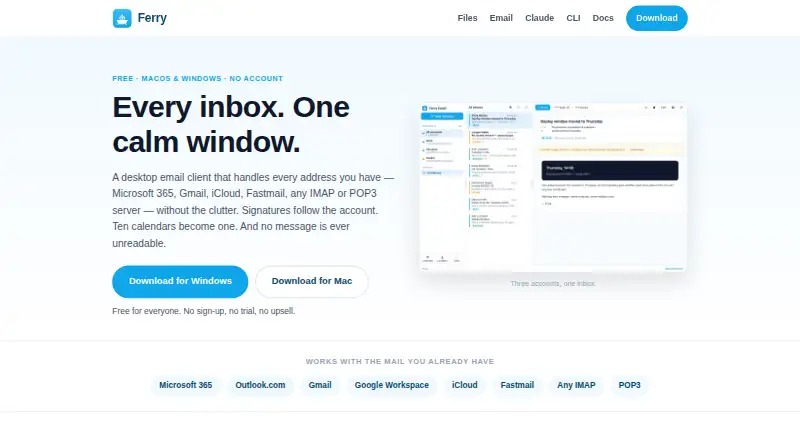
Ferry Email is a free desktop client that places multiple email accounts in one window. It supports Microsoft 365, Outlook.com, Gmail, Google Workspace, iCloud, Fastmail, and standard IMAP, POP3, or SMTP servers. A unified inbox sits alongside a combined, color-tagged calendar with Now, Day, Week, and Month views; another account can be marked busy without exposing event details. The address book merges contact information across accounts, fills itself from mail, and stores data in a file that can live in a synced folder. Tools locate old newsletters, notifications, oversized messages, and unanswered threads before you choose deletions. Ferry can archive a year of mail to a ZIP containing EML files, a JSON index, and README, or save messages as PDFs. Its ferrymail command and Claude skill support searching, reading, drafting, and calendar review, while sending requires explicit approval.
Who it suits
Ferry Email suits people managing several personal or work accounts from macOS or Windows. It is useful when unified mail, calendars, contacts, archiving, and command-based workflows matter.
What it does well
- Supports major providers and standard mail protocols
- Combines calendars with privacy-preserving busy status
- Merges contacts across accounts
- Archives mail to structured ZIP files
- Free with no account or trial
What to know first
- Google and Microsoft one-click sign-in remains under review
- Runs only on macOS and Windows
- Sending through Claude requires explicit request
Plans
| Plan | Billed and limits | Price |
|---|---|---|
| Free | Free for everyone · no account · no trial · no paid tier | Free |
As theferryapp.com lists them, read 12 Oct 2026. The maker's own page has the final word.
Verdict
Ferry Email brings broad account support and unified mail, calendar, and contact views into a free desktop app. Its sign-in workaround and desktop-only coverage are the main practical considerations.
Facts from Ferry Email's own pages
- Account signatures
- Signatures belong to individual accounts and change with the selected sending account. · theferryapp.com, 12 Oct 2026
- App coverage
- desktop · theferryapp.com, 20 Sept 2026
- Archiving and PDF
- It can archive a year of mail to a ZIP containing one EML file per message, a JSON index, and a README, and save a message as a PDF. · theferryapp.com, 12 Oct 2026
- Calendar
- The app combines account calendars into one color-tagged calendar with Now, Day, Week, and Month views, and can mark other accounts busy without exposing event details. · theferryapp.com, 12 Oct 2026
- Calendar tools
- Yes · theferryapp.com, 20 Sept 2026
- Claude and command line
- The app includes a ferrymail command and Claude skill for tasks such as searching, reading, drafting, and calendar review; sending requires an explicit request. · theferryapp.com, 12 Oct 2026
- Contacts
- Its address book combines a person's details across accounts, fills itself from mail, and is stored in a file that can be kept in a synced folder. · theferryapp.com, 12 Oct 2026
- Free plan
- Yes · theferryapp.com, 20 Sept 2026
- Mailbox tools
- It can find old newsletters, notifications, oversized messages, and unanswered threads, and lets users select which messages to delete. · theferryapp.com, 12 Oct 2026
- Platform details
- Ferry Email has macOS 11+ and Windows 10/11 installers; the Windows installer installs for the current user without administrator rights. · theferryapp.com, 12 Oct 2026
- Privacy controls
- Remote images are blocked until the user allows them, with the choice available per message. · theferryapp.com, 12 Oct 2026
- Product
- Ferry Email is a desktop email client that brings multiple email accounts into one window. · theferryapp.com, 12 Oct 2026
- Security
- The accounts file is encrypted with AES-256-GCM, credentials are encrypted again inside it, and mail moves directly between the computer and the mail provider without a Ferry relay. · theferryapp.com, 12 Oct 2026
- Sign-in limitation
- Google and Microsoft one-click sign-in is still under review; meanwhile, Microsoft 365 and Gmail connect using an app password or an organization's own sign-in registration. · theferryapp.com, 12 Oct 2026
- Supported accounts
- It supports Microsoft 365, Outlook.com, Gmail, Google Workspace, iCloud, Fastmail, and standard IMAP, POP3, or SMTP servers. · theferryapp.com, 12 Oct 2026
- Unified inbox
- Messages from multiple accounts appear in one inbox, with account colors and the destination account shown on each message. · theferryapp.com, 12 Oct 2026
Where Ferry Email stands on Freedom251
- Email clients#42 of 142