Freedom251 › AI Deepfake Detection Tools

FauxLens
What FauxLens is
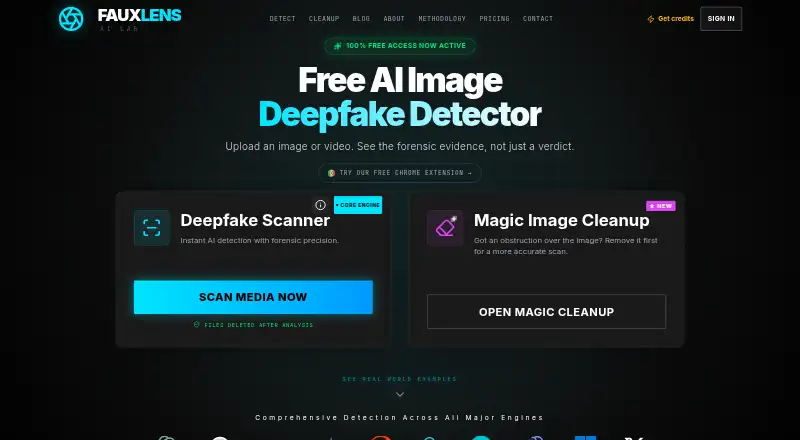
FauxLens analyzes images and video for signs of AI generation or manipulation, returning a verdict, confidence score, and forensic evidence. Its six-signal engine includes ELA, PRNU, GAN fingerprints, FFT, shadow physics, and EXIF forensics. Listed detection coverage includes OpenAI, Midjourney, Stability, Gemini, Firefly, Flux.1, Canva AI, Ideogram, Bing, and Grok. Cleanup tools remove unwanted people, visual noise, and platform overlays from images. The web tool accepts JPG, PNG, and WebP images, and cleanup exports retain original dimensions up to 4K. A Chrome extension can scan publicly accessible images from a right-click, but cannot scan images requiring authentication or blocked by cross-origin policy. The REST API accepts image or video files or a URL and returns structured JSON with a verdict, confidence score, and evidence by layer. The free plan includes 40 credits, described as four detections; one-time plans start at $2.99, paid once. FauxLens says uploads are deleted after analysis and scan history remains in the user's browser. API verdicts are informational, not proof or a sole basis for consequential decisions.
Who it suits
FauxLens is intended for journalists, HR teams, researchers, and others assessing media authenticity. Its API may also suit teams integrating scans into moderation pipelines, ATS tools, social platforms, WordPress, or Contentful.
What it does well
- Returns a verdict, confidence score, and forensic evidence.
- Web tool accepts JPG, PNG, and WebP.
- API accepts image files, video files, or URLs.
- Uploaded media is deleted after analysis.
- One-time plans include credits that never expire.
What to know first
- Chrome extension cannot scan authenticated or cross-origin-blocked images.
- API keys are limited to 20 requests per minute each.
- API requests are capped at 25MB.
- Verdicts are informational, not proof.
Limits
The free plan includes 40 credits, described as four detections. The Starter plan costs $2.99 as a one-time payment and includes 500 credits, about 50 image scans; credits do not expire. API keys are limited to 20 requests per minute per key and 30 per minute per account, with a 25MB request cap and 50MB cap for URL fetches.
Plans
| Plan | Billed and limits | Price |
|---|---|---|
| Free | Free credits to start · Full forensic check · per-signal evidence · files deleted after analysis · no card | Free |
| Max | One-time payment · 5,000 credits · 10 credits per scan/removal · credits never expire | $19.99, paid once |
| Starter | One-time payment · 500 credits · 10 credits per scan/removal · credits never expire | $2.99, paid once |
| API Pro | Prepaid; never expires · 10,000 scans · 120 requests/minute · priority email support | $349.99, paid once |
| API Scale | Prepaid; never expires · 25,000 scans · from 300 requests/minute · founder support | $749.99, paid once |
| Pro | One-time payment · 2,000 credits · 10 credits per scan/removal · credits never expire | $9.99, paid once |
| API Starter | Prepaid; never expires · 2,000 scans · HMAC signing · IP allowlist · 60 requests/minute | $99.99, paid once |
As fauxlens.com lists them, read 15 Oct 2026. The maker's own page has the final word.
Getting started
- Open fauxlens.com to use the web tool.
- Choose the free plan with 40 credits and no credit card, or select a one-time credit package.
- Upload a JPG, PNG, or WebP image in the web tool.
- Install the Chrome extension to scan publicly accessible images with a right-click.
- Use the REST API with an image file, video file, or URL for structured JSON results.
FauxLens is a media-authenticity service for people who need to assess images or video, with image cleanup and a developer API alongside detection. It is best suited to occasional checks or workflows that can treat a scan as one signal; it is not a substitute for evidence in high-stakes decisions.
Overview
FauxLens returns a verdict, confidence score, and forensic evidence when it assesses media for signs of AI generation or manipulation. Its six-signal engine combines ELA, PRNU, GAN fingerprints, FFT, shadow physics, and EXIF forensics, and it names generators including OpenAI, Midjourney, Stability, Gemini, Firefly, Flux.1, Canva AI, Ideogram, Bing, and Grok. The breadth of signals and named generators makes it more informative than a bare label, though no verdict should be treated as proof.
FauxLens also removes unwanted people, visual noise, and platform overlays from images. The site says uploads are processed in an isolated environment and deleted after analysis, with scan history kept in the user's browser. That approach may suit users cautious about media retention, but does not change the need to verify findings independently.
Key features
Image cleanup and browser scanning
The web tool accepts JPG, PNG, and WebP images, and cleanup exports retain original dimensions up to 4K. That combination is useful when a user wants to assess and then tidy an image without giving up its dimensions. The Chrome extension can scan publicly accessible images via right-click, but images behind authentication or blocked by cross-origin policy are out of reach.
API for workflows
The REST API accepts image files, video files, or a URL and returns structured JSON with a verdict, confidence score, and per-layer evidence chain. The developer page describes integrations for moderation pipelines, ATS tools such as Greenhouse and Lever, social platforms, WordPress, and Contentful. Those hooks make it relevant to teams incorporating checks into existing systems, although request limits matter: keys are capped at 20 requests per minute and accounts at 30; each request may be up to 25MB, and URL fetches up to 50MB.
FauxLens supports image and video analysis, but not real-time analysis. Its maximum file size is 100MB, while API-specific caps are lower. The API documentation cautions that results are informational and should not be used as proof or the sole basis for consequential decisions—a meaningful boundary for hiring, moderation, or other decisions affecting people.
Pricing
The Free plan costs nothing and provides 40 credits, about four detections, the full six-signal forensic pipeline, and no credit-card requirement. It is enough to try the core detection workflow, but the small allocation limits sustained use.
Paid plans are one-time purchases rather than subscriptions, and credits never expire. Starter costs $2.99, paid once for 500 credits, about 50 image scans; it suits occasional personal use. Pro costs $9.99, paid once for 2,000 credits, about 200 image scans, a more practical reserve for recurring checks. Max costs $19.99, paid once for 5,000 credits, about 500 image scans, for heavier but still credit-based use. The larger packs avoid recurring billing, but none removes the need to manage usage against a finite credit balance. There is no free trial.
Platforms
FauxLens is available on Android, the web, and as a Chrome extension, with API access for integrations. The extension's public-image restriction makes the web tool or API a better fit when images require authentication or cross-origin access is blocked.
Who it's for
FauxLens is aimed at journalists, HR teams, researchers, and others assessing media authenticity. Its evidence-rich results and API are useful where users want more context than a simple AI-or-human label, while cleanup tools add value for image-focused work. It is a poor fit for anyone who needs real-time decisions or a definitive basis for consequential judgments.
Pros and cons
- Pros: Six detection signals and per-layer API evidence give users more context for reviewing a result.
- Pros: One-time credit packs do not expire, which suits irregular workloads better than a recurring plan.
- Pros: Image cleanup, browser scanning, and API access bring several related tasks into one service.
- Cons: The free allocation covers only about four detections, limiting ongoing free use.
- Cons: The extension cannot scan authenticated or cross-origin-blocked images, and API traffic has rate and size caps.
- Cons: No real-time analysis is available, and results cannot stand alone for consequential decisions.
Alternatives
AI Deepfake Detection Tools is a useful place to compare services if FauxLens's image cleanup and credit-pack approach do not match your needs.
Netarx is worth considering for someone who wants video, voice, and email protection with cloud validators across a broader set of desktop and mobile platforms. ForgeSpy is another freemium option with Android, iOS, and web access and signup credits for image scans. Deepfake Detector may suit users looking for a stated monthly free quota and voice as well as video detection. Reality Defender is an alternative for teams wanting monthly scans, multiple seats, image and audio analysis, API keys, and an analytics dashboard.
Resemble Detect fits readers seeking audio, image, and video detection with a team seat and pay-as-you-go credits. Tayanch offers a monthly API evaluation allowance and per-image pay-as-you-go checks, which may appeal to developers testing an integration. Unreveal is another option for readers comparing paid tools across API, web, and desktop platforms. Clarity AI is worth contacting if a demo-led, custom-priced API and web service is a better match.
Verdict
Choose FauxLens if you want image and video detection with forensic context, useful image cleanup, and non-expiring one-time credit packs. Its strongest case is flexible occasional use backed by an API; look elsewhere if you need real-time analysis, unrestricted scanning, or results that can serve as decisive evidence.
Verdict
FauxLens combines media detection, image cleanup, and an API, with a free allocation and one-time credit plans. Its own guidance says not to treat API results as proof or the sole basis for consequential decisions.
Questions
Is FauxLens free?
Yes. The Free plan costs nothing and includes 40 credits, described as four detections, with no credit card required.
What does a paid plan cost?
Starter costs $2.99 as a one-time payment. Pro costs $9.99 as a one-time payment, and Max costs $19.99 as a one-time payment; credits never expire.
Which platforms does FauxLens support?
The listed platforms are Android, API, extension, and web.
Can FauxLens analyze video?
Yes. Video is a supported media type, and the REST API accepts video files.
Does FauxLens have an API?
Yes. Its REST API accepts image files, video files, or URLs and returns structured JSON with a verdict, confidence score, and per-layer evidence.
Who makes FauxLens?
FauxLens lists its headquarters as Palm Beach Gardens, Florida, United States, and its founding year as 2026.
Facts from FauxLens's own pages
- Accuracy disclosure
- FauxLens does not publish one headline accuracy percentage and describes confidence as a weight-of-evidence score rather than calibrated probability. · fauxlens.com, 15 Oct 2026
- API
- The REST API accepts image files, video files, or a URL and returns structured JSON with a verdict, confidence score, and per-layer evidence chain. · fauxlens.com, 28 Sept 2026
- API async support
- The developer API is synchronous and currently has no webhook callback mode. · fauxlens.com, 15 Oct 2026
- API authentication
- Developer access uses a bearer token and requires an Idempotency-Key on every request. · fauxlens.com, 15 Oct 2026
- API browser use
- Browser-side API calls are intentionally blocked by missing CORS headers so bearer keys remain server-side. · fauxlens.com, 15 Oct 2026
- API endpoint
- The public REST API uses POST /v1/analyze at api.fauxlens.com and accepts multipart files or an HTTPS URL. · fauxlens.com, 15 Oct 2026
- API integrations
- The developer page describes integration patterns for moderation pipelines, ATS tools including Greenhouse and Lever, social platforms, WordPress, and Contentful. · fauxlens.com, 28 Sept 2026
- API limits
- Developer keys allow 20 requests per minute per key, 30 per minute across an account, and 25 MB per uploaded request. · fauxlens.com, 15 Oct 2026
- API response
- API responses include one of four summaries, a confidence score, per-layer evidence_chain entries, request identifiers, and remaining credits. · fauxlens.com, 15 Oct 2026
- API SDKs
- The developer documentation provides curl and Python requests examples and says no SDKs are planned. · fauxlens.com, 15 Oct 2026
- API URL limit
- URL-based API fetches are capped at 50 MB, while enterprise credentials can handle 200 MB. · fauxlens.com, 15 Oct 2026
- Chrome developer
- Google lists Netanel Ossi as the extension developer and identifies the developer as an EU trader. · chromewebstore.google.com, 15 Oct 2026
- Chrome extension
- The Chrome extension lets users right-click publicly accessible images to run a scan, but cannot scan images requiring authentication or blocked by cross-origin policy. · fauxlens.com, 28 Sept 2026
- Chrome extension function
- The extension adds a right-click action that sends an image for AI or deepfake analysis. · chromewebstore.google.com, 15 Oct 2026
- Chrome extension size
- The listed extension package size is 24.6 KiB. · chromewebstore.google.com, 15 Oct 2026
- Chrome extension update
- The store lists an update date of April 18, 2026. · chromewebstore.google.com, 15 Oct 2026
- Chrome extension users
- The Chrome Web Store listing showed 13 users when opened. · chromewebstore.google.com, 15 Oct 2026
- Chrome extension version
- The store lists version 1.0.0. · chromewebstore.google.com, 15 Oct 2026
- Chrome privacy declaration
- The store says the extension handles website content and the developer declares that data is not sold or used outside approved functionality. · chromewebstore.google.com, 15 Oct 2026
- Detection signals
- Its six-signal engine includes ELA, PRNU, GAN fingerprints, FFT, shadow physics, and EXIF forensics. · fauxlens.com, 28 Sept 2026
- Detection stages
- The service checks content credentials and metadata, invisible AI watermarks, and pixel-level model signals in sequence. · fauxlens.com, 15 Oct 2026
- Enterprise security
- Enterprise API supports optional HMAC-SHA256 signing, replay protection, per-key IP allowlists, and automatic refunds for pipeline failures. · fauxlens.com, 15 Oct 2026
- Founded
- 2026 · fauxlens.com, 28 Sept 2026
- Headquarters
- Palm Beach Gardens, Florida, United States · fauxlens.com, 28 Sept 2026
Where FauxLens stands on Freedom251
- AI Deepfake Detection Tools#2 of 20