Freedom251 › Text Expansion Software

FastKeys
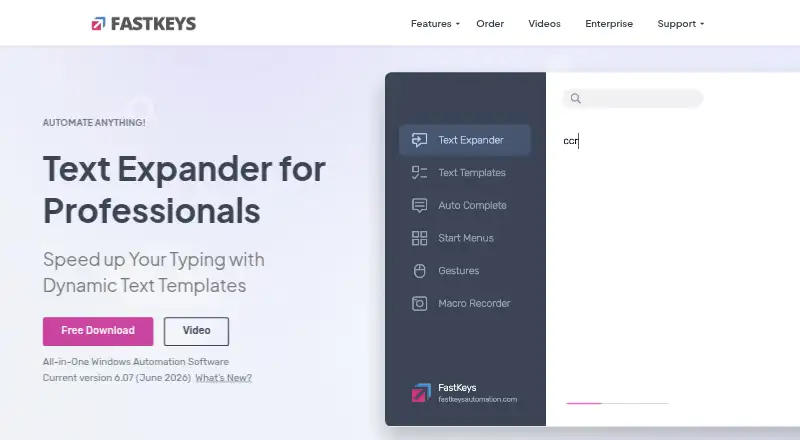
What FastKeys is
FastKeys is a Windows automation tool for building text expansions, shortcuts, commands, and start menus. Its text expander replaces abbreviations with words or paragraphs and can simulate key presses. It can also record keystrokes and mouse actions to automate tasks, and includes more than 500 ready-to-use templates. Users can share phrases while keeping shared settings separate from private settings. The Professional plan includes Grid, Excel, Calc, and Mail functions; documentation also describes using Microsoft Outlook to send mail automatically. Enterprise adds locked settings, silent company-wide deployment, shared settings, and usage analytics for administrators. The Enterprise page says FastKeys works offline. The maker says settings and data are stored locally and keyboard input is not sent anywhere; its privacy policy says text input and clipboard contents are not transmitted without prior approval, though the software may optionally check online for updates. Personal is $29 a month, billed as a lifetime license with no subscription; Professional is $39 a month on the same basis. A fully featured trial and a 14-day money-back guarantee are offered.
Who it suits
FastKeys suits Windows users who want to automate repeated tasks or expand abbreviations, including teams and businesses that need shared phrases or enterprise controls.
What it does well
- Records keystrokes and mouse actions for automation
- Includes more than 500 templates
- Supports shared phrases with separate private settings
- Enterprise includes deployment controls and usage analytics
What to know first
- Windows only; no mobile support
- No free plan
Limits
There is no free plan.
Plans
| Plan | Billed and limits | Price |
|---|---|---|
| Personal | forever · Up to 3 computers per user · personal use · all main features and modules · fill-in text templates | $29, paid once |
| Professional | forever · Single computer · volume discounts · team settings sharing · advanced macros · Grid, Excel, Calc, Mail functions | $39, paid once |
| Enterprise | Open corporate license · custom computers per user · policy manager · centralized deployment · advanced team and administrator settings | On request |
As fastkeysautomation.com lists them, read 7 Oct 2026. The maker's own page has the final word.
Getting started
- Visit https://www.fastkeysautomation.com/.
- Use the fully featured trial to try the software.
- Choose Personal for up to three computers per user or Professional for one computer.
- For corporate controls, consider Enterprise.
- Install and use FastKeys on Windows.
Verdict
FastKeys combines text expansion with task automation and offers additional controls for organizations. It is a Windows-only paid product, with a trial available and Enterprise pricing provided on request.
Questions
How much does FastKeys cost?
Personal is $29 a month, billed as a lifetime license with no subscription. Professional is $39 a month, billed as a lifetime license with no subscription; volume discounts are available.
Is there a free plan or trial?
There is no free plan. FastKeys offers a fully featured trial and a 14-day money-back guarantee.
Which platforms does FastKeys support?
FastKeys supports Windows. Mobile support is not available.
Is FastKeys available for offline use?
The Enterprise page says FastKeys works fully offline without an internet connection.
What does Enterprise include?
Enterprise includes a Corporate Policy Manager, centralized deployment, advanced team settings sharing, and advanced administrator settings. It also supports locked settings and usage analytics for administrators.
Does FastKeys offer team sharing?
Yes. Users can share phrases while keeping shared settings separate from private settings.
Facts from FastKeys's own pages
- Automation
- FastKeys can record keystrokes and mouse actions to automate tasks. · fastkeysautomation.com, 7 Oct 2026
- Data handling
- The maker says settings and data are stored locally and keyboard input is not sent anywhere. · fastkeysautomation.com, 7 Oct 2026
- Enterprise administration
- Enterprise supports locked settings, silent company-wide deployment, shared settings, and usage analytics for administrators. · fastkeysautomation.com, 7 Oct 2026
- Free plan
- No · fastkeysautomation.com, 21 Sept 2026
- Integrations
- Professional includes Grid, Excel, Calc, and Mail functions, and documentation describes using Microsoft Outlook to send mail automatically. · fastkeysautomation.com, 7 Oct 2026
- Offline use
- The Enterprise page says FastKeys works fully offline without an internet connection. · fastkeysautomation.com, 7 Oct 2026
- Privacy details
- The privacy policy says software products do not transmit text input or clipboard contents without prior approval and may optionally check for updates online. · fastkeysautomation.com, 7 Oct 2026
- Product
- FastKeys is a Windows automation tool and text expander for creating abbreviations, start menus, shortcuts, and commands. · fastkeysautomation.com, 7 Oct 2026
- Support
- Support for registered users is offered through email, video tutorials, and a community forum. · fastkeysautomation.com, 7 Oct 2026
- Supported platforms
- Windows · fastkeysautomation.com, 21 Sept 2026
- Team sharing
- Users can share phrases while keeping shared settings separate from private settings. · fastkeysautomation.com, 7 Oct 2026
- Templates
- The site says FastKeys includes more than 500 ready-to-use templates. · fastkeysautomation.com, 7 Oct 2026
- Text expansion
- Text Expander replaces abbreviations with words or paragraphs and can simulate key presses. · fastkeysautomation.com, 7 Oct 2026
- Trial and refund
- The maker describes a fully featured trial version and a 14-day money-back guarantee. · fastkeysautomation.com, 7 Oct 2026
- Who it serves
- The maker describes the product as suitable for teams, businesses, and corporate users, with enterprise controls for corporate environments. · fastkeysautomation.com, 7 Oct 2026
Where FastKeys stands on Freedom251
- Text Expansion Software#26 of 31
- Text Expanders Software#18 of 20
- Text expanders#19 of 20