Freedom251 › Video Interview Software
FaceCruit
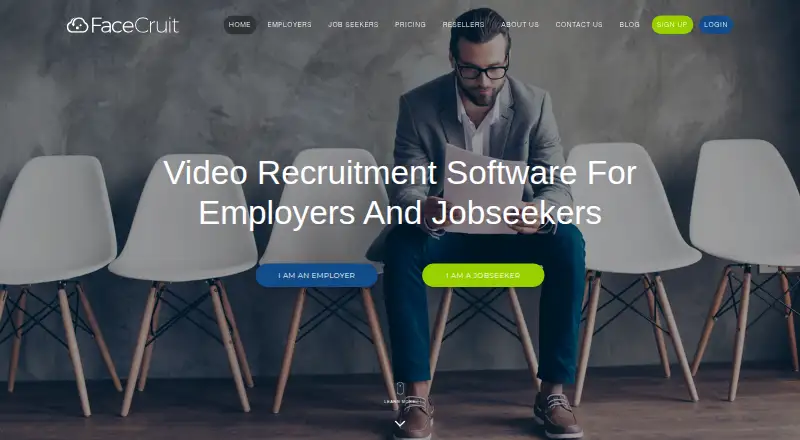
What FaceCruit is
FaceCruit is a video recruitment platform for employers and job seekers, available on the web, Android and iOS. Employers prepare asynchronous prescreening interviews by writing questions for candidates to answer on video. Candidates have one attempt to record each response. Employers can review, rate, comment on and share responses with colleagues. The recruitment dashboard also supports video references, unique job URLs, introductory and exit videos, marketing material and application status review.
Job seekers can create video presentations and references, upload documents and other media, build multiple job profiles and add a LinkedIn profile. The job seeker offering includes up to 5 minutes of recording and unlimited editing. FaceCruit also lists a Free plan at no cost, with no credit card required, up to 25 minutes, reference requests and a QR code. Silver costs A$49 a month for up to 200 minutes; Gold costs A$99 a month for up to 750 minutes; and Platinum costs A$199 a month for up to 2000 minutes. Each includes unlimited jobs, users, interviews and references, along with a custom logo, customer support, intro and exit videos, reviews, ratings and a QR code. Pay As You Go costs A$5,050, paid once. FaceCruit identifies as an Australian company based in Adelaide and describes its cloud storage as secure and located in Australia.
Who it suits
FaceCruit suits employers who want candidates to record asynchronous video answers and a dashboard for reviewing and sharing them. It also serves job seekers who want to create video profiles and references, with multiple paid plans for employers who need higher recording allowances.
What it does well
- Employers can review, rate, comment on and share candidate responses.
- The dashboard supports video references and application status review.
- Job seekers can create multiple profiles and add a LinkedIn profile.
- Free job seeker recording includes unlimited editing.
- Paid monthly plans include unlimited jobs, users, interviews and references.
- Available on web, Android and iOS.
What to know first
- Candidates get only one attempt to record each response.
- The listed interview mode is asynchronous; scheduling is not supported.
- The Free plan allows up to 25 minutes.
- Paid monthly plans have specified recording-minute limits.
Limits
The Free plan includes up to 25 minutes. The monthly plans allow up to 200 minutes on Silver, 750 minutes on Gold and 2000 minutes on Platinum. Candidates have one attempt to record each answer.
Plans
| Plan | Billed and limits | Price |
|---|---|---|
| Free | No credit card · up to 25 minutes · request a reference · QR code | Free |
| Platinum | paid monthly · Up to 2,000 minutes · unlimited jobs · unlimited users · unlimited interviews · unlimited references · custom logo · support · intro and exit videos · reviews and ratings · QR code | A$199 a month |
| Silver | paid monthly · Up to 200 minutes · unlimited jobs · unlimited users · unlimited interviews · unlimited references · custom logo · support · intro and exit videos · reviews and ratings · QR code | A$49 a month |
| Pay As You Go | 50 minutes · unlimited jobs · unlimited users · unlimited interviews · unlimited references · QR code | A$50, paid once |
| Gold | paid monthly · Up to 750 minutes · unlimited jobs · unlimited users · unlimited interviews · unlimited references · custom logo · support · intro and exit videos · reviews and ratings · QR code | A$99 a month |
As facecruit.com lists them, read 15 Oct 2026. The maker's own page has the final word.
Getting started
- Visit the FaceCruit website.
- Choose the Free plan or a paid option that fits the recording allowance you need.
- Create employer interview questions for candidates to answer asynchronously.
- Use the recruitment dashboard to review candidate responses and application status.
- Job seekers can create video presentations, references and profiles, and upload supporting material.
- Use the Android or iOS app, or access FaceCruit on the web.
Overview
FaceCruit is an asynchronous video recruitment platform for employers and job seekers. It is best suited to teams that want to collect prescreening answers and review them together, alongside job seekers who want video profiles and references. Its broad employer workflow is useful, but one recording attempt and no interview scheduling make it a poor fit for live or forgiving interview processes.
Key features
Employers set questions for candidates to answer on video, then can review, rate, comment on and share responses with colleagues. That makes team feedback possible without coordinating everyone’s calendars, though the single-attempt rule can penalize candidates for a stumble or interruption.
The recruitment dashboard includes video referencing, unique job URLs, application-status review, marketing material, and introductory and exit videos. These tools support more than prescreening, but they do not change the product’s asynchronous focus. FaceCruit does not offer interview scheduling.
Job seekers can build multiple job profiles, record video presentations and references, upload supporting documents and media, and add a LinkedIn profile. Their free offering allows up to five minutes of recording with unlimited editing, a useful way to prepare a concise presentation. This is distinct from the employer plans’ interview-minute quotas.
FaceCruit says its cloud storage includes Australian data storage. Its privacy policy commits to the Australian Privacy Principles under the Privacy Act 1988 (Cth) and describes safeguards covering passwords, network and computer security, physical premises and documents, plus secure destruction or de-identification when information is no longer needed. The policy also mentions integrations with related third-party software or employment platforms and the use of Google Analytics, Facebook Business, HotJar and HubSpot CRM. The company is based in Adelaide, Australia, and says it aims to respond to customer enquiries within 24 hours.
Pricing
The free employer plan costs nothing, requires no credit card and includes up to 25 minutes, reference requests and a QR code. It is a low-commitment way to try the workflow, but the limited minutes make it better for occasional use than sustained hiring.
Silver costs A$49 a month and raises the allowance to 200 minutes. It includes unlimited jobs, users, interviews and references, plus a custom logo, customer support, introductory and exit videos, reviews and ratings, and a QR code. Gold costs A$99 a month for up to 750 minutes, with the same stated feature set; Platinum costs A$199 a month for up to 2000 minutes, also with the same feature set. The choice among these paid monthly tiers is primarily about recording volume, not added listed capabilities. All three avoid seat caps, but teams should weigh the monthly fee against their expected minutes.
Pay As You Go costs A$5,050, paid once and includes unlimited jobs, users, interviews and references, plus a QR code. It removes the stated minute ceiling, but lacks the custom logo, customer support, introductory and exit videos, and reviews and ratings included with Silver and higher tiers. For employers wanting those capabilities, a monthly plan is the more complete choice.
Platforms
FaceCruit is available on Android, iOS and the web. Its mobile application is part of the platform, so it can suit users who need access beyond a desktop browser.
Who it's for
FaceCruit fits employers that can screen candidates asynchronously and want colleagues to rate or comment on recorded answers. It is also relevant to job seekers who want to present a video profile, references and supporting materials. Employers who depend on scheduled interviews or candidates who need a retake should look elsewhere.
Pros and cons
- Pro: Colleague sharing, ratings and comments let hiring teams assess recorded answers collaboratively.
- Pro: Unlimited users, jobs, interviews and references on Silver, Gold and Platinum avoid per-seat constraints as a team grows.
- Pro: Job seekers can create multiple profiles and references, with five free recording minutes and unlimited editing.
- Con: Candidates get one attempt per response, leaving no opportunity to redo an answer.
- Con: There is no interview scheduling, which rules out teams seeking an end-to-end live interview workflow.
- Con: Free employer use is capped at 25 minutes, while greater usage requires moving to paid monthly tiers or the one-time plan.
Alternatives
Compare video interview software if you want to consider a broader set of options.
Consider CandidReel if AI scoring and summaries, scorecards and evaluations, or a stated 50-interview monthly Pro plan are more relevant than FaceCruit’s minute-based tiers.
Hyring is another option if its Free plan’s 50 monthly credits, one seat, one active job post and English-only AI voice suit your needs; its Pro plan is $79 a month.
Choose EasyHire.me if per-job monthly interview packages fit better: its entry plan is $49 a month for 10 interviews and three team members, while standard is $99 a month for 100 interviews.
IntervueBox may suit teams seeking a one-time signup credit allowance and resume parsing, with its free tier including 300 credits and 100 resumes parsed per month for one user.
Yupcha is an alternative with a free plan; its paid plans unlock bulk invites, custom branding, API access and priority support.
Consider KitaHQ if its HireOS Pro yearly plan’s stated AI-processed candidate allowance and AI video interviews are a closer match.
Glider AI Interview Software is another paid option, offered standalone or as a talent quality platform suite on a license or enterprise hiring-program basis.
Recright may be worth considering if its Easy 10 package—€300 a month for 10 positions and unlimited user seats—better suits your hiring setup.
Verdict
Choose FaceCruit if your recruitment process depends on asynchronous video prescreening and shared colleague review, or if job seekers need profiles and references. Its free employer tier offers a modest way to start, and paid monthly plans scale the minute allowance without restricting users or jobs. Look elsewhere if interviews need scheduling or candidates need more than one recording attempt.
Verdict
Choose FaceCruit if video prescreening and colleague review are central to your recruitment process, or if job seekers need video profiles and references. The Free plan provides up to 25 minutes, while the paid monthly tiers raise that allowance. Consider another option if interviews need scheduling or candidates need more than one recording attempt.
Questions
What does the Free plan cost?
It is listed as free. It requires no credit card and includes up to 25 minutes, reference requests and a QR code.
What are the paid monthly plan prices?
Silver is A$49 a month, Gold is A$99 a month and Platinum is A$199 a month.
What does Pay As You Go cost?
Pay As You Go is listed at A$5,050, paid once. It includes unlimited jobs, users, interviews and references, plus a QR code.
Which platforms are available?
FaceCruit is available on web, Android and iOS. Its privacy policy also refers to the Facecruit Mobile Application.
Can employers schedule interviews?
No. Interview scheduling is listed as unavailable. The interview mode is asynchronous.
Where is FaceCruit based, and where does it store data?
FaceCruit identifies as an Australian company headquartered in Adelaide, South Australia. It describes its cloud storage as secure and says it provides Australian data storage.
Facts from FaceCruit's own pages
- Candidate collaboration
- Hiring teams can share, rate and comment on candidate responses and assign decision makers. · facecruit.com, 15 Oct 2026
- Candidate response rule
- Candidates record responses but get only one attempt. · facecruit.com, 7 Oct 2026
- Cloud storage
- FaceCruit stores resumes, cover letters, profiles, videos and references in secure cloud storage with continuous access. · facecruit.com, 15 Oct 2026
- Company and headquarters
- FaceCruit identifies itself as an Australian company; its site lists an Adelaide, South Australia address at 1-11 French St, Adelaide, SA 5000. · facecruit.com, 7 Oct 2026
- Company size
- LinkedIn lists FaceCruit as a privately held company with 2–10 employees. · au.linkedin.com, 15 Oct 2026
- Data location
- The company describes Australian data storage and Australian development teams. · facecruit.com, 15 Oct 2026
- Deployment
- GetApp identifies web, Android and iPhone/iPad support. · getapp.com, 15 Oct 2026
- Employer branding
- Paid plans provide custom logos plus introductory and exit videos. · facecruit.com, 15 Oct 2026
- Employer interviews
- Employers create questions for candidates to answer in video prescreening interviews. · facecruit.com, 7 Oct 2026
- Employer screening
- Employers create questions and candidates record one-attempt responses for pre-screening. · facecruit.com, 15 Oct 2026
- Employer tools
- The recruitment dashboard supports video referencing, unique job URLs, introductory and exit videos, marketing material and application status review. · facecruit.com, 7 Oct 2026
- Founded
- LinkedIn lists FaceCruit's founding year as 2013. · au.linkedin.com, 15 Oct 2026
- Headquarters
- LinkedIn lists Adelaide, South Australia as headquarters and gives a primary location at 453 Morphett Street. · au.linkedin.com, 15 Oct 2026
- Integration listing
- Capterra lists JobAdder as FaceCruit's single integration. · capterra.com, 15 Oct 2026
- Integrations
- GetApp lists JobAdder and eppiq Timer as FaceCruit integrations. · getapp.com, 15 Oct 2026
- Integrations and third parties
- The privacy policy mentions integration with related third party software or employment platforms and use of Google Analytics, Facebook Business, HotJar and HubSpot CRM. · facecruit.com, 7 Oct 2026
- Job seeker features
- Job seekers can create video presentations and references, upload supporting documents and media, create multiple job profiles and add a LinkedIn profile. · facecruit.com, 7 Oct 2026
- Job seeker recording limit
- The job seeker offering is free for up to 5 minutes of recording and includes unlimited editing. · facecruit.com, 7 Oct 2026
- Jobseeker resources
- The jobseeker area includes LinkedIn linking, resume and cover-letter templates, career links and help guides. · facecruit.com, 15 Oct 2026
- Jobseeker video profile
- Jobseekers can make video presentations, add video referees, upload resumes and create multiple job profiles. · facecruit.com, 15 Oct 2026
- Legal provider
- The terms identify Screen Recruiting Pty Ltd, ACN 622 390 836, trading as FaceCruit, at 1-11 French Street, Adelaide. · facecruit.com, 15 Oct 2026
- Limit: interface polish
- A G2 reviewer says the website visuals need modernization, while another mentions occasional bugs. · g2.com, 15 Oct 2026
- Limit: internet dependency
- A Capterra reviewer says a reliable internet connection is required. · capterra.com, 15 Oct 2026
- Limit: small controls
- A Capterra reviewer reports that some interface buttons are small. · capterra.com, 15 Oct 2026
Where FaceCruit stands on Freedom251
- Video Interview Software#2 of 30