Freedom251 › AI Face Swap Tools
Face Swap Studio
What Face Swap Studio is
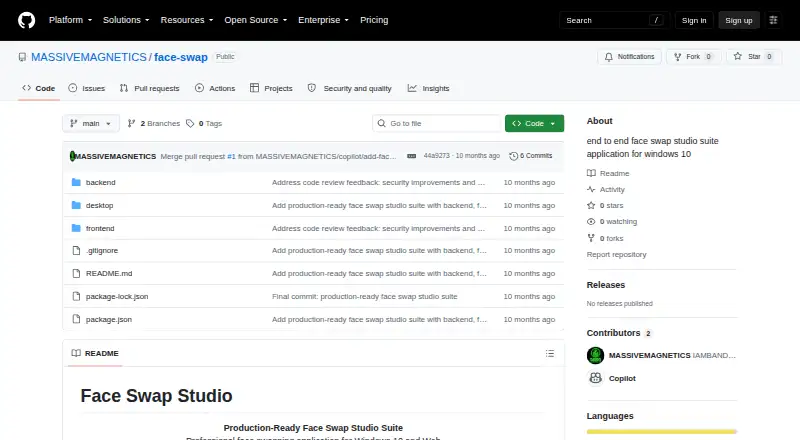
Face Swap Studio is a free, open-source face-swapping application for the web and 64-bit Windows 10. Machine-learning face detection supports swaps designed to preserve expressions, with real-time preview, batch image processing, and video-file support. Exports are available in PNG, JPEG, and WebP. The web application includes registration, login, profile management, a dashboard, drag-and-drop uploads, swap settings, project creation and management, history, and result downloads. Its Windows Electron app lists offline support, file-system integration, and system-tray integration. A documented API covers authentication, projects, image uploads, face detection, face swapping, and result downloads. Listed security measures include JWT authentication, bcrypt password hashing, rate limiting, validation, security headers, parameterized queries, and input sanitization. The sample configuration sets a 52,428,800-byte maximum file size. Deployment requires environment configuration, frontend building, and server startup. The project uses the MIT License.
Who it suits
Face Swap Studio suits users wanting an open-source face-swapping tool for web use or Windows 10. Developers may also use its documented API and self-hosted deployment process.
What it does well
- Supports image and video face swaps
- Provides real-time preview and batch processing
- Exports PNG, JPEG, and WebP
- Includes web projects and history
- Offers a documented API
What to know first
- Windows support requires 64-bit Windows 10
- Requires Node.js 18 or newer
- Upload limit is 52,428,800 bytes
Verdict
Face Swap Studio combines browser and Windows workflows with video support, project management, exports, and an API. Its open-source license and documented deployment suit technically capable users.
Facts from Face Swap Studio's own pages
- API
- The README documents API endpoints for authentication, projects, image uploads, face detection, face swapping, and downloading results. · github.com, 11 Oct 2026
- Deployment
- The README documents manual deployment by configuring environment variables, building the frontend, and starting the server. · github.com, 4 Oct 2026
- Desktop app
- The Windows 10 desktop app is built with Electron and lists offline support, file system integration, native window controls, and system tray integration. · github.com, 11 Oct 2026
- Exports
- The README lists PNG, JPEG, and WebP as output formats. · github.com, 4 Oct 2026
- Face swapping
- The project lists machine learning face detection and face swapping that preserves expressions. · github.com, 11 Oct 2026
- Headquarters
- United States · github.com, 28 Sept 2026
- Image and video features
- The listed features include batch image processing, video support, real-time preview, project management, and PNG, JPEG, and WebP exports. · github.com, 11 Oct 2026
- License
- The project README states that the application is licensed under the MIT License. · github.com, 11 Oct 2026
- Maker
- The repository credits the Face Swap Studio Team as its author. · github.com, 11 Oct 2026
- Media features
- Listed features include real-time preview, batch image processing, and video file support. · github.com, 4 Oct 2026
- Product
- The maker describes Face Swap Studio as a face swapping application for Windows 10 and the web. · github.com, 11 Oct 2026
- Project management
- The web application includes project creation and management, history, and result exports. · github.com, 4 Oct 2026
- Purpose
- Face Swap Studio describes itself as a face swapping application for Windows 10 and the web. · github.com, 4 Oct 2026
- Requirements
- The README specifies Node.js 18 or later, npm 9 or later, a modern browser for the web app, and 64-bit Windows 10 for the desktop app. · github.com, 11 Oct 2026
- Security
- The project lists JWT authentication, bcrypt password hashing, rate limiting, input and file validation, configurable CORS, Helmet security headers, parameterized queries, and XSS input sanitization. · github.com, 11 Oct 2026
- Upload limit
- The setup configuration sets MAX_FILE_SIZE to 52428800 bytes. · github.com, 11 Oct 2026
- Web app
- The web application includes registration and login, profile management, a dashboard, drag-and-drop image upload, swap settings, and project history. · github.com, 11 Oct 2026
Where Face Swap Studio stands on Freedom251
- AI Face Swap Tools#52 of 57