Freedom251 › AI Face Swap Tools

AI Faceswap by Tuguoba
What AI Faceswap by Tuguoba is
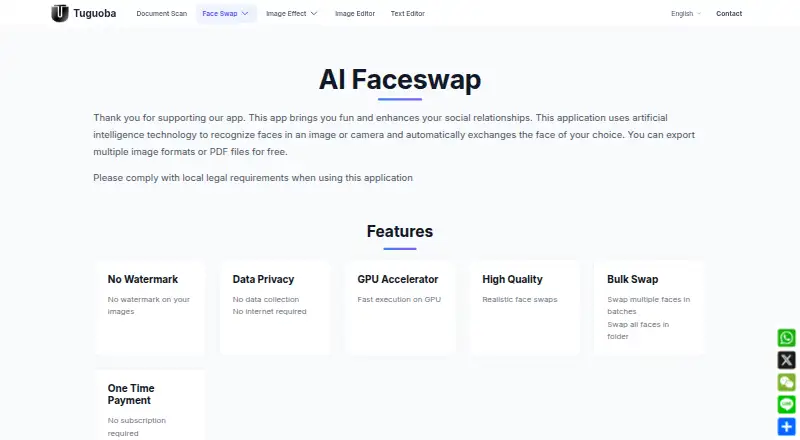
AI Faceswap by Tuguoba is a paid Windows and macOS application that uses AI to recognize faces in images or camera input and replace them with a face the user chooses. It can process multiple faces in batches and swap every face in a folder. Exports have no watermark, with support for PNG, JPG, JPEG, JPE, TIFF, BMP, and WEBP images, plus export in multiple image formats or PDF. The product page says the app collects no data, needs no internet connection, and does not store photos or information on its server. GPU acceleration is advertised through CUDA and DML on purchased Windows versions and Core ML on macOS. Windows requires Windows 10 or later, an Intel Core i7 or AMD Ryzen 7 processor, 8 GB RAM, and a 512 GB hard drive. Mac requires macOS 12 or later and an Apple M1 chip or later. The one-time license has no listed price, includes same-major-version minor updates, and charges for major upgrades.
Who it suits
This app suits users who need local face replacement on Windows or macOS, including batch work and watermark-free exports. It may also suit users seeking an offline workflow with stated server-free photo handling.
What it does well
- Works on Windows and macOS
- Supports batch swaps and folder processing
- Exports without watermarks
- Does not require internet access
- Supports GPU acceleration
What to know first
- Major-version upgrades require payment
- Windows has specific hardware requirements
- Users must follow local legal requirements
Plans
| Plan | Billed and limits | Price |
|---|---|---|
| One Time Payment | No subscription required; price not stated on the page · Free export in multiple image formats or PDF · free updates within the same major version · paid upgrade for a new major version | On request |
As tuguoba.com lists them, read 4 Oct 2026. The maker's own page has the final word.
Verdict
AI Faceswap by Tuguoba focuses on offline, batch-capable face replacement with broad image-format support. Its one-time license and privacy claims are clear, but pricing and future major-version upgrades require consideration.
Facts from AI Faceswap by Tuguoba's own pages
- Batch processing
- It can swap multiple faces in batches and swap all faces in a folder. · tuguoba.com, 4 Oct 2026
- GPU acceleration
- The app advertises GPU acceleration; purchased Windows versions include CUDA and DML, while macOS supports Core ML acceleration. · tuguoba.com, 4 Oct 2026
- Image formats
- Supported image formats listed are PNG, JPG, JPEG, JPE, TIFF, BMP, and WEBP. · tuguoba.com, 4 Oct 2026
- Legal use
- The product page tells users to comply with local legal requirements when using the application. · tuguoba.com, 4 Oct 2026
- Mac requirements
- The app requires macOS 12.0 or later and a Mac with an Apple M1 chip or later. · tuguoba.com, 4 Oct 2026
- No watermark
- The page says exported images have no watermark. · tuguoba.com, 4 Oct 2026
- Privacy and connectivity
- The product page says it collects no data and does not require internet access. · tuguoba.com, 4 Oct 2026
- Privacy policy
- The maker's privacy policy says it does not store photos or information on its server. · tuguoba.com, 4 Oct 2026
- Purchase support
- The page says a purchase confirmation email may arrive and advises checking spam folders if it does not appear. · tuguoba.com, 4 Oct 2026
- Version updates
- The license covers free minor and patch updates within the same major version, while a new major version requires a paid upgrade. · tuguoba.com, 4 Oct 2026
- What it does
- Uses AI to recognize faces in an image or camera and exchange them for a face of the user's choice. · tuguoba.com, 4 Oct 2026
- Windows requirements
- The listed minimums are Windows 10 or later, an Intel Core i7 or AMD Ryzen 7 CPU, 8 GB RAM, and 512 GB HDD. · tuguoba.com, 4 Oct 2026
Where AI Faceswap by Tuguoba stands on Freedom251
- AI Face Swap Tools#48 of 57