Freedom251 › Audio Equalizer Software
eqtune
What eqtune is
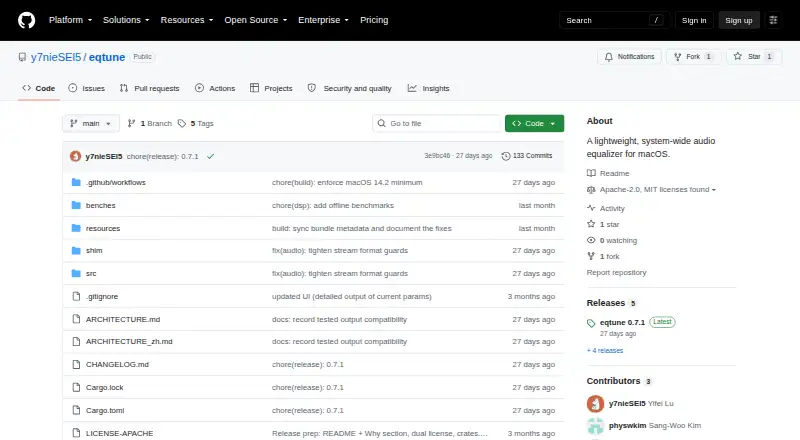
eqtune is a free, system-wide audio equalizer for macOS 14.2 or later. It uses Apple’s Core Audio process-tap API to apply EQ without a driver or kernel extension, and the project says it does not require a Developer ID certificate. You can shape sound with editable peaking and shelf bands, preamp and Q adjustments, and a soft limiter that starts enabled and can be toggled globally. The presets include bright, mellow and pro; you can edit, save, import or export presets, with support for up to 64 bands. eqtune follows changes to the default output device, including when headphones are connected. On first activation, macOS requests audio-capture permission. Idle and Low Power Mode auto-off are enabled by default, while continuous processing can use CPU and increase battery drain. The supported output is one mixable, little-endian, interleaved stereo Float32 stream. It does not process true mono, multichannel, multistream, non-interleaved, integer-client, nonmixable, big-endian or encoded-passthrough streams. The documented install route is the crates.io package via Cargo; the project also describes building from a clone. It is licensed under MIT or Apache-2.0, at the user’s choice.
Who it suits
eqtune suits Mac users who want system-wide parametric EQ, customizable presets and output switching that follows the default device. It is best matched to systems running macOS 14.2 or later with the supported stereo Float32 output format.
What it does well
- Free to use.
- Applies system-wide EQ without a driver or kernel extension.
- Editable peaking and shelf bands, preamp and Q controls.
- Includes bright, mellow and pro presets.
- Follows changes to the default output device.
- Idle and Low Power Mode auto-off are enabled by default.
What to know first
- Requires macOS 14.2 or later.
- Processes only one supported stereo Float32 output stream.
- Continuous EQ processing can increase battery drain.
- First activation requires audio-capture permission.
Getting started
- Use macOS 14.2 or later.
- Install the crates.io package with Cargo, or follow the project’s instructions to build from a clone.
- Turn eqtune on and grant macOS audio-capture permission when prompted.
- Adjust the EQ controls or choose and edit a preset.
Verdict
Choose eqtune if you want free system-wide EQ on a compatible Mac, with editable bands and presets. Look elsewhere if your output is mono, multichannel or another unsupported format, or if continuous processing’s battery cost is a concern.
Questions
How much does eqtune cost?
It is free.
Which operating system does it support?
It requires macOS 14.2 or later.
What output formats does it process?
It currently supports one mixable, little-endian, interleaved stereo Float32 output stream.
Does it require an audio driver or kernel extension?
No. It uses Apple’s Core Audio process-tap API and says it needs neither.
How is eqtune licensed?
It is available under either the MIT or Apache-2.0 license, at the user’s option.
How do you install it?
The documented installable distribution is the crates.io package installed with Cargo; the project also describes building from a clone.
Facts from eqtune's own pages
- Audio capture
- It uses Apple’s Core Audio process-tap API and says it needs no driver, kernel extension, or Developer ID certificate. · github.com, 5 Oct 2026
- Audio processing
- It uses Apple's Core Audio process-tap API on macOS 14.2 or later to apply parametric EQ without a driver or kernel extension. · github.com, 5 Oct 2026
- Battery behavior
- Idle auto-off and Low Power Mode auto-off are enabled by default, and the project warns that continuous EQ processing increases battery drain. · github.com, 5 Oct 2026
- Battery impact
- The maker says continuous real-time processing costs CPU and can increase battery drain compared with native playback. · github.com, 5 Oct 2026
- Compatibility
- The project requires macOS 14.2 or later and currently supports a single mixable, little-endian, interleaved stereo Float32 output stream. · github.com, 5 Oct 2026
- Custom EQ
- Users can adjust peaking and shelf bands, preamp, and Q; presets support up to 64 bands. · github.com, 5 Oct 2026
- Device handling
- eqtune follows default-output device changes and says plugging in headphones continues to work normally. · github.com, 5 Oct 2026
- Equalizer controls
- It supports editable parametric EQ bands, low and high shelves, preamp adjustment, and a soft limiter that is on by default. · github.com, 5 Oct 2026
- Installation
- The documented installable distribution is the crates.io package, installed with Cargo; the README also describes building from a clone. · github.com, 5 Oct 2026
- License
- The software is licensed under either MIT or Apache-2.0, at the user's option. · github.com, 5 Oct 2026
- Limiter
- A soft limiter is enabled by default and can be toggled globally. · github.com, 5 Oct 2026
- Output switching
- It does not replace the default output device and follows changes such as plugging in headphones. · github.com, 5 Oct 2026
- Permission
- The first time eqtune is turned on, macOS asks for audio-capture permission. · github.com, 5 Oct 2026
- Permissions
- On first activation, macOS asks the user for audio-capture permission. · github.com, 5 Oct 2026
- Power controls
- The daemon can auto-disable when media is idle or macOS Low Power Mode is active, with both behaviors enabled by default. · github.com, 5 Oct 2026
- Presets
- It ships with bright, mellow, and pro presets, and supports saving, importing, exporting, and editing presets. · github.com, 5 Oct 2026
- Product
- eqtune is a lightweight, system-wide audio equalizer for macOS. · github.com, 5 Oct 2026
- Support and integrations
- The repository documents Bash, Zsh, and Fish shell completions; it does not state a support offering or third-party service integrations on the page. · github.com, 5 Oct 2026
- Supported formats
- It currently supports one mixable, little-endian, interleaved stereo Float32 output stream and does not process mono, multichannel, multistream, or several other listed formats. · github.com, 5 Oct 2026
- Unsupported audio
- It does not currently process true mono, multichannel, multistream, non-interleaved, integer-client, nonmixable, big-endian, or encoded-passthrough output streams. · github.com, 5 Oct 2026
Where eqtune stands on Freedom251
- Audio Equalizer Software#14 of 22