Freedom251 › AI Singing Voice Generators
ENUNU
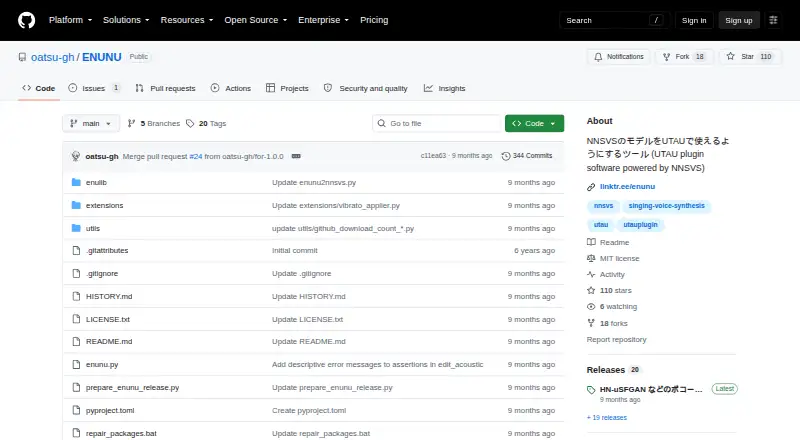
What ENUNU is
ENUNU is a Windows plugin for UTAU that brings NNSVS singing voice models into a UTAU workflow. Choose an ENUNU model or a folder containing an NNSVS model, select notes, and run the plugin to generate a WAV file. Its extensions cover changes to UST lyrics, score or timing labels, and acoustic parameters such as f0. The voicecolor_applier extension maps expression suffixes such as あ強 to model flags such as Power. For pitch editing, f0_feedbacker sends synthesized pitch back into the UST, while f0_smoother smooths steep pitch changes.
Models need an enuconfig.yaml file in their folder, and question_path must point to and include the file used during training. ENUNU can use ordinary NNSVS models; the ENUNU Training Kit is recommended for somewhat more stable results. The kit creates NNSVS or ENUNU models from UST, LAB, and WAV singing data, and lists Windows 10 and 11 as operating environments. ENUNU is open source under the MIT License, which permits commercial use subject to its conditions. The license provides the software without warranty. The README links to an installation and usage article on note.com.
Who it suits
ENUNU suits Windows UTAU users who want to use NNSVS singing voice models as UTAU voicebanks. It may also fit users who want extensions for adjusting UST text, timing, acoustic parameters, or synthesized pitch.
What it does well
- Uses NNSVS singing voice models within UTAU.
- Generates WAV files from selected notes.
- Extensions edit lyrics, timing labels, and acoustic parameters.
- Pitch extensions feed synthesized pitch back and smooth steep changes.
- MIT License permits commercial use subject to its conditions.
What to know first
- Lyrics with multiple hiragana characters in one note are unsupported, except っ.
- Requires a model folder with a correctly configured enuconfig.yaml.
- Distributed without warranty under the MIT License.
Limits
Lyrics with multiple hiragana characters in one note are unsupported, except for gemination (っ). A model folder must include enuconfig.yaml, and its question_path must point to and include the file used in training.
Getting started
- Drag the ENUNU ZIP file into the UTAU window to install the plugin.
- Choose an ENUNU model or a folder containing an NNSVS model in UTAU.
- Check that the model folder includes enuconfig.yaml and that question_path points to and includes the training file.
- Select notes in UTAU and run the plugin to generate a WAV file.
Verdict
Choose ENUNU if you use UTAU on Windows and want to work with NNSVS singing voice models, with extensions for UST and pitch adjustments. Look elsewhere if your lyrics require multiple hiragana characters in one note, outside the special handling for っ.
Questions
How much does ENUNU cost?
ENUNU is free and open source.
Can I use ENUNU commercially?
The MIT License permits commercial use subject to its conditions.
Which platform does ENUNU support?
The repository lists Windows 10 as its development environment.
What does ENUNU export?
It generates WAV files from selected notes in UTAU.
What models can ENUNU use?
It can use ordinary NNSVS models. The ENUNU Training Kit is recommended for somewhat more stable results.
What are the model and lyric requirements?
A model folder needs enuconfig.yaml, with question_path pointing to and including the training file. Lyrics with multiple hiragana characters in one note are unsupported except for っ.
Facts from ENUNU's own pages
- Compatibility limit
- Lyrics with multiple hiragana characters in one note are unsupported except for gemination (っ). · github.com, 4 Oct 2026
- Download links
- The ENUNU account page links downloads for ENUNU 1.0.0, ENUNU Training Kit 2.0.1, and EnuPitch 0.2.0. · linktr.ee, 9 Oct 2026
- Extensions
- Extensions can edit UST lyrics, timing labels, and acoustic properties such as F0. · github.com, 9 Oct 2026
- Input limitation
- The README says lyrics with multiple hiragana characters are unsupported except for the special handling described for small っ. · github.com, 9 Oct 2026
- Installation
- The README says to install ENUNU by dragging its ZIP file into the UTAU window. · github.com, 9 Oct 2026
- Intended users
- The stated use case is for people who want to use NNSVS singing voice models within UTAU. · github.com, 4 Oct 2026
- License
- The repository identifies its license as MIT. · github.com, 9 Oct 2026
- Model requirement
- A model folder needs an enuconfig.yaml, and its question_path must point to the file used in training and include that file. · github.com, 4 Oct 2026
- Model support
- The README says ENUNU can use ordinary NNSVS models and recommends the ENUNU Training Kit for somewhat more stable results. · github.com, 9 Oct 2026
- Pitch tools
- The f0_feedbacker extension feeds synthesized pitch back into the UST, and f0_smoother smooths steep pitch changes. · github.com, 4 Oct 2026
- Platform
- The repository lists Windows 10 as its development environment. · github.com, 9 Oct 2026
- Purpose
- ENUNU is a UTAU plugin that lets users use NNSVS singing voice models in UTAU. · github.com, 9 Oct 2026
- Support
- The project repository provides a GitHub Issues section for reporting issues. · github.com, 9 Oct 2026
- Training kit
- The linked Training Kit creates NNSVS or ENUNU models from UST, LAB, and WAV singing data and lists Windows 10 and 11 as its operating environments. · github.com, 9 Oct 2026
- Voice colors
- The voicecolor_applier extension maps expression suffixes such as あ強 to model flags such as Power. · github.com, 4 Oct 2026
- Warranty
- The MIT license states that the software is provided as is without warranty. · github.com, 4 Oct 2026
- Workflow
- Users select notes in a UST and run ENUNU from UTAU’s plugin list to generate a WAV file. · github.com, 9 Oct 2026
Where ENUNU stands on Freedom251
- AI Singing Voice Generators#14 of 25