Freedom251 › Electronic Logging Device Software
ELD GO
What ELD GO is
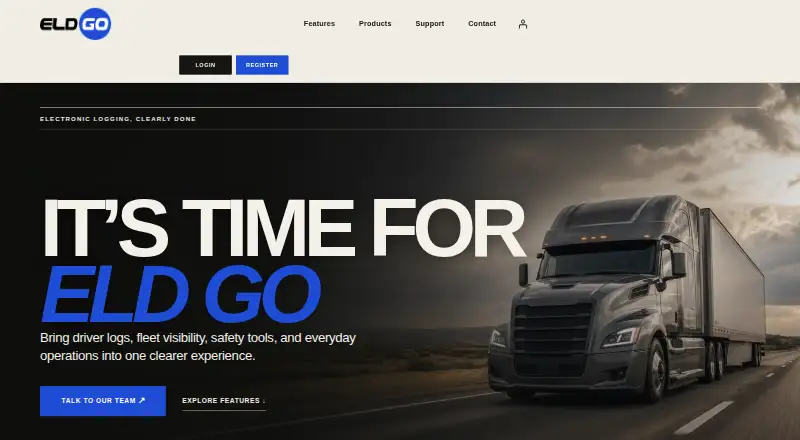
ELD GO is a fleet operations and compliance product that brings driver logs, vehicle visibility, safety tools, and everyday fleet tasks together. Drivers can record driving activity, check duty status, and keep hours-of-service logs ready for certification. Fleet views show vehicle locations, route activity, and selected geofence events, while alerts surface approaching limits, violations, and records that need attention. The system also supports vehicle inspection reports and keeps inspection records available for roadside review. Its mileage tools organize travel by jurisdiction to support quarterly IFTA reporting, and drivers and dispatchers can communicate within the system. Document tools let users scan, store, and retrieve fleet records. The driver app runs on iOS and Android, and ELD hardware connects through common vehicle ports. ELD GO is FMCSA-registered and supports inspection workflows. Its broader product lineup includes asset trackers, dash camera systems, and fuel cards. Setup guides, driver help, inspection references, manuals, and contact support are listed as resources. Owner-operators, growing fleets, and compliance teams can send sales, setup, product, or support inquiries through the contact form. Pricing is available on request.
Who it suits
ELD GO suits owner-operators, growing fleets, and compliance teams that need driver logs, vehicle visibility, inspection records, and mileage organization in one system. It also fits fleets looking for driver and dispatch communication and other products including asset trackers or dash cameras.
What it does well
- Records driving activity and duty status for log certification.
- Shows vehicle locations, route activity, and selected boundary events.
- Alerts flag approaching HOS limits, violations, and records needing attention.
- Organizes jurisdiction mileage for quarterly IFTA reporting.
- Includes vehicle inspection reports and roadside records.
- Driver app supports iOS and Android.
What to know first
- Pricing is available on request.
Getting started
- Visit the ELD GO website.
- Contact the ELD Go team through the form for sales or setup help.
- Connect ELD hardware through common vehicle ports.
- Use the driver app on iOS or Android.
- Consult the listed setup guides, driver help, inspection references, or manuals.
Verdict
Choose ELD GO if your fleet needs HOS logs, location visibility, inspections, and IFTA mileage organization alongside driver communication. It also offers mobile apps for both iOS and Android. Buyers who need a stated price before contacting sales may find the pricing-on-request model less direct.
Questions
What platforms does ELD GO support?
The listed platforms are Android, iOS, and web. The driver app is available for iOS and Android.
How much does ELD GO cost?
ELD GO is paid, with pricing available on request.
Does ELD GO require hardware?
Yes. Hardware is required, and ELD connects through common vehicle ports.
What compliance tools does it include?
It supports HOS logs, alerts, inspection reports and records, and jurisdiction mileage organization for IFTA reporting. ELD GO is FMCSA-registered.
What other products does ELD GO offer?
Its listed product lineup also includes asset trackers, dash camera systems, and fuel cards.
Where can I get help with setup?
ELD GO lists setup guides, driver help, inspection references, manuals, and contact support. Sales, setup, product, and support inquiries can be sent through its contact form.
Facts from ELD GO's own pages
- Audience
- The contact page identifies owner-operators, growing fleets, and compliance teams as audiences for inquiries. · eldgo.com, 8 Oct 2026
- Contact handling
- The contact page says inquiries are sent securely to the ELD Go team. · eldgo.com, 8 Oct 2026
- Contact response
- Sales, setup, product, and support requests can be submitted through the contact form, which says inquiries are sent securely to the ELD Go team. · eldgo.com, 8 Oct 2026
- Documents
- Document tools let users scan, store, and retrieve fleet documents. · eldgo.com, 8 Oct 2026
- Driver communication
- Drivers and dispatch can communicate within the system. · eldgo.com, 8 Oct 2026
- GPS and geofencing
- The fleet view shows vehicle location, route activity, and selected boundary events. · eldgo.com, 8 Oct 2026
- Hardware setup
- The driver app is available for iOS and Android, and the site says it connects through common vehicle ports. · eldgo.com, 8 Oct 2026
- HOS alerts
- Alerts bring approaching limits, violations, and records needing attention into view. · eldgo.com, 8 Oct 2026
- HOS logs
- Drivers can record driving activity, review duty status, and keep logs ready for certification. · eldgo.com, 8 Oct 2026
- IFTA mileage
- ELD GO organizes jurisdiction mileage to reduce manual work for quarterly reporting. · eldgo.com, 8 Oct 2026
- Inspections
- The product supports vehicle inspection reports and records for roadside review. · eldgo.com, 8 Oct 2026
- Other products
- The product lineup also includes asset trackers, dash camera systems, and fuel cards. · eldgo.com, 8 Oct 2026
- Product
- ELD GO brings driver logs, fleet visibility, safety tools, and everyday operations into one experience. · eldgo.com, 8 Oct 2026
- Products
- The listed product range includes ELD compliance solutions, asset trackers, dash camera systems, and fuel cards. · eldgo.com, 8 Oct 2026
- Purpose
- ELD Go brings driver logs, fleet visibility, safety tools, and everyday operations into one experience. · eldgo.com, 8 Oct 2026
- Setup
- The site says the ELD connects through common vehicle ports and the driver app is available on iOS and Android. · eldgo.com, 8 Oct 2026
- Support
- The site lists setup guides, driver help, inspection references, and contact support as support resources. · eldgo.com, 8 Oct 2026
- Support resources
- The site lists setup guides, driver help, inspection references, manuals, and contact support as support resources. · eldgo.com, 8 Oct 2026
Where ELD GO stands on Freedom251
- Electronic Logging Device Software#17 of 27