Freedom251 › Podcast Cover Maker Software

Edit.org
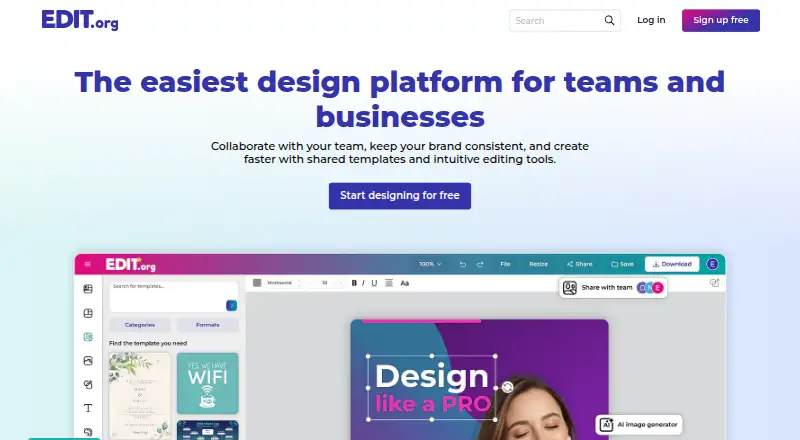
What Edit.org is
Edit.org is an online image editor for creating posters, banners, social media posts and advertisements. Its library has more than 250,000 templates, including designs for Facebook, Instagram, Twitter, LinkedIn and YouTube. The editor works in any browser with internet access on computers and mobile devices across operating systems. Designs can be saved, shared with colleagues, or downloaded as JPG, PNG or PDF files. Edit.org focuses on still images and does not support video or animation. Its stock photos are described as free and copyright-free for use in designs, and the editor is designed to be approachable for beginners. Users can sign in with Google, Facebook or email and password. The free plan includes free templates, stock photos and storage for up to 10 designs. Cuenta PRO costs $9.99 a month after a 15-day trial and adds more than 125,000 PRO templates, background removal, custom fonts and folders. PRO Teams costs $29.99 a month for the first 10 team members; additional franchisees cost US$1.49/month each. Team features include shared designs, folders, extra storage and collaboration. The homepage also promotes bulk design creation and custom QR-code generation, and the service is oriented toward small businesses.
Who it suits
Edit.org suits small businesses and individuals creating still-image materials such as posters, ads and social media graphics. Its browser access and beginner-oriented editor may also suit users who want to work across computers and mobile devices.
What it does well
- More than 250,000 templates are available.
- Downloads designs as JPG, PNG or PDF.
- Works in browsers on computers and mobile devices.
- Free plan includes storage for up to 10 designs.
- PRO Teams includes shared designs and collaboration.
What to know first
- Video and animation are not supported.
- Free-plan storage is limited to 10 designs.
- PRO costs $9.99 a month after a 15-day trial.
- PRO Teams costs $29.99 a month for the first 10 team members.
Limits
The free plan caps storage at 10 designs. Cuenta PRO is billed at $9.99 a month after its 15-day trial; PRO Teams costs $29.99 USD monthly for the first 10 members, with additional franchisees at US$1.49/month each.
Plans
| Plan | Billed and limits | Price |
|---|---|---|
| Cuenta Gratuita | 0€ Gratis para siempre · editor online · free templates · free stock photos · storage up to 10 designs | Free |
| PRO Teams | US$29.99 monthly for the first 10 team members · first 10 team members included · additional franchisees US$1.49/month each | $29.99 a month |
| Cuenta PRO | $9.99/mes after 15-day trial · +125,000 PRO templates · background removal · custom fonts · more than 1,000 designs · folders | $9.99 a month |
As edit.org lists them, read 1 Oct 2026. The maker's own page has the final word.
Getting started
- Open edit.org in a browser with internet access.
- Register or sign in with Google, Facebook, or email and password.
- Start with the free plan, or try Cuenta PRO with its 15-day trial.
- Create a design from the template library.
- Save or share the design, or download it as JPG, PNG or PDF.
Verdict
Edit.org provides a large template library and browser-based tools for still-image designs, with a free plan and paid team features. It is not suitable for video or animation work.
Questions
Does Edit.org have a free plan?
Yes. Cuenta Gratuita is listed as free, with free templates, stock photos and storage for up to 10 designs.
How much does Cuenta PRO cost?
It is listed at $9.99 a month after a 15-day trial.
What does Cuenta PRO add?
It includes more than 125,000 PRO templates, background removal, custom fonts, folders and more than 1,000 designs.
How much does PRO Teams cost?
It is listed at $29.99 a month for the first 10 team members. Additional franchisees cost US$1.49/month each.
What platforms can I use Edit.org on?
It runs in a browser on computers and mobile devices across operating systems, with internet access.
Can Edit.org make videos or animations?
No. The editor is designed for images and does not support videos or animations.
Facts from Edit.org's own pages
- Beginner friendly
- The editor is fully customizable and designed to be easy enough for an 8-year-old child to use. · edit.org, 1 Oct 2026
- Browser access
- The editor is 100% online and works in any browser with internet access on computers and mobile devices, across operating systems. · edit.org, 1 Oct 2026
- Bulk and QR tools
- The homepage promotes bulk design creation and custom QR-code generation. · edit.org, 1 Oct 2026
- Export formats
- Users can save designs, share them with colleagues, and download results in JPG, PNG or PDF. · edit.org, 1 Oct 2026
- Free imagery
- EDIT.org says all of its stock photos are free and copyright-free for use in designs. · edit.org, 1 Oct 2026
- Image focus
- The editor is designed for creating images and does not support videos or animations. · edit.org, 1 Oct 2026
- Sign-in options
- Users can register or sign in with Google, Facebook, or email and password. · edit.org, 1 Oct 2026
- Social platforms
- The template library includes designs for Facebook, Instagram, Twitter, LinkedIn and YouTube. · edit.org, 1 Oct 2026
- Support
- The pricing page directs users with account or editor problems to [email protected] for help. · edit.org, 1 Oct 2026
- Target users
- EDIT.org says its editor is oriented toward small businesses and their daily design needs. · edit.org, 1 Oct 2026
- Team features
- The PRO plan includes shared designs, folders, extra storage and team collaboration. · edit.org, 1 Oct 2026
- User base
- The homepage says more than 9 million users design with Edit.org. · edit.org, 1 Oct 2026
- What it does
- EDIT.org is an online image editor with more than 250,000 templates for posters, banners, social media posts and advertisements. · edit.org, 1 Oct 2026
Where Edit.org stands on Freedom251
- Podcast Cover Maker Software#15 of 35
- Poster Design Software#18 of 39
- YouTube Banner Makers#11 of 20