Easy Voice Recorder
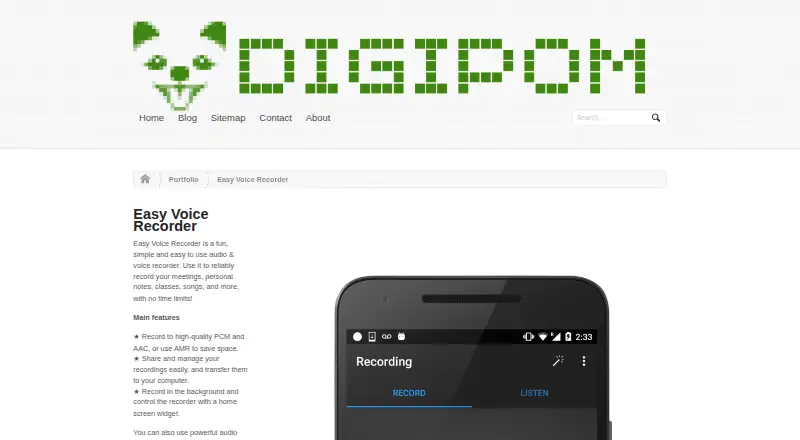
What Easy Voice Recorder is
Easy Voice Recorder records meetings, classes, personal notes, songs, and other audio without time limits. On Android, it can save recordings as PCM or MP4, or use AMR to conserve space. Background recording and widget or shortcut controls are available, and the Android app supports Wear OS recording with an included watch tile. Pro adds MP3, FLAC, and AAC recording, Bluetooth microphones, trimming, folders, notification-bar controls, and automatic uploads to Google Drive or Dropbox. On iOS, the app can transcribe recordings, share audio and text, save files to the device or iCloud Drive, trim audio, and create videos from recordings and photos. Recordings are stored on the device and do not automatically move to a new device. The free plan includes ads and in-app purchases. Easy Voice Recorder Pro costs 4.99 USD one-time; separate one-time purchases include Theme Pack for 0.99 USD, video creation for 0.99 USD, and full transcriptions for 1.99 USD. The app cannot record phone calls on most phones due to hardware or operating-system restrictions.
Who it suits
Easy Voice Recorder suits people who want to capture notes, classes, meetings, or other audio on Android or iOS. It may also fit users who need transcription or recording organization features.
What it does well
- No recording time limits
- Android supports background recording
- iOS app includes transcription
- Pro adds automatic Drive or Dropbox uploads
- Recordings are not copied or shared by Digipom
What to know first
- Recordings do not automatically transfer between devices
- Phone call recording is blocked on most phones
- Bluetooth recording has format and device limits
- Free plan contains ads and in-app purchases
Limits
The free plan contains ads and in-app purchases. Pro costs 4.99 USD once; themes, video creation and unlimited-length transcriptions are separate one-time purchases. Recordings are stored locally and do not automatically transfer when changing devices.
Plans
| Plan | Billed and limits | Price |
|---|---|---|
| Easy Voice Recorder (free) | no time limits · contains ads · in-app purchases | Free |
| Theme Pack | additional themes including a dark theme | $0.99, paid once |
| Make videos | turn recordings into videos | $0.99, paid once |
| Full transcriptions | allows transcriptions of unlimited length | $1.99, paid once |
| Easy Voice Recorder Pro | no time limits · no ads · Google Drive or Dropbox upload · MP3, FLAC and AAC · editing and folders | $4.99, paid once |
As digipom.com lists them, read 1 Oct 2026. The maker's own page has the final word.
Getting started
- Visit the Digipom Easy Voice Recorder website.
- Install the app on an Android or iOS device.
- Use the free plan, which has no recording time limit.
- Choose a one-time purchase if you want Pro, themes, video creation or unlimited-length transcriptions.
Easy Voice Recorder is a no-limit audio recorder for Android and iOS, with coverage that also includes macOS. It fits people capturing lectures, meetings, songs, interviews, or personal notes who want a focused recorder rather than a full cloud workspace. The free version is unusually open on recording length; Pro is the more practical choice when editing, organization, and automatic backups matter.
Overview
The app concentrates on getting audio into a file quickly. Android can record high-quality PCM and MP4, or use AMR when smaller files matter. Background recording, widgets, and shortcuts let you keep capturing while using other apps. On iOS, recordings can be transcribed, shared with other apps or by email, saved to the device or iCloud Drive, trimmed, and turned into videos with photos.
Storage is local by default. That is a sensible privacy posture for users who want recordings kept on their device: Digipom says it does not collect, share, or copy recordings or transcriptions and commits to GDPR, PIPEDA, CCPA, and LGPD compliance. The trade-off is operational: files do not move automatically to a replacement device, unless you use Pro's upload options and manage the resulting cloud copies.
Key features
Capture and control
There is no recording-time cap, so the free edition can cover a full class or meeting without splitting the file. Android Pro adds MP3, FLAC, and AAC formats, trimming, folders, and notification-bar controls. Those additions matter if you need smaller shareable files, lossless output, or a repeatable filing system rather than a growing list of clips.
Android also records from Wear OS through an included watch tile, useful when starting a recording from a smartwatch is more convenient than reaching for a phone. Bluetooth microphone support is less broadly useful than the headline suggests: it is restricted to 8000Hz mono recordings, and some devices support Bluetooth only for phone calls. Phone-call recording itself generally will not work because hardware and operating-system restrictions block it on most phones.
Transcription and editing
iOS transcription converts recordings to text and supports sharing both versions. Its editing tools cut and trim audio and can create a video from a recording and photos. Unlimited-length transcription is a separate purchase, so people handling long lectures or interviews should account for that cost rather than assume the free capability covers every use.
Pricing
The free plan costs nothing and has no time limits, but contains ads and in-app purchases. It suits occasional recording when local files and basic capture are enough.
- Theme Pack: $0.99, paid once for additional themes, including a dark theme.
- Make videos: $0.99, paid once to turn recordings into videos.
- Full transcriptions: $1.99, paid once for transcriptions of unlimited length.
- Easy Voice Recorder Pro: $4.99, paid once, removing ads and adding Google Drive or Dropbox uploads, MP3/FLAC/AAC recording, editing, and folders, with no time limits.
These are one-time prices, not recurring subscriptions. The cheaper add-ons keep the free recorder viable but do not provide Pro's broader export, storage, and organization tools.
Platforms
Easy Voice Recorder is available on Android, iOS, and macOS. Wear OS recording is an Android companion capability. Platform behavior differs: Android emphasizes recording formats and watch controls, while iOS provides transcription, iCloud Drive storage, text sharing, and video creation.
Who it's for
Choose it for long, straightforward recordings, especially classes, meetings, music practice, or personal notes. It is also a good fit for users who prefer recordings kept locally and for iPhone users who want transcription and basic media creation in the same app. Look elsewhere if automatic device-to-device migration, dependable call recording, unrestricted Bluetooth quality, or a cloud-first archive is central to your workflow.
Pros and cons
- Pros: no recording-time limit on the free plan; background capture with widgets and shortcuts; broad Android format choices; iOS transcription and text sharing; optional one-time Pro purchase; stated non-collection of recordings and transcriptions.
- Cons: free use includes ads; local files do not transfer automatically between devices; call recording is blocked on most phones; Bluetooth recording is limited to 8000Hz mono and may be call-only; key features such as unlimited transcription and video creation cost extra.
Alternatives
For a wider directory of choices, browse Voice Note Apps.
Voice Notebook is the better pick if you need a web service with a free tier that transcribes audio files up to 15 minutes and runs across Android, iOS, desktop, browser, and extension platforms.
Choose AudioPen when short recordings with transcription and rewriting are more important than unlimited capture; its free plan limits recordings to three minutes.
Diktafon suits users seeking a free, open-source recorder with no ads under an MIT licence.
Pick Whispr Notes if a free plan with 10 hours of monthly transcription, lock-screen recording, and semantic search better matches your workflow.
AudioNote is an alternative for note-focused recording workflows with a free Windows demo and five-minute limits on new demo recordings.
Choose Voicenotes for a broader cross-platform service whose free Basic plan includes 100 weekly transcription minutes, 30-day history, unlimited recordings, and 100-plus languages.
Noted is an iOS and macOS option with paid subscriptions and a seven-day trial on its yearly plan.
Pick Offscript for on-device transcription and search, with a free core plan and a $2.99 a month premium tier.
Verdict
Easy Voice Recorder is a strong choice for anyone who wants unlimited everyday recording with platform-specific transcription, editing, and wearable controls. Its 4.99 USD one-time Pro upgrade adds the features that make a large personal archive manageable. Look elsewhere if automatic cloud migration, reliable phone-call capture, or unrestricted Bluetooth recording is non-negotiable.
Verdict
Easy Voice Recorder covers everyday audio capture, with additional editing, export, and upload features in Pro. Keep its local-storage behavior and call-recording limits in mind when deciding whether it fits your workflow.
Questions
Is Easy Voice Recorder free?
Yes. The free plan costs nothing and has no time limits, but contains ads and in-app purchases.
How much does Pro cost?
Easy Voice Recorder Pro costs 4.99 USD once. It includes no ads, automatic Google Drive or Dropbox uploads, MP3, FLAC and AAC recording, editing and folders.
Which platforms does it support?
The app supports Android and iOS. The listed platforms also include macOS.
Can it transcribe recordings?
Yes. The iOS app transcribes recordings and can share recordings and transcriptions through email or other apps. Full transcriptions cost 1.99 USD once and allow unlimited-length transcriptions.
Can it record phone calls?
It cannot record phone calls on most phones because of hardware or operating-system restrictions.
Where are recordings stored?
Recordings are stored on the device rather than in the cloud and do not automatically transfer when changing devices. On iOS, recordings can also be saved to iCloud Drive.
Facts from Easy Voice Recorder's own pages
- Background recording
- The app can record in the background and can be controlled with widgets and shortcuts. · play.google.com, 1 Oct 2026
- Bluetooth limit
- Bluetooth recording works only with 8000Hz mono recordings and on some devices is supported only for phone calls. · digipom.com, 1 Oct 2026
- Call recording limit
- Easy Voice Recorder cannot record phone calls on most phones because hardware or operating-system restrictions block it. · digipom.com, 1 Oct 2026
- Founded
- 2012 · digipom.com, 28 Sept 2026
- Headquarters
- Montreal, Quebec, Canada · digipom.com, 28 Sept 2026
- iOS editing
- The iOS app can cut and trim recordings and create videos from recordings and photos. · apps.apple.com, 1 Oct 2026
- iOS storage
- The iOS app saves recordings to the device or iCloud Drive. · apps.apple.com, 1 Oct 2026
- iOS transcription
- The iOS app converts recordings to text with transcription and shares recordings and transcriptions through email or other apps. · digipom.com, 1 Oct 2026
- Local storage
- Recordings are stored on the device rather than in the cloud and do not automatically transfer when changing devices. · digipom.com, 1 Oct 2026
- Privacy compliance
- Digipom says it is committed to GDPR, PIPEDA, CCPA and LGPD compliance. · digipom.com, 1 Oct 2026
- Pro capabilities
- Pro adds automatic Google Drive or Dropbox uploads, MP3/FLAC/AAC recording, Bluetooth microphones, trimming, folders and notification-bar controls. · play.google.com, 1 Oct 2026
- Purpose
- Easy Voice Recorder records meetings, personal notes, classes, songs and other audio without time limits. · digipom.com, 1 Oct 2026
- Recording formats
- The Android version records to high-quality PCM and MP4, or uses AMR to save space. · play.google.com, 1 Oct 2026
- Recording privacy
- Digipom states that it does not collect, share or make copies of recordings or transcriptions made with its apps. · digipom.com, 1 Oct 2026
- Support
- For app support, Digipom asks users to send a request from the app's Help or About menu. · digipom.com, 1 Oct 2026
- Wear OS
- The Android app supports Wear OS recording from a smartwatch with an included watch tile. · play.google.com, 1 Oct 2026
Where Easy Voice Recorder stands on Freedom251
- Voice Note Apps#5 of 34