Freedom251 › Video Editing Software
EaseUS Video Editor
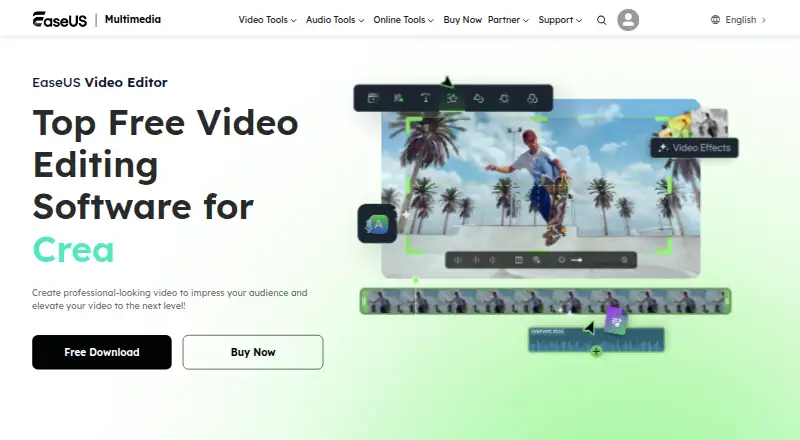
What EaseUS Video Editor is
EaseUS Video Editor is Windows desktop software for creating and editing videos with effects. Its multi-track timeline provides speed controls, real-time preview, trimming, cropping, merging, layering, and clip adjustments. Listed AI tools include speech-to-text and editable subtitles generated from video or audio clips. Audio features cover extraction, voiceovers, and noise reduction, plus a royalty-free music library limited to personal, non-commercial use. The editor supports formats including FLV, AVI, MP4, MKV, MOV, WEBM, RMVB, MTS, M2TS, TS, MXF, and WMV. Pro plans export without a watermark up to 4K; the trial has no video-length limit but adds a watermark and omits Pro features. EaseUS lists no web or mobile app. Pricing starts at $29.95 a month, with yearly and one-time options also listed.
Who it suits
It suits Windows users editing clips with multi-track tools, AI subtitles, audio controls, and 4K export. The trial can help users assess editing features before paying.
What it does well
- Multi-track timeline and real-time preview
- AI speech-to-text and editable subtitles
- Audio extraction, voiceovers, and noise reduction
- Pro export up to 4K without watermark
- Supports many listed video formats
What to know first
- No web or mobile app
- Trial exports carry a watermark
- Trial omits Pro features
- Music library is personal, non-commercial use
Plans
| Plan | Billed and limits | Price |
|---|---|---|
| Trial | Standard video editing features · No video length limit · Advanced video effects and filters · Export with watermark according to support documentation | On request |
| Pro Monthly | Auto-renew. Cancel anytime. · Export without watermark · Export up to 4K video · All video effects and filters · Technical support · One month of free upgrades | $29.95 a month |
| Pro Yearly | Auto-renew. Cancel anytime. · Export without watermark · Export up to 4K video · All video effects and filters · Technical support · One year of free upgrades | $49.95 a year |
| Pro Lifetime | One-time payment. · Export without watermark · Export up to 4K video · All video effects and filters · Technical support · Lifetime free upgrades | $79.95, paid once |
| Monthly | Auto-renew. Cancel anytime. · Export without watermark · All video effects and filters · Export up to 4K · 7/24 technical support · 1-month free upgrades | $17.97 a month |
| Yearly | Auto-renew. Cancel anytime. · Export without watermark · All video effects and filters · Export up to 4K · 7/24 technical support · 1-year free upgrades | $49.95 a year |
| Lifetime | One-time payment. · Export without watermark · All video effects and filters · Export up to 4K · 7/24 technical support · Lifetime free upgrades | $79.95, paid once |
As multimedia.easeus.com lists them, read 21 Sept 2026. The maker's own page has the final word.
Verdict
EaseUS Video Editor provides a Windows desktop workflow with broad editing, subtitle, audio, and format support. Choose a paid plan when watermark-free 4K export, Pro effects, and included support are required.
Facts from EaseUS Video Editor's own pages
- AI features
- The product page lists AI speech-to-text, and its support guide describes AI subtitles that generate editable subtitles from video or audio clips. · multimedia.easeus.com, 9 Oct 2026
- Audio features
- The editor supports audio extraction, voiceovers, noise reduction, and a royalty-free music library that the guide limits to personal, non-commercial use. · multimedia.easeus.com, 9 Oct 2026
- Company history
- EaseUS says it was formally established in 2004. · easeus.com, 9 Oct 2026
- Desktop app
- Yes · multimedia.easeus.com, 21 Sept 2026
- Editing tools
- The editor includes a multi-track timeline, speed controls, real-time preview, and tools for trimming, cropping, merging, layering, and adjusting clips. · multimedia.easeus.com, 9 Oct 2026
- Founded
- 2004 · multimedia.easeus.com, 28 Sept 2026
- 4K export
- Yes · multimedia.easeus.com, 21 Sept 2026
- Free plan
- No · multimedia.easeus.com, 21 Sept 2026
- Media formats
- The product FAQ lists video formats including FLV, AVI, MP4, MKV, MOV, WEBM, RMVB, MTS, M2TS, TS, MXF, and WMV. · multimedia.easeus.com, 9 Oct 2026
- Mobile app
- No · multimedia.easeus.com, 21 Sept 2026
- Operating system
- The product FAQ says the editor is compatible with Windows 10 and Windows 11. · multimedia.easeus.com, 9 Oct 2026
- Purpose
- EaseUS describes Video Editor as software for creating and editing videos with effects. · multimedia.easeus.com, 9 Oct 2026
- Security and privacy
- EaseUS's privacy policy says it uses physical, electronic, and administrative safeguards and SSL encryption for sensitive information entered on its site. · easeus.com, 9 Oct 2026
- Sharing
- EaseUS says edited videos can be exported for playback on Windows or macOS PCs and mobile devices, and describes sharing to YouTube, Facebook, and Twitter. · multimedia.easeus.com, 9 Oct 2026
- Paid from
- 29.95 · multimedia.easeus.com, 21 Sept 2026
- Support
- The product guide directs users to contact support through live chat; paid licenses list 7/24 technical support. · multimedia.easeus.com, 9 Oct 2026
- Trial limitation
- The support guide says the trial omits Pro features and places a watermark on exported videos. · multimedia.easeus.com, 9 Oct 2026
- Web app
- No · multimedia.easeus.com, 21 Sept 2026
Where EaseUS Video Editor stands on Freedom251
- Video Editing Software#125 of 153