Freedom251 › Landscape Software
DynaScape Design
What DynaScape Design is
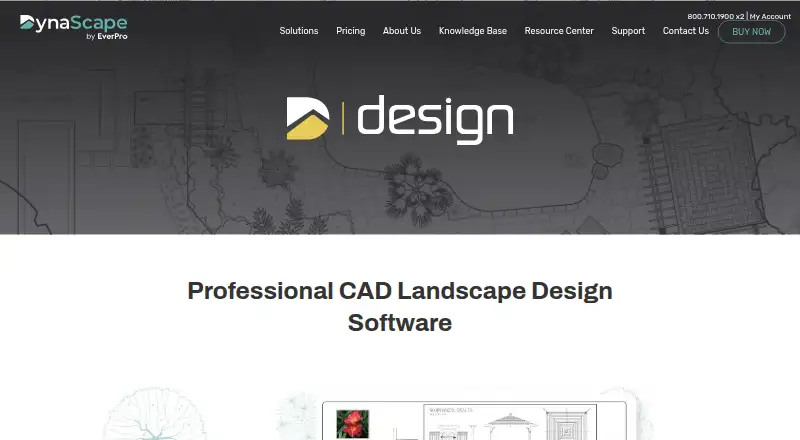
DynaScape Design is professional CAD software for creating detailed landscape drawings with an artistic, hand-drawn look. It labels design elements and automatically counts plants and materials for a job. Its online Horticopia-powered plant database includes more than 10,000 plants, with color images and searches by characteristics, bloom, or color. A library of more than 1,500 to-scale symbols can be extended with custom symbols and libraries. Projects can begin with imported property survey dimensions or templates that set sheet size, scale, line styles, text styles, and layers. The software imports DWG and DXF files. DynaScape lists Color and Sketch3D as add-ons; Sketch3D works with Design and SketchUp to create 3D renderings. Design runs on Windows, and an internet connection is needed for updates and the online plant database. It has no free plan. The monthly subscription is $158 a month; the annual subscription is $1,599 a year, billed annually.
Who it suits
It suits landscape professionals who need CAD drafting, plant and symbol libraries, and automatic counts for jobs. It is intended for Windows users; Mac users need Windows installed rather than the native Mac environment.
What it does well
- Plant database contains over 10,000 plants.
- More than 1,500 to-scale symbols are included.
- Automatically counts plants and materials.
- Imports DWG and DXF files.
- Templates can set drawing styles and layers.
What to know first
- No free plan is listed.
- Windows is required; Mac needs Windows installed.
- Internet is required for updates and the online plant database.
- Monthly subscription costs $158 a month.
Limits
There is no free plan. The least costly listed option is the monthly subscription at $158 a month; an annual subscription costs $1,599 a year and requires annual prepayment.
Plans
| Plan | Billed and limits | Price |
|---|---|---|
| Design | Paid Annually, Pricing in USD* · CAD-based landscape design · Plant and symbol libraries · Landscape-specific drafting tools | $1,599 a year |
| Design | Paid Monthly, Pricing in USD* · CAD-based landscape design · Plant and symbol libraries · Landscape-specific drafting tools | $158 a month |
| DynaScape Design — monthly subscription | Paid monthly · Windows-based software | $158 a month |
| DynaScape Design — annual subscription | Paid annually · Windows-based software · annual prepayment | $1,599 a year |
As dynascape.com lists them, read 20 Sept 2026. The maker's own page has the final word.
Getting started
- Open https://www.dynascape.com/solutions/design/.
- Choose the monthly subscription at $158 a month or annual subscription at $1,599 a year.
- Install and run the software on a computer that meets the listed Windows requirements.
- Connect to the internet for updates and the online plant database.
- Start with a property survey or a preset template, then use the plant and symbol libraries.
Verdict
DynaScape Design brings landscape-specific CAD tools, plant information, symbols, and job counts into one Windows application. Consider the subscription cost, Windows requirement, and internet dependency when deciding whether it fits your workflow.
Questions
Does DynaScape Design have a free plan?
No. DynaScape Design is a paid product.
What does it cost?
The monthly subscription costs $158 a month. The annual subscription costs $1,599 a year, paid annually.
Which platforms does it support?
It runs on Windows, with Windows 11, 10, or 8.1 listed among the requirements. On a Mac, it can run only with Windows installed; it does not run in the native Mac environment.
Can it import existing CAD files?
DWG and DXF are listed as import formats. Designs can also start from imported property survey dimensions.
What plant and symbol resources are included?
The online Horticopia-powered database contains more than 10,000 plants with images and search by characteristics, bloom, or color. The symbol library contains more than 1,500 to-scale symbols and supports custom symbols and libraries.
Does it need an internet connection?
Yes. An internet connection is required to access updates and the online plant database.
Facts from DynaScape Design's own pages
- Auto-count labeling
- It labels design elements and automatically counts plants and materials for a job. · dynascape.com, 7 Oct 2026
- Founded
- 1998 · dynascape.com, 28 Sept 2026
- Headquarters
- Toronto, Ontario, Canada · dynascape.com, 28 Sept 2026
- Integrations and add-ons
- DynaScape lists Color and Sketch3D as Design add-ons; Sketch3D works with Design and SketchUp to create 3D renderings. · dynascape.com, 7 Oct 2026
- Internet requirement
- An internet connection is required for Design to access updates and the online plant database. · dynascape.com, 7 Oct 2026
- Mac limitation
- Design can run on a Mac only with Windows installed, with Boot Camp and Parallels listed as options; it does not run in the native Mac environment. · dynascape.com, 7 Oct 2026
- Plant database
- The online Horticopia-powered plant database contains over 10,000 plants, with full-color images and search by plant characteristics, bloom, or color. · dynascape.com, 7 Oct 2026
- Purpose
- DynaScape Design is professional CAD landscape design software for producing detailed landscape drawings with an artistic, hand-drawn look. · dynascape.com, 7 Oct 2026
- Support
- DynaScape lists phone support at 1.800.710.1900 x1 and support by email at [email protected]. · dynascape.com, 7 Oct 2026
- Symbols
- The symbol library contains over 1,500 to-scale symbols and supports adding custom symbols and libraries. · dynascape.com, 7 Oct 2026
- Templates and surveys
- Designs can start from imported property survey dimensions or preset templates with predefined sheet size, scale, line styles, text styles, and layers. · dynascape.com, 7 Oct 2026
- Windows requirement
- Design runs on Windows; the listed requirements include Windows 11, 10, or 8.1, an Intel i5 or equivalent, and 4 GB of RAM. · dynascape.com, 7 Oct 2026
Where DynaScape Design stands on Freedom251
- Landscape Software#10 of 18
- Landscape Design Software#9 of 15
- 3D Landscape Design Software#21 of 30