Freedom251 › Runtime Version Managers
DVM
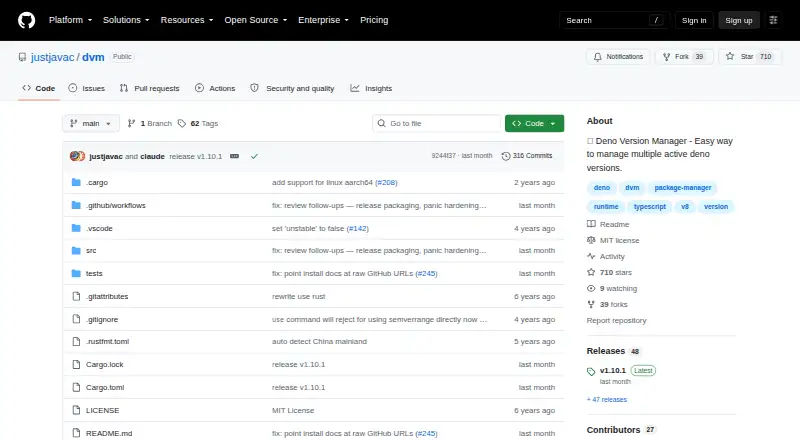
What DVM is
DVM is a free, open-source Deno Version Manager for working with multiple Deno versions. It can install a specific release, the latest available release, or the latest LTS release, then select an installed version with the `use` command. Selection can use a version number, semantic version range, or alias; the available choices include latest, LTS, and canary. DVM can show installed versions and releases available remotely, and remove installed versions. For project-level configuration, its `--local` flag writes a `.dvmrc` file in the current directory. DVM can use that file when a command does not supply a version. Its other commands cover shell completions, activation and deactivation, cache cleanup, registry changes, and running a Deno command with a specified version. DVM supports macOS and Linux on x86_64 or ARM64, and Windows on x86_64. The project provides shell and PowerShell installer commands and links to release binaries. The shell installer requires `unzip`; on Windows, PowerShell is required, and the shell installer can be used through WSL, MSYS, or equivalent tools. DVM is released under the MIT License.
Who it suits
DVM suits developers who need to install and select among Deno releases, including setting a version for a project with `.dvmrc`. It supports macOS, Linux, and Windows, with PowerShell required on Windows.
What it does well
- Installs a chosen, latest, or latest LTS Deno release.
- Selects versions by number, semantic range, or alias.
- Supports project-local version configuration with `.dvmrc`.
- Lists installed versions and remote releases.
- Free and released under the MIT License.
What to know first
- The shell installer requires `unzip`.
- Windows use requires PowerShell, and automatic switching is not provided.
Getting started
- Open the DVM GitHub project page.
- Choose a shell or PowerShell installer command, or download a release binary.
- Install `unzip` before using the shell installer.
- On Windows, use PowerShell; the shell installer can run through WSL, MSYS, or equivalent tools.
- Install the needed Deno release, then select it with `use`.
- Use `--local` to write a `.dvmrc` file for the current directory.
Verdict
Choose DVM if you need to manage multiple Deno releases or configure a project-specific version through `.dvmrc`. Its commands cover version installation, selection, listing, and removal across macOS, Linux, and Windows. Users who need automatic version switching should look elsewhere.
Questions
Is DVM free?
Yes. DVM is free and released under the MIT License.
Which systems does DVM support?
DVM supports macOS and Linux on x86_64 or ARM64, and Windows on x86_64.
How does DVM select a Deno version?
Its `use` command selects an installed version, semantic version range, or alias. Aliases include latest and LTS, and a canary option is available.
Can DVM configure a version for a project?
Yes. The `--local` flag writes a `.dvmrc` file in the current directory, which DVM can use when no version is supplied.
How can DVM be installed?
The project provides shell and PowerShell installer commands and links to release binaries. The shell installer requires `unzip`.
What is required to use DVM on Windows?
PowerShell is required because DVM uses a PowerShell profile to set environment variables. The shell installer can also be used with WSL, MSYS, or equivalent tools.
Facts from DVM's own pages
- Aliases and channels
- The README shows aliases for latest and LTS releases, and a canary version option. · github.com, 7 Oct 2026
- Install and switch
- DVM can install Deno releases and switch to a specified version, semantic version range, or alias. · github.com, 7 Oct 2026
- Installation methods
- The README provides shell and PowerShell installer commands and links to release binaries. · github.com, 7 Oct 2026
- Installer requirement
- The shell installer requires `unzip`. · github.com, 7 Oct 2026
- Install versions
- DVM can install a specified Deno version, the latest available version, or the latest LTS version. · github.com, 7 Oct 2026
- Intended users
- The README describes DVM as a tool for managing multiple active Deno versions and shows project-local version configuration using `.dvmrc`. · github.com, 7 Oct 2026
- License
- The README says DVM is released under the MIT License. · github.com, 7 Oct 2026
- Other commands
- The command list includes version listing and removal, shell completions, activation and deactivation, cache cleanup, registry changes, and running a Deno command with a specified version. · github.com, 7 Oct 2026
- Project configuration
- The `--local` flag lets users write a `.dvmrc` file for the current directory, which DVM can use when no version is supplied. · github.com, 7 Oct 2026
- Purpose
- DVM is a Deno Version Manager for managing multiple active Deno versions. · github.com, 7 Oct 2026
- Release binaries
- The README directs users to the releases page to download a release binary. · github.com, 7 Oct 2026
- Release downloads
- The v1.10.1 release lists seven assets. · github.com, 7 Oct 2026
- Release signing
- The v1.10.1 release page says its commit was signed with the committer’s verified signature. · github.com, 7 Oct 2026
- Support
- The repository has an Issues tab, and the page showed zero open issues when viewed. · github.com, 7 Oct 2026
- Supported systems
- The installer script selects binaries for macOS and Linux on x86_64 or ARM64 and Windows on x86_64; the README also describes Windows use through PowerShell or a shell environment such as WSL or MSYS. · github.com, 7 Oct 2026
- Switch versions
- The `use` command selects an installed version or a version range or alias. · github.com, 7 Oct 2026
- Version lists
- DVM can list installed versions and released versions available remotely. · github.com, 7 Oct 2026
- Windows requirement
- The README says PowerShell is required on Windows because DVM uses a PowerShell profile to set environment variables. · github.com, 7 Oct 2026
- Windows support
- The README says the shell installer can be used on Windows with Windows Subsystem for Linux, MSYS, or equivalent tools, and that PowerShell is required. · github.com, 7 Oct 2026
Where DVM stands on Freedom251
- Runtime Version Managers#30 of 30