Freedom251 › Email Backup Software
DRS Softech Microsoft 365 Backup Tool
Visit DRS Softech Microsoft 365 Backup Tool Alternatives Pricing
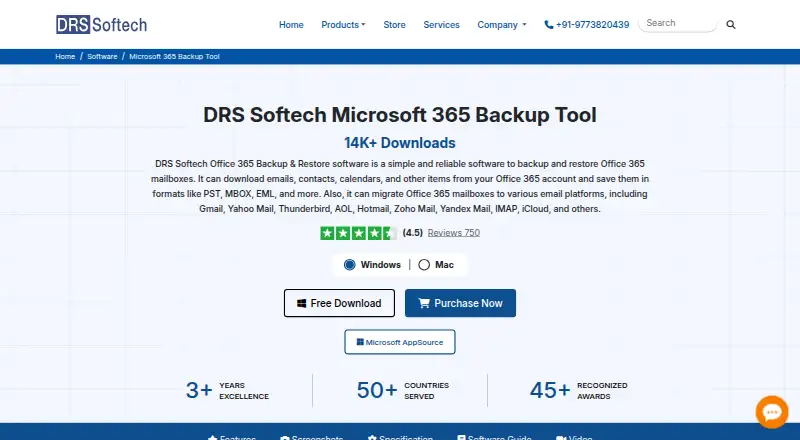
What DRS Softech Microsoft 365 Backup Tool is
DRS Softech Microsoft 365 Backup Tool backs up Office 365 mailboxes, public and archive folders, emails, contacts, calendars, tasks, and OneDrive files. It exports mailbox data to 15+ formats, including PST, EML, MBOX, PDF, CSV, JPG, PNG, DOC, MSG, and HTML. Migration destinations include Google Workspace, Office 365, IMAP, iCloud, Zoho Mail, Yahoo, Yandex Mail, and Thunderbird. The software can restore OST and PST files to Office 365 administrator or user accounts, including selective restoration of individual items. Administrators can use Impersonation Rights to access multiple mailboxes for backup or restore without separate login details. Other controls include date-range filtering, custom folder names, saving attachments separately, PST splitting, and duplicate-email removal. Backups can be stored on a computer, local or external drive, SAN, NAS, or supported cloud storage. The demo backs up 50 Office 365 mailbox items per folder for free. Linux, macOS, and Windows are listed platforms. Modern Authentication may require administrator consent for organization-wide or multi-user permissions, and user sign-in must be enabled. Pricing is listed from $149.
Who it suits
It suits Microsoft 365 administrators and users who need to back up, export, migrate, or selectively restore mailbox data. The listed licenses also cover home users, administrators, technicians, and enterprises.
What it does well
- Backs up mailboxes and OneDrive files
- Exports to 15+ formats
- Supports selective restoration of individual items
- Offers multiple migration destinations
- Free demo covers 50 items per folder
What to know first
- Demo is limited to 50 items per folder
- Administrator consent may be needed for multi-user permissions
- User sign-in must be enabled
Limits
The free demo backs up 50 Office 365 mailbox items per folder. The listed Home License is $15,999 a year for one user and 25 user accounts; the other listed licenses cover 50, 150, or 300 user accounts at their stated prices and billing terms.
Plans
| Plan | Billed and limits | Price |
|---|---|---|
| Home License | 1 Year · Single User · 25 user accounts | $15,999 a year |
| Technician License | 2 Year · Technician · 150 user accounts | On request |
| Administrator License | 1 Year · Administrator · 50 user accounts | On request |
| Enterprise License | 3 Year · Enterprise · 300 user accounts | On request |
As drssoftech.com lists them, read 1 Oct 2026. The maker's own page has the final word.
Getting started
- Open the DRS Softech Microsoft 365 Backup Tool website.
- Choose the Windows, macOS, or Linux platform.
- Use the free demo to back up up to 50 mailbox items per folder, or select a listed license.
- Enable user sign-in; arrange Microsoft 365 administrator consent if organization-wide or multi-user permissions are needed.
- Choose the Microsoft 365 data to back up or restore and select a supported destination.
Verdict
The tool covers backup, migration, export, and selective restoration across a broad set of mailbox data types. Its free demo has a per-folder item limit, and organization-wide access may require administrator consent.
Questions
Is there a free plan or trial?
Yes. A free demo and a free trial are listed. The demo backs up 50 Office 365 mailbox items per folder.
What does it cost?
The pricing note says From $149. Listed plans are Home License at $15,999 a year, billed 1 Year; Administrator License at $299,199 a year, billed 1 Year; Technician License at $799,599 a year, billed 2 Year; and Enterprise License at $1,499,999 a year, billed 3 Year.
Which platforms does it support?
Linux, macOS, and Windows are listed.
Where can backups be saved?
Backups can be saved to a computer, local or external drive, SAN, NAS, or supported cloud storage.
Can it migrate data to other services?
Yes. Listed destinations include Google Workspace, Office 365, IMAP, iCloud, Zoho Mail, Yahoo, Yandex Mail, Thunderbird, and other email clients.
What are the license account limits?
Home covers 25 user accounts, Administrator 50, Technician 150, and Enterprise 300. Their listed user types are Single User, Administrator, Technician, and Enterprise, respectively.
Facts from DRS Softech Microsoft 365 Backup Tool's own pages
- Authentication
- Modern Authentication may require Microsoft 365 administrator consent for organization-wide or multi-user permissions, and user sign-in must be enabled. · drssoftech.com, 1 Oct 2026
- Backup scope
- The tool backs up Office 365 mailboxes, public folders, archive folders, emails, contacts, calendars, tasks, and OneDrive files. · drssoftech.com, 1 Oct 2026
- Export formats
- It exports Office 365 mailbox data to 15+ formats, including PST, EML, MBOX, PDF, CSV, JPG, PNG, DOC, MSG, and HTML. · drssoftech.com, 1 Oct 2026
- Filtering and deduplication
- It provides date-range filtering, custom folder names, attachment-separate saving, PST splitting, and duplicate-email removal based on To, From, Subject, Body, and Bcc. · drssoftech.com, 1 Oct 2026
- Free limitation
- The demo version backs up 50 Office 365 mailbox items per folder for free. · drssoftech.com, 1 Oct 2026
- Headquarters
- A-58, 2nd Floor, Sector-57, Noida, Uttar Pradesh 201301, India · drssoftech.com, 28 Sept 2026
- Impersonation
- Assign Impersonation Rights lets an administrator access multiple mailboxes for backup or restore without separate login details. · drssoftech.com, 1 Oct 2026
- Migration targets
- It migrates Office 365 data to Google Workspace, Office 365, IMAP, iCloud, Zoho Mail, Yahoo, Yandex Mail, Thunderbird, and other email clients. · drssoftech.com, 1 Oct 2026
- Refund policy
- Purchases include a 30-day money-back policy if the product fails to perform as required, subject to technical review. · drssoftech.com, 1 Oct 2026
- Restore
- The software restores OST and PST files into Office 365 administrator and user accounts and supports selective restoration of individual items. · drssoftech.com, 1 Oct 2026
- Security and privacy
- DRS Softech says it follows EU GDPR, U.S. FTC guidelines, and India’s Digital Personal Data Protection Act, and uses administrative, technical, and physical safeguards. · drssoftech.com, 1 Oct 2026
- Storage
- Backups can be saved to a computer, local or external drive, SAN, NAS, and supported cloud storage. · drssoftech.com, 1 Oct 2026
- Support
- The company offers 24x7 assistance and support through chat, email, phone, and Skype. · drssoftech.com, 1 Oct 2026
Where DRS Softech Microsoft 365 Backup Tool stands on Freedom251
- Email Backup Software#2 of 29