Freedom251 › Mobile Development IDEs
DroidScript
What DroidScript is
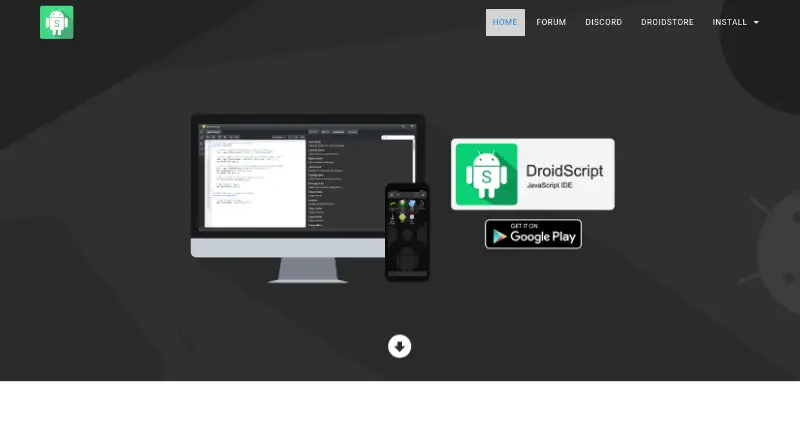
DroidScript is a coding tool for building native Android apps with JavaScript or Python, as well as HTML5 apps. It works without an internet connection. Its WiFi IDE runs in a browser and lets users remotely control, edit, and debug apps on connected Android devices over WiFi. Learning resources include documentation, runnable code examples, and samples. An APK Builder plugin can package apps for release on Google Play, and the visual UI designer supports interface work. Listed plugins cover barcode reading, GoPro control, Lego Mindstorms NXT, Sphero, and MOGA gamepads. Users can make private or open-source plugins with the Plugin SDK and add extensions to the WiFi IDE. The v3.00 release notes list an improved editor, a package registry, a drag-and-drop layout extension, and DriveBackup extension. DroidScript is free to download, with optional paid plugins and donations. It targets Android, Amazon Fire, and ChromeOS, and also lists Windows, macOS, and Linux desktop platforms.
Who it suits
DroidScript suits people who want to create Android or HTML5 apps using JavaScript or Python, including those who value offline work and browser-based editing. Its learning resources and visual UI designer may help people getting started.
What it does well
- Works without an internet connection.
- Supports JavaScript and Python.
- Includes documentation and runnable examples.
- WiFi IDE can edit and debug connected Android apps.
- Free to download; optional paid plugins and donations.
What to know first
- Optional paid plugins may add costs.
- Google Play release packaging uses a plugin.
Limits
DroidScript is free to download, while some plugins are paid and donations are optional.
Plans
| Plan | Billed and limits | Price |
|---|---|---|
| DroidScript | Free to download; optional paid plugins and donations | Free |
As droidscript.org lists them, read 3 Oct 2026. The maker's own page has the final word.
Getting started
- Visit the DroidScript website.
- Download DroidScript for a supported platform.
- Use the included documentation, runnable examples, or samples to get started.
- Use the WiFi IDE in a browser to connect to an Android device over WiFi, if needed.
- Use the APK Builder plugin to prepare an app for Google Play release, if needed.
DroidScript is a local development tool for building native Android and HTML5 apps with JavaScript or Python. It suits learners, hobbyists, and Android-focused developers who want to work from a phone, desktop, or browser without depending on a cloud service. Its strongest case is a flexible, device-connected workflow; teams seeking a broad, fully cross-platform stack may find its Android emphasis restrictive.
Overview
DroidScript runs without an internet connection, so projects can stay on the local device rather than requiring a hosted coding service. Its WiFi IDE opens in a web browser and can remotely control, edit, and debug apps on connected Android devices. In practice, that combines a familiar desktop-browser workspace with direct testing on Android hardware, which is useful for rapid learning and device-oriented development.
The project is maintained by a not-for-profit organization based in Harrogate, United Kingdom. Revenue supports hosting, volunteer equipment, and developers. Support is provided through a community forum and [email protected]. Google Play's listing identifies the developer as DROIDSCRIPT LTD; it says the app may collect app activity, encrypts data in transit, and does not share data with third parties.
Key features
JavaScript and Python support lowers the barrier for users who already know either language, while HTML5 support covers web-based app work. A visual UI designer provides a drag-and-drop approach alongside code, and app packaging is built in. The APK Builder plugin can produce packages intended for Google Play release, giving a project a route from experimentation to distribution.
Documentation, runnable code examples, and samples give newcomers concrete starting points instead of an empty editor. The plugin catalog is unusually hardware-oriented: tools cover barcode reading, GoPro control, Lego Mindstorms NXT, Sphero, and MOGA gamepads. That breadth is valuable for prototypes and connected-device projects, but it also means the ecosystem's appeal depends on whether those integrations match your app.
Developers can make private or open-source plugins with the Plugin SDK and extend the WiFi IDE through DroidScript Extensions. Version 3.00 adds editor extensions, a package registry, a visual drag-and-drop layout extension, and DriveBackup. The available releases include v3.00 and versions 2.74 through 2.80. Version 2.79 changed cryptography to AES/GCM/NoPadding by default while retaining AES/ECB/PKCS5Padding as an option, giving projects a documented compatibility path when older encryption behavior is required.
Pricing
| Plan | Price | What it includes |
|---|---|---|
| DroidScript | free | Free download, with optional paid plugins and donations |
The free plan is the clear starting point for learners, independent developers, and anyone evaluating the workflow. There are no published seat, usage, or trial limits for the free download. Costs can arise when a project needs paid plugins, so budget-sensitive users should verify whether a required integration is among the optional purchases. Donations support the not-for-profit operation but are not required to use the plan.
Platforms
Mobile targets are Android, Amazon Fire, and ChromeOS. Desktop support covers Windows, macOS, and Linux, while the product also lists web and extension platforms. This range lets a developer edit from a desktop operating system or browser while targeting Android devices; it does not turn the tool into an equal-purpose iOS development environment.
Who it's for
DroidScript is a strong fit for students, educators, and self-directed learners who want examples and runnable samples while practicing JavaScript or Python. It also suits Android developers who value offline work, browser-based remote debugging, visual layout, or specialized hardware plugins. Makers building barcode, gamepad, robotics, or camera-control prototypes may gain more from its plugin choices than from a generic editor.
It is less suitable when iOS is a first-class target, when a team needs a broad cloud build service, or when every dependency must be free. Those requirements point toward a different development environment.
Pros and cons
Pros
- Offline-first workflow: coding does not require an internet connection, which helps when connectivity is limited or local control matters.
- Direct Android feedback: the WiFi IDE can remotely edit and debug apps on connected devices from a browser.
- Flexible authoring: JavaScript, Python, HTML5, and a visual UI designer cover both code-led and layout-led work.
- Path to release: the APK Builder plugin is designed for Google Play packaging.
- Extensible ecosystem: the SDK and extensions support private or open-source additions, including hardware-focused plugins.
Cons
- Android-centric scope: its documented mobile targets do not include iOS, limiting appeal for teams that need both major mobile ecosystems.
- Potential plugin costs: the core download is free, but optional paid plugins can add expense for specialized projects.
- Browser IDE depends on device connectivity: remote control and debugging require an Android device connected over WiFi.
Alternatives
For a broader mobile-IDE directory, see Mobile Development IDEs.
- Codename One is a freemium option spanning Android, iOS, desktop, and web, with a free tier that includes 100 cloud build credits per month.
- Defold is free forever with no licensing, royalty, or runtime fees and adds iOS support.
- Felgo offers a free personal tier for businesses under €50k annual turnover and a €79.00-per-month Startup plan billed annually.
- Godot Engine is free and open source, with no contracts or hidden fees, and supports iOS alongside Android.
- Solar2D is free with no engine fees or royalties and supports Android, iOS, desktop, and web.
- B4X provides free B4A Android development, plus separate tools for other platforms.
- Monaca offers a free cloud IDE tier with three projects and three remote builds per 24 hours.
- Qt Creator has a free open-source edition, with LGPL/GPL obligations for Qt framework use.
Verdict
Choose DroidScript if you want a free, offline-capable way to build Android apps in JavaScript or Python, test them through a browser-connected device, and extend the workflow with visual layouts or hardware plugins. Look elsewhere if iOS parity, cloud build quotas, or an entirely no-cost plugin stack is more important than local Android development.
Verdict
DroidScript combines coding, visual layout, and browser-based device management for Android app creation. It is free to download, with optional paid plugins and donations.
Questions
How much does DroidScript cost?
The DroidScript plan is free. Optional paid plugins and donations are also available.
Which platforms does DroidScript support?
Mobile targets include Android, Amazon Fire, and ChromeOS. Desktop platforms include Windows, macOS, and Linux.
Which programming languages can I use?
DroidScript supports JavaScript and Python for native Android apps, as well as HTML5 apps.
Can I use DroidScript offline?
Yes. DroidScript does not require an internet connection.
How can I get support?
DroidScript provides a community forum and lists [email protected] as a contact address.
Facts from DroidScript's own pages
- Android listing privacy disclosure
- Google Play's DroidScript listing says the app may collect app activity, encrypts data in transit, and does not share data with third parties. · play.google.com, 3 Oct 2026
- App building
- The site says its APK Builder plugin can build apps for release on Google Play. · droidscript.org, 3 Oct 2026
- Browser IDE
- Its WiFi IDE works in a web browser and can remotely control, edit, and debug apps on connected Android devices over WiFi. · droidscript.org, 3 Oct 2026
- Extensions
- The site says users can create private or open-source plugins with its Plugin SDK and extend the WiFi IDE with DroidScript Extensions. · droidscript.org, 3 Oct 2026
- Headquarters
- Harrogate, United Kingdom · droidscript.org, 28 Sept 2026
- Learning resources
- DroidScript includes documentation, runnable code examples, and samples to help users learn and get started. · droidscript.org, 3 Oct 2026
- Maker contact location
- The Google Play listing identifies the developer as DROIDSCRIPT LTD and gives an address in Harrogate, United Kingdom. · play.google.com, 3 Oct 2026
- Offline use
- The site says DroidScript is not cloud based and does not require an internet connection. · droidscript.org, 3 Oct 2026
- Organization
- The site describes droidscript.org as a not-for-profit organization whose revenue supports hosting, volunteer equipment, and developers. · droidscript.org, 3 Oct 2026
- Plugins
- Listed plugins include tools for barcode reading, GoPro control, Lego Mindstorms NXT, Sphero, and MOGA gamepads. · droidscript.org, 3 Oct 2026
- Purpose
- DroidScript is a coding tool for creating native Android apps with JavaScript and Python, as well as HTML5 apps. · droidscript.org, 3 Oct 2026
- Recent editor features
- The v3.00 release notes list an improved editor with extensions, a package registry, visual drag-and-drop layout extension, and DriveBackup extension. · droidscript.org, 3 Oct 2026
- Release availability
- The download page lists DroidScript releases v3.00 and v2.74 through v2.80. · droidscript.org, 3 Oct 2026
- Security-related change
- The v2.79 release notes say DroidScript's crypto now uses AES/GCM/NoPadding by default and allow the prior AES/ECB/PKCS5Padding method as an option. · droidscript.org, 3 Oct 2026
- Support
- The site directs users to its community forum and lists [email protected] as a contact address. · droidscript.org, 3 Oct 2026
Where DroidScript stands on Freedom251
- Mobile Development IDEs#7 of 41