Freedom251 › Reverse Engineering Tools
DRAKVUF
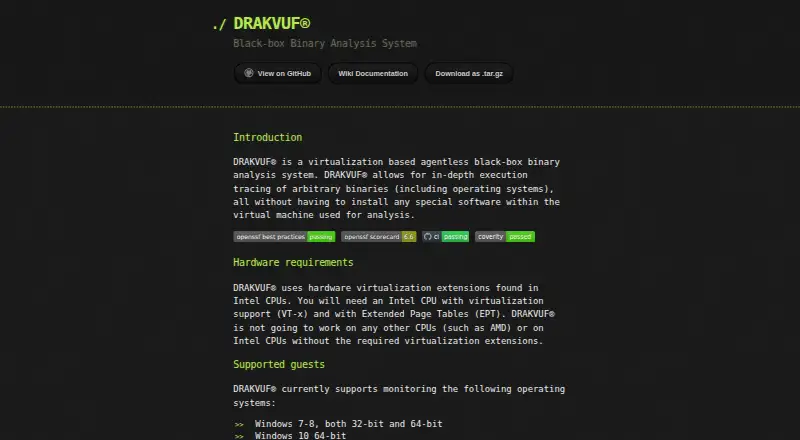
What DRAKVUF is
DRAKVUF is a free, open-source system for tracing binaries inside virtual machines without installing an agent in the guest. Developed mainly for malware analysis, it can also monitor arbitrary binaries, including operating systems. It can start execution on Windows and Linux, trace their kernel functions, and monitor Windows userspace. Windows plugins can follow heap allocations, accessed files, and TCP or UDP connections, and extract files from memory before deletion. The project describes its footprint as nearly undetectable from malware's perspective. DRAKVUF is self-hosted on Linux and requires an Intel CPU with VT-x and Extended Page Tables; it does not work on AMD CPUs or Intel CPUs without those extensions. The site lists Windows 7–8 in 32-bit and 64-bit, Windows 10 64-bit, and Linux 2.6.x–5.x in 32-bit and 64-bit as supported guests. The installation guide says it runs best on Xen 4.17, was mainly tested on Ubuntu 22.04 LTS, and requires a dom0 kernel version 5.11 or later. Pre-built Debian packages and build instructions are available.
Who it suits
DRAKVUF suits malware analysts and others who need agentless binary monitoring in virtual machines. It is for users with a compatible Intel host and a Linux-based self-hosted setup.
What it does well
- Open source and free
- Monitors Windows and Linux without a guest agent
- Can extract files from memory before deletion
- Pre-built Debian packages are available
What to know first
- Requires Intel VT-x and Extended Page Tables
- Does not work on AMD CPUs
- Self-hosted Linux setup required
- Installation guide requires a dom0 kernel version 5.11 or later
Limits
DRAKVUF requires an Intel CPU with VT-x and Extended Page Tables and does not work on AMD CPUs. The installation guide requires a dom0 kernel version 5.11 or later.
Getting started
- Check that the host has an Intel CPU with VT-x and Extended Page Tables.
- Prepare a Linux host; the guide says DRAKVUF runs best on Xen 4.17.
- Meet the dom0 kernel requirement of version 5.11 or later.
- Choose a pre-built Debian package or follow the source-build instructions for Debian- or Ubuntu-based distributions.
- Set up a supported guest operating system for monitoring.
Verdict
DRAKVUF offers agentless monitoring for malware analysis and other binary tracing, with Windows plugins for several forms of activity. Its Intel hardware and host setup requirements are important to check first.
Questions
Is DRAKVUF free?
Yes. DRAKVUF is described as a free, open-source project.
Where does DRAKVUF run?
It is self-hosted on Linux. The installation guide says it runs best on Xen 4.17 and was mainly tested on Ubuntu 22.04 LTS.
Does it require software inside the guest?
No special software needs to be installed in the guest VM for its agentless monitoring.
What hardware does it require?
It requires an Intel CPU with VT-x and Extended Page Tables. It does not work on AMD CPUs or Intel CPUs without those extensions.
Which guest operating systems are supported?
The project site lists Windows 7–8 in 32-bit and 64-bit, Windows 10 64-bit, and Linux 2.6.x–5.x in 32-bit and 64-bit. The GitHub README lists Linux 2.6.x–6.x.
Are packages available?
The project links pre-built Debian packages and provides source-build instructions for Debian- and Ubuntu-based Linux distributions.
Facts from DRAKVUF's own pages
- Agentless monitoring
- Available features include agentless monitoring of Windows and Linux kernel functions and Windows userspace. · drakvuf.com, 4 Oct 2026
- Downloads
- The site links to pre-built Debian packages of the latest builds and provides instructions for building from source. · drakvuf.com, 9 Oct 2026
- Execution
- DRAKVUF can start binary execution agentlessly on Windows and Linux. · drakvuf.com, 9 Oct 2026
- Execution and files
- DRAKVUF can start binary execution on Windows and Linux and insert files into Windows without an in-guest agent. · drakvuf.com, 4 Oct 2026
- Guest support
- The site lists Windows 7–8 in 32-bit and 64-bit, Windows 10 64-bit, and Linux 2.6.x–5.x in 32-bit and 64-bit as supported guests. · drakvuf.com, 4 Oct 2026
- Hardware requirement
- DRAKVUF requires an Intel CPU with VT-x and Extended Page Tables; the site says it does not work on AMD CPUs or Intel CPUs lacking those extensions. · drakvuf.com, 9 Oct 2026
- Host setup
- The installation guide says DRAKVUF runs best on Xen 4.17, was mainly tested on Ubuntu 22.04 LTS, and requires a dom0 kernel version 5.11 or later. · drakvuf.com, 9 Oct 2026
- Integration
- The project names IntelOwl as an example of integration into malware analysis operations. · drakvuf.com, 9 Oct 2026
- Malware analysis
- The site says DRAKVUF was developed mainly for malware analysis and can also monitor arbitrary binaries. · drakvuf.com, 4 Oct 2026
- Monitoring
- It can monitor Windows and Linux internal kernel functions and Windows userspace without an in-guest agent. · drakvuf.com, 9 Oct 2026
- Open source
- DRAKVUF describes itself as an open-source project and welcomes patches and bug reports through its GitHub page. · drakvuf.com, 9 Oct 2026
- Plugins
- Windows plugins include tracing heap allocations, accessed files, UDP and TCP connections, and extracting files from memory before deletion. · drakvuf.com, 9 Oct 2026
- Product
- DRAKVUF is a virtualization-based, agentless black-box binary analysis system for tracing arbitrary binaries, including operating systems. · drakvuf.com, 4 Oct 2026
- Purpose
- DRAKVUF is a virtualization-based, agentless black-box binary analysis system for tracing arbitrary binaries, including operating systems, without installing special software in the guest VM. · drakvuf.com, 9 Oct 2026
- Release status
- The GitHub README lists Linux 2.6.x–6.x among supported guests and links to pre-built Debian packages. · github.com, 9 Oct 2026
- Security policy
- The GitHub repository displays a Security policy link. · github.com, 9 Oct 2026
- Stealth
- The site describes DRAKVUF as suitable for stealthy malware analysis because its footprint is nearly undetectable from the malware’s perspective. · drakvuf.com, 4 Oct 2026
- Support and contributions
- The site welcomes patches and bug reports through its GitHub project page and points users to the project wiki for guidance. · drakvuf.com, 4 Oct 2026
- Supported guests
- The project site lists Windows 7–8 (32-bit and 64-bit), Windows 10 64-bit, and Linux 2.6.x–5.x (32-bit and 64-bit) as supported monitored operating systems. · drakvuf.com, 9 Oct 2026
- Use case
- The project was developed mainly for stealthy malware analysis and can also monitor arbitrary binaries. · drakvuf.com, 9 Oct 2026
- Virtualization
- The installation guide says DRAKVUF runs best on Xen 4.17 and was mainly tested on Ubuntu 22.04 LTS. · drakvuf.com, 4 Oct 2026
Where DRAKVUF stands on Freedom251
- Reverse Engineering Tools#36 of 73
- Sandbox Software#14 of 26