Freedom251 › Document Comparison Software
Document Delta
What Document Delta is
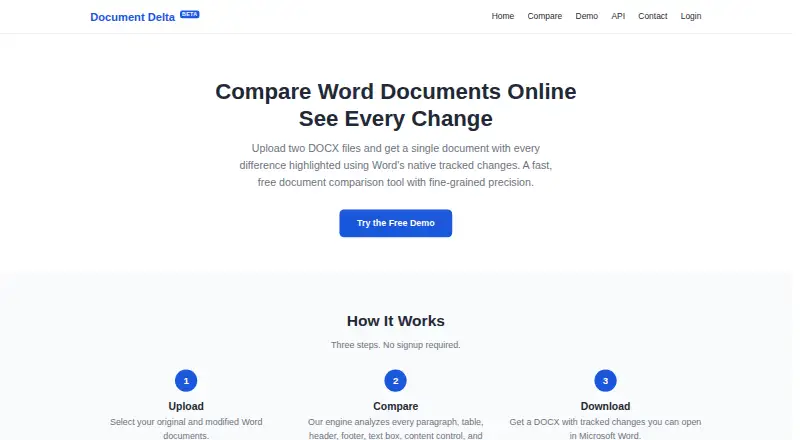
Document Delta compares two DOCX files and produces one document with differences marked using Word's tracked-changes feature. Its web workflow is upload, compare, and download, and does not require signup. The comparison examines paragraphs, tables, headers, footers, text boxes, content controls, and characters, detecting insertions, deletions, and formatting changes down to run and character level. It can flag bold, italic, underline, font, and style changes even when text stays the same. The resulting revisions can be accepted, rejected, or commented on in Microsoft Word. The service also offers a REST API for comparing two Word documents in one HTTP request, without an SDK or API key, with examples in several programming languages. Files are processed in memory and discarded when the comparison finishes. The free demo supports DOCX files, with a maximum size of 500 KB per file. The public API allows 10 requests per hour per IP address. The free comparison tool is in beta and is actively improving.
Who it suits
Document Delta suits people who need to review changes between two DOCX files, including text and formatting revisions. Its REST API may suit developers integrating document comparison into a workflow.
What it does well
- No signup is required for the web workflow.
- Finds formatting changes even when text is unchanged.
- Output uses Word tracked changes for review.
- Files are discarded after comparison completes.
What to know first
- Compares DOCX files, not PDFs.
- API files are limited to 500 KB each.
- Public API allows 10 requests per hour per IP.
- The free comparison tool is in beta.
Limits
The free demo costs nothing and has no signup requirement. For API use, each DOCX file can be at most 500 KB, and the public API allows 10 requests per hour per IP address.
Plans
| Plan | Billed and limits | Price |
|---|---|---|
| Free demo | No signup, no cost · DOCX files · 500 KB maximum per file | Free |
As documentdelta.com lists them, read 1 Oct 2026. The maker's own page has the final word.
Getting started
- Open https://www.documentdelta.com/ for the web comparison workflow.
- Upload the original and modified DOCX files.
- Run the comparison and download the resulting document.
- For programmatic use, send both Word documents to the REST API in one HTTP request.
- Use an API example for C#/.NET, Python, JavaScript, PowerShell or Java, or another language.
Document Delta is a focused DOCX comparison service for editors, contract reviewers, and developers who need a Word-native redline. It suits occasional or moderate-size document checks especially well, while teams planning regular automated traffic will need to account for strict API ceilings.
Overview
Upload an original and a revised DOCX, run the comparison, and download one document containing Microsoft Word tracked changes. That output fits an established review process: changes can be accepted, rejected, or commented on directly in Word instead of being reconciled from a detached difference report.
The web workflow has only three steps and requires no account. Files stay in memory during processing and are discarded when the comparison ends, so the service is a sensible option for users who do not want documents retained online. Its remit is deliberately narrow, however: it compares Office documents in DOCX format and does not handle PDF comparison.
Key features
Fine-grained change detection
The engine evaluates paragraphs, tables, headers, footers, text boxes, content controls, and individual characters. It identifies insertions and deletions at run and character level, which helps expose small wording edits that paragraph-level comparison can obscure.
Formatting changes are treated as meaningful revisions too. Bold, italic, underline, font, and style changes can be marked even when the words remain identical. That is useful for contracts, policies, and templates where a visual or style alteration can affect interpretation.
Structured document coverage
Comparison extends to images, comments, hyperlinks, footnotes, endnotes, and tables, as well as content controls and text boxes. This broader coverage makes the tool more suitable for business documents than a plain-text diff, provided both inputs are DOCX files.
Web and API workflows
The public REST API compares two Word files in one HTTP request. No SDK or API key is required, and examples are supplied for C#/.NET, Python, JavaScript, PowerShell, and Java; other languages can call the HTTP endpoint directly. The practical limitation is scale: each original and modified file is capped at 500 KB, and the public endpoint allows 10 requests per hour per IP address. Those limits fit light automation and prototypes, not sustained batch processing.
The comparison engine is optimized for large documents and says lengthy contracts and legal agreements can be processed in seconds, but the API file ceiling can prevent those larger workloads from being submitted through the public endpoint.
Pricing
Free demo
The Free demo costs nothing, with no signup and no charge. It accepts DOCX files up to 500 KB per file. This is a low-friction choice for one-off redlines, evaluation, and small internal workflows. There are no paid tiers described, so organizations needing higher quotas or larger uploads should not assume an upgrade path.
The free comparison tool is in beta and actively improving. Users should treat it as a convenient free utility rather than a finalized, high-assurance production dependency, particularly where an unexpected result would carry legal or operational cost.
Platforms
Document Delta is available through the web and an API. The API’s language examples make integration accessible across common development stacks, while the browser flow serves reviewers who simply need to upload and retrieve a redline.
Who it's for
Choose Document Delta for legal, editorial, compliance, and policy reviews that end in a Word document with native revisions. It is also a good fit for developers adding occasional DOCX comparison to an application without managing SDKs or API credentials.
Look elsewhere for PDF-heavy work, files above the 500 KB API limit, or automation requiring more than 10 requests per hour from one IP. Teams that cannot tolerate beta behavior should also prefer a more mature service.
Pros and cons
Pros
- Word-native redlines: recipients can accept, reject, and comment on revisions in Microsoft Word.
- Detailed coverage: run-level, character-level, and formatting changes are captured across structured DOCX elements.
- Private processing model: files are handled in memory and discarded after comparison.
- Low-friction access: the web tool needs no signup, and the API needs no SDK or key.
Cons
- DOCX only: there is no PDF comparison.
- Constrained public API: 500 KB per file and 10 requests per hour per IP restrict production-scale automation.
- Beta status: actively changing behavior may be unsuitable for high-stakes, repeatable processing.
Alternatives
Document Comparison Software is a useful starting point when you want to compare several document tools rather than commit to a DOCX-only workflow.
Pick PDF24 Compare PDF when PDF comparison and broad device support matter; its free plan is advertising-supported, requires no registration, and has no stated limits or time restrictions.
SmarterDiff is the better choice for a free, ad-supported tool on desktop or mobile with no account or artificial limits.
Choose Diffchecker if you need a broader freemium product with a Pro and desktop option, accepting that its free Basic tier limits some features by monthly try counts.
Compare Suite suits Windows users seeking basic file comparison in a free Light plan, while advanced capabilities are outside that tier.
Differino is preferable when you need PDF, DOCX, and TXT support, larger 45 MB files, share links, and retention features in its free offering.
DocFather Compare Documents is an alternative web tool with free file utilities and 250 welcome AI credits.
PdfCompare.app is a strong fit for unrestricted PDF work, with no account, page limits, daily limits, file-size ceilings, or watermarks on its free plan.
XKit Document Compare is worth choosing when a web service promising no signup, file restrictions, or usage charges is the priority.
Verdict
Document Delta is best for people who need a clean DOCX-to-DOCX comparison that produces a genuinely usable Word redline, especially when privacy and no-signup access matter. Its detailed formatting and structured-content detection add real value over a basic text diff. Choose another service if you need PDFs, larger API uploads, higher request volume, or a more established platform than a beta tool can provide.
Verdict
Document Delta offers a focused DOCX comparison workflow with Word-compatible revisions and an API. Check file limits and API rate limits, and keep its beta status in mind.
Questions
How much does Document Delta cost?
The Free demo costs nothing.
Do I need to sign up?
No. The web workflow requires no signup.
Which file types can it compare?
It compares DOCX files. PDF comparison is not available.
Can it identify formatting changes?
Yes. It tracks bold, italic, underline, font and style changes, including when the text is unchanged.
How does its API work?
The REST API compares two Word documents in one HTTP request and requires no SDK or API key. Each file is limited to 500 KB, with 10 public API requests per hour per IP address.
How are revisions reviewed?
The output uses Word tracked changes, which can be accepted, rejected or commented on in Microsoft Word.
Facts from Document Delta's own pages
- API
- The REST API compares two Word documents with a single HTTP request and requires no SDK or API key. · documentdelta.com, 1 Oct 2026
- API file limit
- Each original and modified DOCX file sent to the API has a maximum size of 500 KB. · documentdelta.com, 1 Oct 2026
- API languages
- The site provides examples for C#/.NET, Python, JavaScript, PowerShell, and Java, and says the API works from any language. · documentdelta.com, 1 Oct 2026
- API rate limit
- The public API allows 10 requests per hour per IP address. · documentdelta.com, 1 Oct 2026
- Beta status
- The free comparison tool is in beta and actively improving, and the site invites users to report issues or unexpected results. · documentdelta.com, 1 Oct 2026
- Comparison scope
- Its engine analyzes paragraphs, tables, headers, footers, text boxes, content controls, and characters. · documentdelta.com, 1 Oct 2026
- Formatting
- The tool tracks bold, italic, underline, font, and style changes even when text is identical. · documentdelta.com, 1 Oct 2026
- Performance
- The comparison engine is optimized for large documents and says lengthy contracts and legal agreements are compared in seconds. · documentdelta.com, 1 Oct 2026
- Precision
- It detects changes at the run and character level, including insertions, deletions, and formatting changes. · documentdelta.com, 1 Oct 2026
- Privacy
- Files are processed entirely in memory, never saved, stored, or shared, and are discarded when comparison completes. · documentdelta.com, 1 Oct 2026
- Purpose
- Document Delta compares two DOCX files and returns one document with differences highlighted using Word's native tracked changes. · documentdelta.com, 1 Oct 2026
- Structured content
- It compares content controls, text boxes, images, comments, hyperlinks, footnotes, endnotes, and tables. · documentdelta.com, 1 Oct 2026
- Word revisions
- Output uses Word's built-in tracked-changes markup, which can be accepted, rejected, or commented on in Microsoft Word. · documentdelta.com, 1 Oct 2026
- Workflow
- The service uses three steps—upload, compare, and download—and requires no signup. · documentdelta.com, 1 Oct 2026
Where Document Delta stands on Freedom251
- Document Comparison Software#8 of 25