Freedom251 › Document Comparison Software

Compare Suite
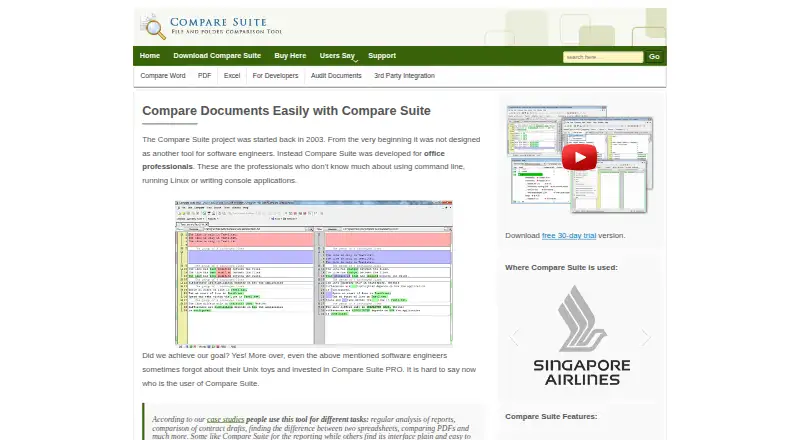
What Compare Suite is
Compare Suite is a Windows file comparison tool for office professionals, software developers, and webmasters. It compares Word, Excel, PowerPoint, PDF, web pages, and plain text files, and users can create reports with comments attached to differences. Spreadsheet comparisons can show absolute and percentage changes in numbers and calculate date differences in days. The tool also compares and synchronizes folders in local or remote locations, compares files over FTP, and checks ZIP or RAR archives without unpacking them. It supports command-line automation and integration with third-party document management systems and tools. PDF comparison extracts text, so scanned PDFs need OCR before their contents can be compared as text. The maker says files are processed locally and stay on the user's PC. The free Light plan provides basic file comparison; Standard costs $70, paid once and Professional costs $140, paid once. A fully functional evaluation version can be used for 30 days without functional limitations. Windows 10 and Windows 7 are listed as minimum system requirements. Comparing Word or Excel files requires Microsoft Word and Excel, and Office 365 is not supported.
Who it suits
It suits Windows users who need to compare documents, spreadsheets, folders, or archives. It may also fit teams that want command-line automation or integrations with document management tools.
What it does well
- Supports several office, PDF, web, and text formats.
- Spreadsheet comparisons show numeric and date differences.
- Can compare and synchronize local or remote folders.
- Archives can be compared without unpacking.
- Files are processed locally, according to the maker.
What to know first
- Scanned PDFs need OCR before text comparison.
- Word and Excel comparisons require those applications installed.
- Office 365 is not supported.
- Requires Windows 10 or Windows 7 at minimum.
Limits
Light is limited to basic file comparison and excludes folder synchronization, archives, Office formats, FTP, comments, and advanced reports. The 30-day evaluation is fully functional without functional limitations.
Plans
| Plan | Billed and limits | Price |
|---|---|---|
| Light | Basic file comparison · no folder sync, archives, Office formats, FTP, comments, or advanced reports | Free |
| Professional | per license · Includes FTP comparison, comments, saved results, and ignoring text/lines | $140, paid once |
| Standard | per license · No FTP comparison, comments, saved results, or ignoring text/lines | $70, paid once |
As comparesuite.com lists them, read 7 Oct 2026. The maker's own page has the final word.
Getting started
- Visit the Compare Suite website.
- Use the 30-day evaluation version, or choose a license: Light is free, Standard is $70, paid once, and Professional is $140, paid once.
- Install on Windows 10 or Windows 7, the listed minimum requirements.
- Install Microsoft Word and Excel if you plan to compare those file types; Office 365 is not supported.
Overview
Compare Suite is a Windows desktop tool for comparing documents, text and folders. It suits office professionals, developers and webmasters who need varied comparison workflows, though users relying on Word or Excel comparisons must meet its Office requirements.
Its strongest case is breadth: office formats, folder synchronization, FTP and archives sit alongside text-oriented features. The free edition is only for basic file comparison, while paid licenses are one-time purchases per license.
Key features
Compare Suite handles Word, Excel, PowerPoint, PDF, web pages and plain text. Three-way merge and syntax highlighting extend its usefulness beyond document review to users reconciling text or code. Spreadsheet comparisons can show absolute and percentage changes in numbers and calculate date differences in days, making changes easier to interpret than a simple changed-cell marker.
PDF comparison extracts text; scanned PDFs need OCR first. That makes the tool a less direct fit for teams whose documents are mostly scans. For file collections, it compares and synchronizes local or remote folders, compares files from FTP, and can inspect ZIP or RAR archives without unpacking them.
Command-line automation and integrations with third-party document-management systems and tools offer ways to incorporate comparisons into existing workflows. The maker says processing happens locally, without web services, and opened files remain on the user's PC. Users can generate comparison reports and add comments to differences for inclusion in those reports.
Pricing
The Light plan is free. It provides basic file comparison, but excludes folder synchronization, archives, Office formats, FTP, comments and advanced reports. It is suitable for simple file checks, not for the broader workflows that distinguish the product.
Standard costs $70, paid once, billed per license. It adds paid capabilities but excludes FTP comparison, comments, saved results and the option to ignore text or lines. It is the lower-cost paid choice if those omissions do not block your work.
Professional costs $140, paid once, billed per license. It includes FTP comparison, comments, saved results and ignoring text or lines, so it is the more complete fit for repeat or more involved comparisons. Both paid plans are one-time purchases rather than recurring subscriptions.
The fully functional evaluation lasts 30 days without functional limits, giving users a way to assess the complete tool before choosing a license. Registered users can upgrade free for one year after registration, and the maker offers priority email support for one year.
Platforms
Compare Suite is a Windows desktop application. The download page gives Windows 10 and Windows 7 as minimum system requirements. Microsoft Word and Excel must be installed to compare those formats, and Office 365 is not supported; this is a material constraint for users whose document workflow depends on Microsoft 365.
Who it's for
Compare Suite is best suited to Windows users who regularly compare several kinds of files or need folder synchronization, command-line automation or FTP support. Office professionals may value its spreadsheet change details and reports; developers and webmasters may find the text features and archive handling more relevant.
It is a weaker fit for users who need a free folder-comparison tool, work primarily with scanned PDFs, or depend on Office 365 for Word and Excel comparisons. Those needs either exceed the free plan or conflict with stated requirements.
Pros and cons
- Broad format coverage: Word, Excel, PowerPoint, PDF, web pages and plain text make it useful across office and text workflows.
- Useful file-collection tools: Folder synchronization, FTP comparison and archive comparison without extraction address work beyond individual documents.
- Local processing: The maker says files remain on the PC rather than being processed through web services.
- Restricted free edition: Light omits Office formats, folder sync, archives, FTP, comments and advanced reports, so many of the product's defining capabilities require a paid license.
- Specific compatibility limits: Word and Excel comparison requires installed applications, and Office 365 is unsupported; scanned PDFs also need OCR before text comparison.
Alternatives
For a free tool focused on PDFs, PDF24 Compare PDF has a free plan with no limits, registration or time restrictions and runs across desktop, mobile and web platforms. SmarterDiff is another free option, with personal and commercial use, advertising support and no account or artificial limits, also across multiple platforms.
Diffchecker is worth considering for Linux or macOS users as well as Windows users: its free Basic plan limits some Pro features by monthly try counts, while Pro + Desktop is listed at $15 a month. Differino offers a web and API option with one free comparison, a 45 MB per-file cap and 14-day retention, among other limits.
DocFather Compare Documents is a web-based alternative with a free plan that includes 250 welcome AI credits and free file tools for files up to 300 MB. Document Delta offers a free demo for DOCX files up to 500 KB per file, with no signup. For browser-based PDF comparison, PdfCompare.app has a free plan with no account, daily file, page, size or watermark limits; XKit Document Compare is another free web option with no signup or file restrictions.
For a broader shortlist, browse Document Comparison Software or Diff and Merge Tools.
Verdict
Choose Compare Suite if you work on Windows and need one paid tool for office documents, text and folder-level comparisons, especially when FTP, archives or automation matter. Its broad feature set and one-time license prices are the main draw. Look elsewhere if you need a capable free folder workflow, rely on Office 365 for comparisons, or mainly handle scanned PDFs.
Verdict
Compare Suite covers document and folder comparison, with local processing and a 30-day evaluation that has no functional limits. Before choosing a license, check its Windows requirements and the Office dependencies for Word and Excel comparisons.
Questions
Is there a free plan?
Yes. Light is listed as free and provides basic file comparison.
How much do the paid licenses cost?
Standard is $70, paid once, billed per license. Professional is $140, paid once, billed per license.
Is there a free trial?
Yes. The fully functional evaluation version can be used for 30 days with no functional limitation.
Which platforms does Compare Suite support?
It is listed for Windows desktop use. Windows 10 and Windows 7 are listed as minimum system requirements.
Can it compare Word and Excel files?
Yes, but Microsoft Word and Excel must be installed. Office 365 is not supported.
Who makes Compare Suite?
AKS-Labs makes it and says it was founded in 2000 and is headquartered in Raleigh, North Carolina.
Facts from Compare Suite's own pages
- Automation and integrations
- The site describes command-line automation and integration with third-party document management systems and tools. · comparesuite.com, 7 Oct 2026
- Document formats
- The site lists comparison support for Word, Excel, PowerPoint, PDF, web pages, and plain text files. · comparesuite.com, 7 Oct 2026
- Folder comparison
- The product compares and synchronizes folders, including folders on local or remote locations. · comparesuite.com, 7 Oct 2026
- Founded
- 2000 · comparesuite.com, 28 Sept 2026
- FTP and archives
- The site says Compare Suite can compare files from FTP and compare ZIP or RAR archives without unpacking them. · comparesuite.com, 7 Oct 2026
- Headquarters
- Raleigh, North Carolina, USA · comparesuite.com, 28 Sept 2026
- Local processing
- The maker says Compare Suite processes data locally without web services and that opened files stay on the user's PC. · comparesuite.com, 7 Oct 2026
- Maker
- AKS-Labs says it was founded in 2000 and is headquartered in Raleigh, USA. · comparesuite.com, 7 Oct 2026
- Office dependency
- The download page says Microsoft Word and Excel must be installed for comparing those document types and says Office 365 is not supported. · comparesuite.com, 7 Oct 2026
- PDF limitation
- It extracts text from PDFs for comparison, but scanned PDFs need OCR processing before they can be compared as text. · comparesuite.com, 7 Oct 2026
- Purpose
- Compare Suite is a file comparison tool for office professionals, software developers, and webmasters. · comparesuite.com, 7 Oct 2026
- Reports and comments
- Users can generate comparison reports and add comments to differences for inclusion in reports. · comparesuite.com, 7 Oct 2026
- Spreadsheets
- For spreadsheet comparisons, it can show absolute and percentage differences for changed numbers and calculate date differences in days. · comparesuite.com, 7 Oct 2026
- Support and upgrades
- The maker offers priority email support for one year and says registered users can upgrade free for one year after registration. · comparesuite.com, 7 Oct 2026
- Trial
- The fully functional evaluation version can be used for 30 days with no functional limitation. · comparesuite.com, 7 Oct 2026
- Windows requirement
- The download page lists Windows 10 and Windows 7 as minimum system requirements. · comparesuite.com, 7 Oct 2026
Where Compare Suite stands on Freedom251
- Document Comparison Software#4 of 25
- Diff and Merge Tools#8 of 29