Freedom251 › Container Image Scanning Tools

Docker Scout
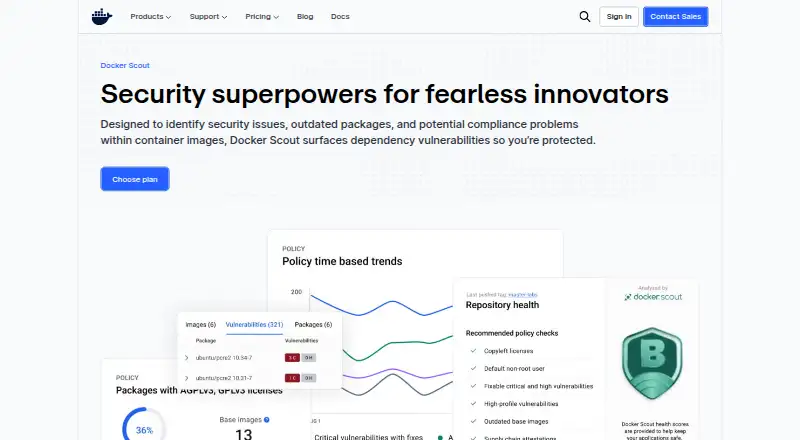
What Docker Scout is
Docker Scout is a software as a service product for scanning container images and registries and generating software bills of materials (SBOMs). It gives users a way to inspect image and registry contents and produce an inventory of included software. Its listed capabilities center on scanning and software inventory, with no runtime protection, Kubernetes security, or admission control. Docker Scout has a free plan and four named tiers: Personal, Pro, Team, and Business. Personal is set up for one user and one Docker Scout-enabled repository; Pro covers one user and two enabled repositories. Team allows up to 100 users and unlimited enabled repositories, while Business removes the user cap and also includes unlimited enabled repositories. These limits provide a straightforward way to distinguish the tiers by team size and repository needs. Docker Scout is listed for Linux, macOS, Windows, and the web. Buyers looking for image and registry scanning with SBOM generation can consider it, with the free plan offering an entry point and higher tiers accommodating larger teams.
Who it suits
Docker Scout suits individuals and teams that need image or registry scanning and SBOM generation. Its plans range from one user with one enabled repository to organizations with unlimited enabled repositories and no user cap.
What it does well
- Free plan is available.
- Scans registries and images.
- Generates software bills of materials.
- Business supports unlimited users and enabled repositories.
- Available on Linux, macOS, Windows, and the web.
What to know first
- No runtime protection is included.
- Kubernetes security is not included.
- Admission control is not included.
Limits
Personal supports one user and one Docker Scout-enabled repository. Pro supports one user and two enabled repositories; Team allows up to 100 users, while Business has no user cap. Runtime protection, Kubernetes security, and admission control are not included.
Plans
| Plan | Billed and limits | Price |
|---|---|---|
| Personal | 1 user · 1 Docker Scout-enabled repo | On request |
| Pro | 1 user · 2 Docker Scout-enabled repos | On request |
| Team | Up to 100 users · Unlimited Docker Scout-enabled repos | On request |
| Business | No user cap · Unlimited Docker Scout-enabled repos | On request |
As docker.com lists them, read 21 Sept 2026. The maker's own page has the final word.
Getting started
- Visit the Docker Scout website.
- Choose a plan: Personal, Pro, Team, or Business.
- Select the plan capacity that fits your users and enabled repositories.
- Use Docker Scout on Linux, macOS, Windows, or the web.
Verdict
Choose Docker Scout if image and registry scanning plus SBOM generation match your needs, with plans that scale by users and enabled repositories. Look elsewhere if runtime protection, Kubernetes security, or admission control is required.
Questions
Is Docker Scout free?
A free plan is available.
Which platforms does Docker Scout support?
It is listed for Linux, macOS, Windows, and the web.
What does Docker Scout scan?
It supports registry scanning and image scanning, and it generates SBOMs.
Does Docker Scout include runtime protection or Kubernetes security?
Neither runtime protection nor Kubernetes security is included. Admission control is also not included.
How do the plans differ?
Personal covers one user and one enabled repository; Pro covers one user and two. Team allows up to 100 users with unlimited enabled repositories, and Business has no user cap with unlimited enabled repositories.
Where Docker Scout stands on Freedom251
- Container Image Scanning Tools#10 of 29
- Container Security Software#13 of 26
- Software Composition Analysis Software#36 of 65