Freedom251 › Disk Space Analyzers

DiskAtlas
What DiskAtlas is
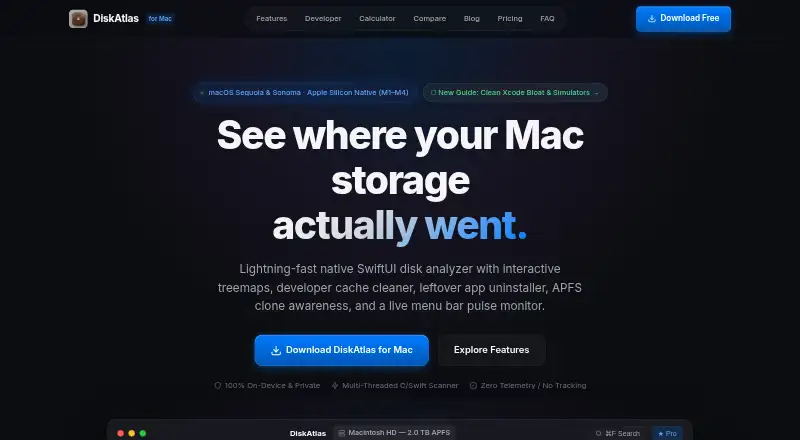
DiskAtlas is a native Mac disk space analyzer and system monitor that maps storage and tracks system activity. Its GPU-accelerated treemap lets users move from a root volume into folders, and scans can cover files, folders, and apps. The catalog flags developer storage such as Xcode DerivedData, CocoaPods caches, Docker overlay2 data, Cargo build artifacts, Python virtual environments, and node_modules. It can also find support, group container, cache, and preference files left by removed apps. For APFS clones and hard links, DiskAtlas calculates logical and unique bytes. A menu bar monitor tracks CPU activity, memory pressure, and disk I/O, and can alert users to disk pressure. Pro adds an OCR screenshot inbox and on-device AI cleanup recommendations. The site says scans stay local, with no telemetry, analytics SDKs, or cloud uploads. It supports macOS 14 and 15 on Apple Silicon M1–M4 and Intel Macs. The Community Edition is free forever; Pro costs $5 a month, includes lifetime updates, and covers up to three personal Macs.
Who it suits
DiskAtlas suits Mac users who want to inspect storage, especially developers, designers, and power users considering Pro. It supports both Apple Silicon and Intel Macs running macOS 14 or 15.
What it does well
- Zoomable GPU treemap for folder exploration
- Identifies developer-related storage and removed-app leftovers
- Tracks CPU, memory pressure, and disk I/O
- Scans run locally without telemetry or cloud uploads
What to know first
- Requires macOS 14 or 15
- Full Disk Access is needed for some volume areas
- Pro license covers up to three personal Macs
Limits
The Community Edition includes the interactive GPU treemap, scans of the full Mac, Home, or chosen folders, Finder, QuickLook, and Terminal reveal, and instant ⌘F search. The OCR screenshot inbox and AI cleanup recommendations are listed as Pro features. Pro costs $5 a month and one license covers up to three personal Macs.
Plans
| Plan | Billed and limits | Price |
|---|---|---|
| Community Edition | Free forever · Interactive GPU treemap · Scan full Mac, Home, or chosen folders · Finder, QuickLook, and Terminal reveal · Instant ⌘F search | Free |
| DiskAtlas Pro | One-time payment · Lifetime updates · Developer cache cleaner · Leftover app uninstaller · APFS clone inspector · Menu bar system pulse and disk alerts · OCR screenshot inbox and AI recommendations · License for up to 3 Macs | $5, paid once |
As diskatlas.me lists them, read 3 Oct 2026. The maker's own page has the final word.
Getting started
- Visit the DiskAtlas website.
- Check that your Mac runs macOS 14 Sonoma or macOS 15 Sequoia and has Apple Silicon M1–M4 or an Intel processor.
- Download DiskAtlas.dmg version 1.0.0 Universal, listed at 5.2 MB.
- Choose the free Community Edition or DiskAtlas Pro.
- Grant Full Disk Access if you want scans to map system caches, Time Machine snapshots, Mail attachments, and developer libraries across the volume.
Verdict
DiskAtlas combines storage mapping with a menu bar system monitor, with a free Community Edition and paid Pro features. Check the macOS and Full Disk Access requirements before choosing it.
Questions
Is DiskAtlas free?
Yes. Its Community Edition is free forever.
How much does DiskAtlas Pro cost?
The listed plan price is $5 a month. It includes lifetime updates and covers up to three personal Mac computers.
Which Macs and macOS versions does it support?
DiskAtlas lists macOS 14 Sonoma and macOS 15 Sequoia, with a universal binary for Apple Silicon M1–M4 and Intel Macs.
What does DiskAtlas scan?
It scans files, folders, and apps. Full Disk Access is needed to map system caches, Time Machine snapshots, Mail attachments, and developer libraries across the volume.
What does Pro add?
Pro features include an OCR screenshot inbox that uses Apple Vision and AI cleanup recommendations that run on-device.
Where does DiskAtlas process scans?
DiskAtlas says scans occur locally and that it has no telemetry, analytics SDKs, or cloud uploads.
Facts from DiskAtlas's own pages
- APFS awareness
- DiskAtlas calculates logical and unique bytes for APFS clones and hard links that share physical disk blocks. · diskatlas.me, 3 Oct 2026
- App leftovers
- The app scans for leftover Application Support, Group Containers, cache, and preference files associated with removed apps. · diskatlas.me, 3 Oct 2026
- Application sizes
- Yes · diskatlas.me, 22 Sept 2026
- Compatibility
- The FAQ lists macOS 14 Sonoma and macOS 15 Sequoia, with a universal binary for Apple Silicon M1–M4 and Intel Macs. · diskatlas.me, 3 Oct 2026
- Deletion safeguards
- The FAQ says its safeguards protect macOS system components, active Git repositories, and core documents, and move files to macOS Trash. · diskatlas.me, 3 Oct 2026
- Developer cleanup
- Its catalog identifies items such as Xcode DerivedData, CocoaPods caches, Docker overlay2 data, Cargo build artifacts, Python virtual environments, and node_modules. · diskatlas.me, 3 Oct 2026
- Download
- The download section lists DiskAtlas.dmg version 1.0.0 Universal at 5.2 MB. · diskatlas.me, 3 Oct 2026
- Free plan
- Yes · diskatlas.me, 22 Sept 2026
- Intended users
- The site describes Pro as intended for developers, designers, and Mac power users. · diskatlas.me, 3 Oct 2026
- License limit
- A single Pro license covers up to three personal Mac computers. · diskatlas.me, 3 Oct 2026
- OCR and AI
- The Pro feature list includes an OCR screenshot inbox and AI cleanup recommendations, and the page says OCR uses Apple Vision and recommendations run on-device. · diskatlas.me, 3 Oct 2026
- Permissions
- DiskAtlas says Full Disk Access is needed to map system caches, Time Machine snapshots, Mail attachments, and developer libraries across the volume. · diskatlas.me, 3 Oct 2026
- Desktop platforms
- macos · diskatlas.me, 22 Sept 2026
- Privacy
- DiskAtlas says scans occur locally and that it has no telemetry, analytics SDKs, or cloud uploads. · diskatlas.me, 3 Oct 2026
- Product
- DiskAtlas is a native SwiftUI disk space analyzer and system monitor for Mac. · diskatlas.me, 3 Oct 2026
- Scan scope
- files_folders_apps · diskatlas.me, 22 Sept 2026
- Paid from
- 5 · diskatlas.me, 22 Sept 2026
- System monitor
- The menu bar monitor tracks CPU activity, memory pressure, and disk I/O and can alert users about disk pressure. · diskatlas.me, 3 Oct 2026
- Treemap
- Its GPU accelerated treemap supports zooming from the root volume into folder hierarchies. · diskatlas.me, 3 Oct 2026
- Treemap view
- Yes · diskatlas.me, 22 Sept 2026
Where DiskAtlas stands on Freedom251
- Disk Space Analyzers#43 of 105