Freedom251 › AI Podcast Editing Software

DevMotion AutoCut
What DevMotion AutoCut is
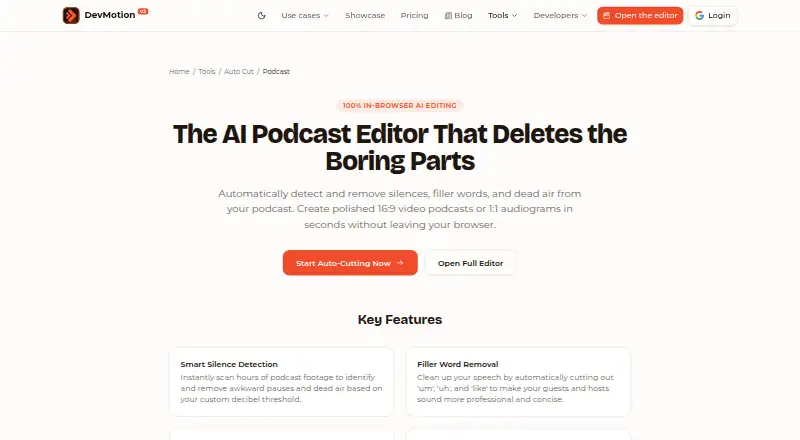
DevMotion AutoCut is a podcast cleanup tool available on the web and through an API. It detects silence, dead air, and filler words such as “um” and “uh,” then lets users remove suggested sections or review them individually. Silence duration and volume thresholds can be adjusted to control which pauses are flagged. A timeline provides controls to restore cuts and adjust padding and transition points. Settings can be applied across multiple podcast segments or multitrack recordings, making the tool relevant to long-form video podcasts, social media audiograms, and remote interview cleanup. Zoom and Riverside recordings are among the inputs described on its podcast page.
Exports are listed in 16:9, 1:1, and 9:16 formats, with resolutions up to 4K; MP4 export requires a paid plan. The Free plan includes 30 AI credits for building and previewing videos. Analysis uses AI credits at $0.01 per minute, with cached analysis reused. Paid plans start at $29 per month and add monthly export, resolution, video-length, credit, project, and storage allowances. DevMotion says anonymous projects stay in the browser and are inaccessible to the company. Its privacy policy describes encrypted connections, OAuth 2.0 authentication, and S3-compatible media storage.
Who it suits
AutoCut suits podcast creators who want to trim silence and filler words from long-form video, prepare social media audiograms, or clean up remote interviews. Its adjustable thresholds, timeline review, and batch processing are useful when creators want control over proposed cuts across several segments or tracks.
What it does well
- Adjustable silence duration and volume thresholds.
- Detects filler words for one-click removal or individual review.
- Timeline controls allow restoring cuts and adjusting transitions.
- Applies settings across multiple segments or multitrack recordings.
- Supports 16:9, 1:1, and 9:16 export formats.
- Anonymous projects are stored locally in the browser.
What to know first
- Free plan does not include MP4 export.
- Launch plan limits exports to 30 videos per month.
- Launch plan limits videos to 1080p and two minutes each.
- AI analysis uses credits at $0.01 per minute.
Limits
The Free plan includes 30 AI credits and allows video building and previewing, but MP4 export requires a paid plan. Launch, the least expensive paid plan, allows 30 exports per month at 1080p and up to two minutes per video, with 1,500 AI credits per month, 20 cloud projects, and 2 GB of storage.
Plans
| Plan | Billed and limits | Price |
|---|---|---|
| Free | 30 AI credits · build and preview videos · MP4 export requires paid plan | Free |
| Scale | $199 /month · 500 video exports/month · 4K · up to 30 min/video · 10000 AI credits/month · unlimited cloud projects · 100 GB storage · SSO · priority support | $199 a month |
| Launch | $29 /month · 30 video exports/month · 1080p · up to 2 min/video · 1500 AI credits/month · 20 cloud projects · 2 GB storage | $29 a month |
| Studio | $59 /month · 100 video exports/month · 4K · up to 5 min/video · 3000 AI credits/month · 100 cloud projects · 10 GB storage · priority support | $59 a month |
As devmotion.app lists them, read 7 Oct 2026. The maker's own page has the final word.
Getting started
- Open the AutoCut podcast page at https://devmotion.app/tools/auto-cut/podcast.
- Use the web version or access AutoCut through its API.
- Choose the Free plan or a paid plan based on export and processing allowances.
- Provide a podcast recording, including a Zoom or Riverside recording if applicable.
- Set silence duration and volume thresholds, then review suggested cuts on the timeline.
- Export in a listed aspect ratio; choose a paid plan for MP4 export.
Verdict
Choose AutoCut if you need adjustable silence and filler-word cleanup with timeline review and batch processing for podcast recordings. The Free plan is for building and previewing; MP4 export requires a paid plan, starting at $29 per month.
Questions
Does AutoCut have a free plan?
Yes. Free includes 30 AI credits and lets users build and preview videos. MP4 export requires a paid plan.
How much do paid plans cost?
Launch costs $29 per month, Studio costs $59 per month, and Scale costs $199 per month.
Which platforms does AutoCut support?
The listed platforms are web and API.
What does AutoCut do with filler words and silence?
It detects silence, dead air, and filler words such as “um” and “uh.” Users can adjust silence thresholds, review suggested cuts, and restore or modify cuts on the timeline.
What export formats and resolutions are listed?
The listed aspect ratios are 16:9, 1:1, and 9:16, with export up to 4K. MP4 export requires a paid plan.
How are anonymous projects handled?
DevMotion says anonymous projects are stored locally in the browser and are not accessible to the company.
Facts from DevMotion AutoCut's own pages
- AI usage
- Analysis costs $0.01 per minute from AI credits, and cached analysis is reused. · devmotion.app, 7 Oct 2026
- Batch processing
- AutoCut can apply settings across multiple podcast segments or multitrack recordings. · devmotion.app, 7 Oct 2026
- Data handling
- The privacy policy says anonymous projects are stored locally in the browser and are not accessible to DevMotion. · devmotion.app, 7 Oct 2026
- Exports
- The page lists 16:9, 1:1, and 9:16 formats and export up to 4K; MP4 export requires a paid plan. · devmotion.app, 7 Oct 2026
- Filler words
- Speech-to-text AI identifies filler words such as “um” and “uh” for one-click removal or individual review. · devmotion.app, 7 Oct 2026
- Integrations and destinations
- The podcast page describes export formats for YouTube, Spotify video, Instagram, and TikTok, and mentions Zoom or Riverside recordings as cleanup inputs. · devmotion.app, 7 Oct 2026
- Intended users
- The podcast page describes use for long-form video podcasts, social media audiograms, and remote interview cleanup. · devmotion.app, 7 Oct 2026
- Purpose
- AutoCut detects and removes podcast silences, filler words, and dead air in the browser. · devmotion.app, 7 Oct 2026
- Review controls
- Users can review suggested cuts on the timeline, toggle cuts back on, and adjust padding and transition points. · devmotion.app, 7 Oct 2026
- Security
- The privacy policy says project data uses a PostgreSQL database with encrypted connections, media uses S3-compatible object storage, authentication uses OAuth 2.0, and connections use HTTPS. · devmotion.app, 7 Oct 2026
- Silence detection
- Users can adjust silence duration and volume thresholds to control which pauses are removed. · devmotion.app, 7 Oct 2026
- Support
- DevMotion says it aims to reply within one business day, with complex render, upload, or billing issues taking up to two business days. · devmotion.app, 7 Oct 2026
Where DevMotion AutoCut stands on Freedom251
- AI Podcast Editing Software#8 of 26