Freedom251 › Container Development Environments

DevKinsta
What DevKinsta is
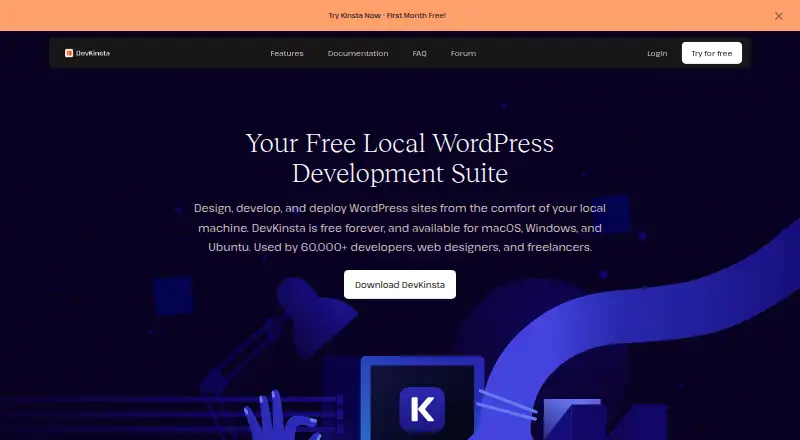
DevKinsta is a free desktop suite for building and working on WordPress sites locally. It can create a single site or multisite setup with one click, using a stack that includes Nginx and MariaDB. Its tools include an Adminer database manager for editing tables and running SQL queries, a WP_DEBUG toggle, automatic updates, and site cloning. A local MailHog tool captures test emails without sending them outside the environment. The product page lists PHP versions 7.2 through 8.3, which users can switch between, and DevKinsta supports local HTTPS testing. Local WordPress sites run in isolated Docker containers.
Kinsta customers can download a live site to work on locally, then push it to a Standard or Premium staging environment. DevKinsta does not push directly to a live site and supports WordPress only. It is intended for website, plugin, and theme developers. The software is available for macOS, Windows, and Ubuntu, and its Free plan costs nothing, billed Free forever. Product support is provided through Kinsta’s community forum; traditional live chat support is not provided for DevKinsta.
Who it suits
DevKinsta suits website, plugin, and theme developers who want a local WordPress environment with database, email, and debugging tools. It also fits Kinsta users who want to bring a live site into local development and push their work to staging.
What it does well
- Creates single or multisite WordPress sites with one click.
- Adminer supports table editing and SQL queries.
- MailHog captures test email without sending it externally.
- Supports switchable PHP versions from 7.2 through 8.3.
- Local HTTPS is available for testing.
What to know first
- Supports WordPress only.
- Kinsta staging pushes cannot go directly to a live site.
- Product support is through a community forum, without traditional live chat.
Limits
DevKinsta can push to Standard or Premium staging environments, but not directly to a live site. It currently supports WordPress only.
Plans
| Plan | Billed and limits | Price |
|---|---|---|
| DevKinsta Free | Free forever · Local WordPress development; macOS, Windows, and Ubuntu | Free |
As kinsta.com lists them, read 11 Oct 2026. The maker's own page has the final word.
Getting started
- Open the DevKinsta website.
- Choose the desktop download for macOS, Windows, or Ubuntu.
- Install DevKinsta and create a single-site or multisite WordPress setup.
- Use the included tools to work with the database, test email, and configure debugging.
- If you use Kinsta, download a live site for local work and push it to a Standard or Premium staging environment.
Verdict
Choose DevKinsta if you need a free desktop workspace for developing WordPress sites, plugins, or themes. Its Kinsta staging connection is useful for that workflow, but a direct push to a live site is not supported.
Questions
How much does DevKinsta cost?
The DevKinsta Free plan costs nothing and is billed Free forever.
Which platforms does it support?
DevKinsta is available for macOS, Windows, and Ubuntu.
Can it deploy a site to production?
It can push a site to a Kinsta Standard or Premium staging environment, but cannot push directly to a live site.
Which content management system does it support?
DevKinsta currently supports WordPress only.
How is product support provided?
Support is handled through Kinsta’s community forum. Traditional live chat support is not provided for DevKinsta.
Facts from DevKinsta's own pages
- Audience
- Kinsta describes DevKinsta as intended for website, plugin, and theme developers. · kinsta.com, 11 Oct 2026
- Database
- DevKinsta uses Adminer to manage databases, including editing tables and running SQL queries. · kinsta.com, 11 Oct 2026
- Deployment limit
- DevKinsta can push to a Standard or Premium staging environment, but cannot push directly to a live site. · kinsta.com, 11 Oct 2026
- Developer tools
- It includes a database manager, SMTP email testing, a WP_DEBUG toggle, automatic updates, and site cloning. · kinsta.com, 11 Oct 2026
- Email testing
- Its local MailHog email tool captures messages for testing, and those emails are not sent externally. · kinsta.com, 11 Oct 2026
- Founded
- 2013 · kinsta.com, 28 Sept 2026
- Headquarters
- West Hollywood, California, United States · kinsta.com, 28 Sept 2026
- HTTPS
- DevKinsta supports working with HTTPS locally for testing WordPress sites. · kinsta.com, 11 Oct 2026
- Integration
- Users can download a live Kinsta site to work on locally and push it to a Kinsta staging environment. · kinsta.com, 11 Oct 2026
- PHP versions
- The product page lists PHP 7.2 through 8.3 support and says users can switch versions. · kinsta.com, 11 Oct 2026
- Purpose
- DevKinsta is a local development suite for creating, testing, and deploying WordPress sites. · kinsta.com, 11 Oct 2026
- Security
- The local WordPress sites are isolated through Docker containerization, which Kinsta describes as helping secure the environment. · kinsta.com, 11 Oct 2026
- Site setup
- It creates single or multisite WordPress sites with one click and includes a stack such as Nginx and MariaDB. · kinsta.com, 11 Oct 2026
- Support
- DevKinsta support is handled through Kinsta’s community forum; traditional live chat support is not provided for the product. · kinsta.com, 11 Oct 2026
- Supported use
- DevKinsta currently supports WordPress only. · kinsta.com, 11 Oct 2026
Where DevKinsta stands on Freedom251
- Container Development Environments#10 of 40