Freedom251 › Screen Time Management Apps
Deskly
What Deskly is
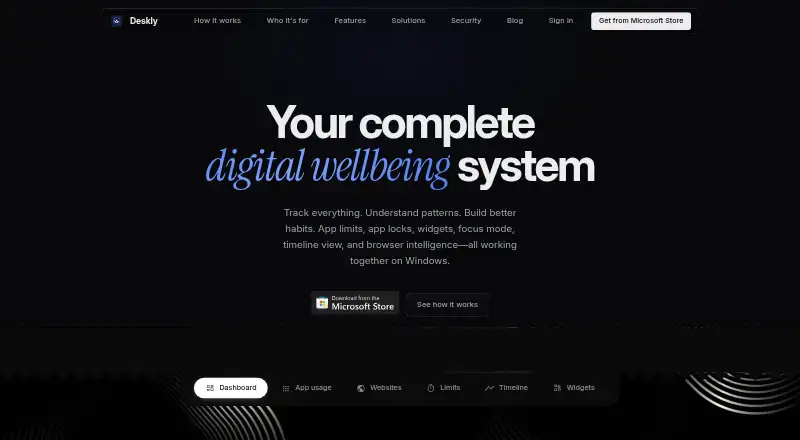
Deskly is a free Windows app for tracking screen time and developing focus habits. It tracks Windows apps and identifies websites across 56 browsers without a browser extension or proxy. Set daily app caps, with three five-minute extensions per day, or schedule locks to block apps during focus hours. Focus sessions, goals, streaks, an hour-by-hour timeline and reports covering up to five years help you review activity. Five types of break reminders can be configured for intervals of 20–60 minutes, and live desktop widgets are available. Screen time data stays in a folder you choose and is not uploaded unless you enable optional cloud sync, which is off by default. The maker says synced vault contents are encrypted in transit and stored on Deskly servers. You can export JSON or structured CSV and choose a Dropbox folder for the readable JSON vault. An account sign-in is required. Opt-out PostHog analytics collect aggregate feature usage and diagnostics; the policy says they exclude screen time data, window titles, website URLs and vault contents.
Who it suits
Deskly suits students, professionals and people aiming to reduce unhealthy browsing or improve digital wellbeing. It is for Windows users who want app limits, scheduled locks and screen-time reports.
What it does well
- Tracks websites across 56 browsers without an extension.
- Daily app caps allow three five-minute extensions.
- Reports cover up to five years.
- Exports data as JSON or structured CSV.
- Local storage is used unless cloud sync is enabled.
What to know first
- Available for Windows only.
- Account sign-in is required.
- Cloud sync stores synced vault contents on Deskly servers.
Plans
| Plan | Billed and limits | Price |
|---|---|---|
| Deskly | No subscription or upsell stated | Free |
As deskly.in lists them, read 4 Oct 2026. The maker's own page has the final word.
Getting started
- Visit https://deskly.in/.
- Sign in to an account.
- Install the Windows app.
- Choose a local folder for screen time data.
- Set app limits or scheduled locks, then configure focus sessions or reminders.
Verdict
Deskly combines app and website tracking with limits, focus tools and long-range reports at no subscription cost. Its local-storage approach may suit users who want screen-time data to remain on their device unless they choose cloud sync.
Questions
Is Deskly free?
Yes. Its free plan is listed as free, with no subscription or upsell stated.
Does Deskly have a free trial?
No. A free trial is not offered; Deskly has a free plan.
Which platforms does Deskly support?
Windows is the listed platform.
Does Deskly require an account?
Yes. Deskly says an account sign-in is required.
Where is screen time data stored?
It is stored in a user-selected local folder and is not uploaded unless optional cloud sync is enabled. Sync is disabled by default.
Can Deskly sync with Dropbox?
Users can choose a Dropbox folder to store or sync the readable JSON vault. Deskly does not list third-party product integrations.
Facts from Deskly's own pages
- Account requirement
- Deskly says an account sign-in is required, while its core screen time data remains local unless cloud sync is enabled. · deskly.in, 4 Oct 2026
- Analytics
- Opt-out PostHog analytics collect aggregate feature usage and diagnostics, which the policy says do not include screen time data, window titles, website URLs, or vault contents. · deskly.in, 4 Oct 2026
- App and site tracking
- It tracks Windows apps and identifies websites across 56 browsers without a browser extension or proxy. · deskly.in, 4 Oct 2026
- Cloud sync
- Optional cloud sync is disabled by default; the policy says synced vault contents are encrypted in transit and stored on Deskly servers. · deskly.in, 4 Oct 2026
- Data export
- Users can export their data as JSON or structured CSV. · deskly.in, 4 Oct 2026
- Focus and reporting
- Features include focus sessions, an hour-by-hour timeline, reports covering up to five years, goals, and streaks. · deskly.in, 4 Oct 2026
- Integrations
- The maker says users can choose a local data folder, including a Dropbox folder, to store or sync the readable JSON vault; it does not list third-party product integrations. · deskly.in, 4 Oct 2026
- Limits and locks
- App limits provide daily caps with three five-minute extensions per day, while app locks can block apps during scheduled focus hours. · deskly.in, 4 Oct 2026
- Local storage
- Screen time data is stored in a user-selected local folder and is not uploaded unless the user enables optional cloud sync. · deskly.in, 4 Oct 2026
- Product
- Deskly is a native Windows digital wellbeing app for understanding screen time and building focus habits. · deskly.in, 4 Oct 2026
- Reminders and widgets
- Deskly offers five types of break reminders with configurable 20–60 minute intervals and live desktop widgets. · deskly.in, 4 Oct 2026
- Support
- The privacy policy directs users with questions or concerns to [email protected]. · deskly.in, 4 Oct 2026
- Who it is for
- Deskly describes use cases for students, professionals, people reducing unhealthy browsing, and anyone improving digital wellbeing. · deskly.in, 4 Oct 2026
Where Deskly stands on Freedom251
- Screen Time Management Apps#10 of 36