DartPDF
What DartPDF is
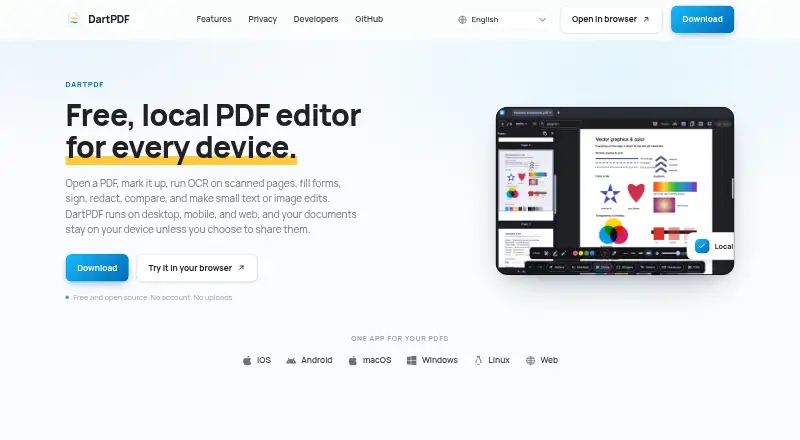
DartPDF is a PDF editor for opening and working with documents on Android, iOS, Linux, macOS, the web and Windows. It combines text and image edits with tools for annotation, OCR, form work, signatures, redaction, document comparison and page management. Mark up a file with highlights, freehand ink, shapes, notes or stamps. Fill fields already in a form, or add text fields, checkboxes and buttons. Sign by drawing a signature or using a certificate-backed digital signature. Its redaction tool removes sensitive text and images from the PDF itself. Page controls let you reorder or delete pages, split a document, or export selected pages into a new file.
DartPDF is free, needs no account and does not require file uploads. Its privacy policy says the app collects no personal information, usage data or device identifiers, and has no analytics, advertising, accounts or backend servers. Native and web versions may download OCR model and runtime files on first use; PDF pages and recognized text are not sent to a DartPDF OCR server. Railway Engineering Solutions Pty Ltd is identified as the publisher. The maker also offers a Flutter editor package published on pub.dev under Apache-2.0. Support is available by email, and bugs or feature requests can be submitted on GitHub.
Who it suits
DartPDF suits people who want to edit, annotate, sign or manage PDF pages across desktop, mobile and web platforms without an account or file upload. Its form tools and redaction can also help with filling documents and removing sensitive content.
What it does well
- Free to use without an account or uploads
- Runs on Android, iOS, Linux, macOS, web and Windows
- Redaction removes sensitive text and images from the file
- Offers drawn and certificate-backed digital signatures
- Can create form fields, checkboxes and buttons
What to know first
- Native and web builds may download OCR files on first use
- Email support usually replies within a couple of business days
Plans
| Plan | Billed and limits | Price |
|---|---|---|
| Free and open source | No account required · No uploads | Free |
As dart-pdf.com lists them, read 11 Oct 2026. The maker's own page has the final word.
Getting started
- Open https://dart-pdf.com/ or use DartPDF on Android, iOS, Linux, macOS or Windows
- Start using the free editor without creating an account or uploading files
- Open a PDF to annotate, edit, fill, sign, redact or manage its pages
- Use OCR if needed; native and web versions may download model and runtime files on first use
Verdict
Choose DartPDF if you want a free PDF editor with broad platform support, local document handling and tools for forms, signatures and redaction. Consider the possible first-use OCR downloads if you prefer not to download model and runtime files.
Questions
How much does DartPDF cost?
DartPDF is free. Its listed Free plan costs nothing.
Is there a free plan or free trial?
There is a free plan and no free trial.
Which platforms does DartPDF support?
It supports Android, iOS, Linux, macOS, web and Windows.
Do I need an account or have to upload PDFs?
No. DartPDF is available without an account or file uploads.
Who publishes DartPDF?
The privacy policy identifies Railway Engineering Solutions Pty Ltd as the publisher.
Does DartPDF offer an open-source developer package?
The maker offers a Flutter PDF editor package called dart_pdf_editor, published on pub.dev under Apache-2.0.
Facts from DartPDF's own pages
- Annotations
- It supports highlighting, ink drawing, shapes, notes, and stamps. · dart-pdf.com, 11 Oct 2026
- Annotation tools
- Yes · dart-pdf.com, 20 Sept 2026
- Developer integration
- The maker offers a Flutter PDF editor package, dart_pdf_editor, published on pub.dev under Apache-2.0. · dart-pdf.com, 11 Oct 2026
- Form creation
- Yes · dart-pdf.com, 20 Sept 2026
- Forms
- Users can fill existing fields or add text fields, checkboxes, and buttons. · dart-pdf.com, 11 Oct 2026
- Free plan
- Yes · dart-pdf.com, 20 Sept 2026
- Maker
- The privacy policy identifies the publisher as Railway Engineering Solutions Pty Ltd. · dart-pdf.com, 11 Oct 2026
- OCR
- OCR turns scanned pages into searchable, selectable PDFs and runs locally on the device. · dart-pdf.com, 11 Oct 2026
- OCR model downloads
- Native and web builds may download OCR model and runtime files on first use; PDF pages and recognized text are not sent to a DartPDF OCR server. · dart-pdf.com, 11 Oct 2026
- Page tools
- Users can reorder, delete, split, and export PDF pages to a new file. · dart-pdf.com, 11 Oct 2026
- Platforms
- The product site lists iOS, Android, macOS, Windows, Linux, and web. · dart-pdf.com, 11 Oct 2026
- Privacy
- The privacy policy says DartPDF collects no personal information, usage data, or device identifiers and has no analytics, ads, accounts, or backend servers. · dart-pdf.com, 11 Oct 2026
- Product
- DartPDF is a local PDF editor for opening, annotating, OCR, form filling, signing, redacting, comparing, and making small text or image edits. · dart-pdf.com, 11 Oct 2026
- Redaction
- Redaction removes sensitive text and images from the file rather than only hiding them from view. · dart-pdf.com, 11 Oct 2026
- Signatures
- Users can place a drawn signature or add a certificate-backed digital signature. · dart-pdf.com, 11 Oct 2026
- Support
- Support is available by email, with usual replies within a couple of business days; bugs and feature requests can be submitted on GitHub. · dart-pdf.com, 11 Oct 2026
- Supported platforms
- web,windows,macos,linux,ios,android · dart-pdf.com, 20 Sept 2026
- Text editing
- Yes · dart-pdf.com, 20 Sept 2026
Where DartPDF stands on Freedom251
- PDF editors#19 of 102