Freedom251 › Code Formatting Tools

CSharpier
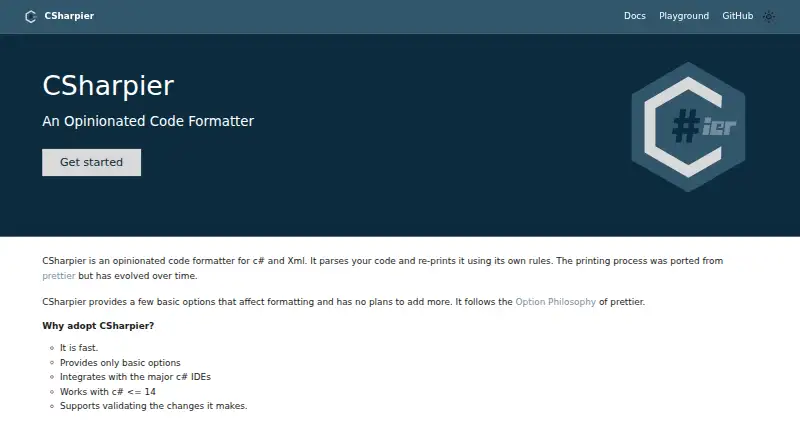
What CSharpier is
CSharpier is a free, open-source formatter for C# and XML. It parses code and prints it using a consistent set of rules, with a small number of configuration choices rather than support for requests for additional options. It supports C# through version 14 and can be installed as a .NET tool locally for a project or globally. Configuration can be kept in .csharpierrc JSON or YAML files, or in .editorconfig; available settings include print width, tabs, indentation, and line endings. CSharpier can check files and, by default, returns a failing exit code when it finds unformatted code. It can also run as a pre-commit hook, during MSBuild builds, or in CI/CD workflows. Listed editor integrations include Visual Studio 2022 and 2019, Visual Studio Code, and Rider, with setup guidance for Neovim, Emacs, and Zed. The CSharpier.Core NuGet package provides a programmatic formatting API. It runs on Windows, macOS, and Linux, but cannot format code that does not compile; such files produce error diagnostics.
Who it suits
CSharpier suits C# and XML developers who want a consistent formatter in an editor, project build, or CI/CD workflow. It also fits applications that need programmatic formatting through its NuGet package.
What it does well
- Formats both C# and XML.
- Supports C# through version 14.
- Can check formatting with a failing exit code.
- Works in editors, builds, hooks, and CI/CD.
- Offers local, global, and API use.
What to know first
- Uncompilable code cannot be formatted.
- Additional formatting option requests are out of scope.
Limits
Code that cannot compile cannot be formatted and returns error diagnostics. The formatter offers a few basic options; requests for additional formatting options are out of scope.
Plans
| Plan | Billed and limits | Price |
|---|---|---|
| Free | Opinionated formatting for C# and XML · install as a .NET tool | Free |
As csharpier.com lists them, read 4 Oct 2026. The maker's own page has the final word.
Getting started
- Open the CSharpier website.
- Install the .NET tool locally for a project or globally.
- Add configuration in .csharpierrc JSON or YAML, or in .editorconfig, if needed.
- Use a listed editor extension or plugin, or follow the setup guidance for Neovim, Emacs, or Zed.
- Run it as a pre-commit hook, during MSBuild builds, or in a CI/CD workflow.
Verdict
CSharpier provides an opinionated way to format C# and XML across common development workflows. Its formatting check and integrations are useful, but code must compile and the available configuration is intentionally limited.
Questions
How much does CSharpier cost?
The listed plan is Free. The pricing note describes it as open source.
Which languages does it format?
CSharpier formats C# and XML. The homepage says it works with C# through version 14.
Which operating systems does it support?
It supports Windows, macOS, and Linux.
Can I use it from an editor or in code?
Yes. Listed integrations include Visual Studio 2022, Visual Studio 2019, Visual Studio Code, and Rider, with setup guidance for Neovim, Emacs, and Zed. The CSharpier.Core NuGet package exposes a programmatic API.
Can it check whether files are formatted?
Yes. It reports unformatted files and returns a failing exit code by default.
What configuration is available?
Configuration can use .csharpierrc JSON or YAML files or .editorconfig. Options include print width, tabs, indentation, and line endings.
Facts from CSharpier's own pages
- Automation
- CSharpier can run as a pre-commit hook, during MSBuild builds, or in CI/CD workflows. · csharpier.com, 4 Oct 2026
- Configuration
- Configuration can use .csharpierrc JSON or YAML files or .editorconfig, with options including print width, tabs, indentation, and line endings. · csharpier.com, 4 Oct 2026
- C# support
- The homepage says CSharpier works with C# through version 14. · csharpier.com, 4 Oct 2026
- Editor integrations
- Official extensions or plugins are listed for Visual Studio 2022, Visual Studio 2019, Visual Studio Code, and Rider; the page also describes setups for Neovim, Emacs, and Zed. · csharpier.com, 4 Oct 2026
- Formatter philosophy
- It provides a few basic formatting options and says option requests are out of scope. · csharpier.com, 4 Oct 2026
- Formatting limitation
- CSharpier’s API documentation says code that cannot compile cannot be formatted and returns error diagnostics. · csharpier.com, 4 Oct 2026
- Install options
- CSharpier is implemented as a .NET tool that can be installed locally for a project or globally. · csharpier.com, 4 Oct 2026
- Maker identity
- The project links to a public GitHub repository under the belav account; the official site does not identify a company headquarters or founding date. · github.com, 4 Oct 2026
- Programmatic API
- The CSharpier.Core NuGet package exposes programmatic formatting for C# and XML. · csharpier.com, 4 Oct 2026
- Purpose
- CSharpier parses C# and XML code and reprints it using its own formatting rules. · csharpier.com, 4 Oct 2026
- Security and compliance
- The official pages opened provide no security or compliance claims. · csharpier.com, 4 Oct 2026
- Validation
- CSharpier can check whether files are formatted and reports unformatted files with a failing exit code by default. · csharpier.com, 4 Oct 2026
Where CSharpier stands on Freedom251
- Code Formatting Tools#5 of 34