Freedom251 › Code Formatting Tools
autopep8
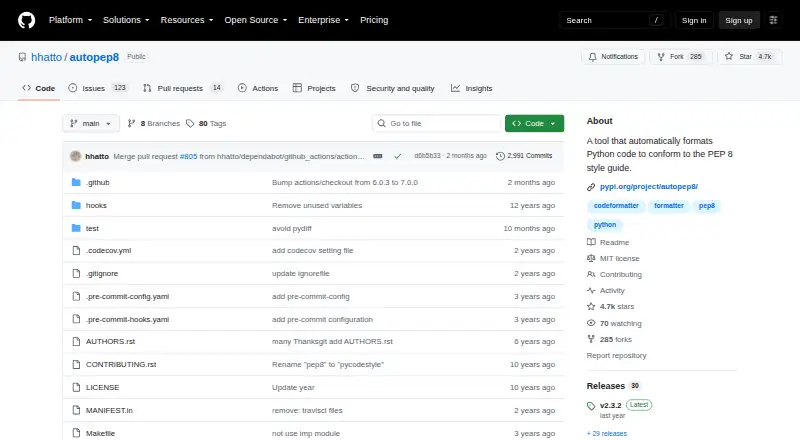
What autopep8 is
autopep8 is a free Python formatter that adjusts code toward the PEP 8 style guide. It uses pycodestyle to identify formatting problems and can fix most issues that pycodestyle reports, including indentation, whitespace, blank lines, imports, line length, and selected style concerns. By default, it changes whitespace only; the `--aggressive` option enables some fixes that may alter code meaning. You can choose or ignore fix codes, set a maximum line length, and configure the tool through pyproject.toml, setup.cfg, tox.ini, .pep8, or .flake8 files. The project documents installation with `pip install --upgrade autopep8` and requires pycodestyle. It can run as a pre-commit hook or as a Python module through `fix_code()`. Package metadata requires Python 3.9 or newer and identifies the operating system as OS Independent. autopep8 supports Linux, macOS, Windows, and is licensed under the MIT License.
Who it suits
It is aimed at developers formatting Python in console-based workflows, including projects needing configurable or changed-lines formatting.
What it does well
- Free and MIT licensed
- Fixes most pycodestyle-reported issues
- Supports configurable fix codes
- Works as a pre-commit hook
- Provides a Python module API
What to know first
- Requires Python 3.9 or newer
- Requires the pycodestyle dependency
- Aggressive fixes may change code meaning
- No editor integration listed
Verdict
autopep8 offers configurable PEP 8 formatting across major desktop platforms and can be used from commands, hooks, or Python code. Review aggressive changes carefully because some can affect meaning.
Facts from autopep8's own pages
- Audience
- PyPI classifies the intended audience as developers and the environment as console. · pypi.org, 3 Oct 2026
- Change control
- By default, autopep8 makes whitespace changes; non-whitespace fixes can be enabled with the aggressive option. · github.com, 3 Oct 2026
- Change controls
- The tool supports selecting or ignoring fix codes, setting a maximum line length, and enabling more aggressive changes. · github.com, 3 Oct 2026
- Compatibility
- PyPI lists Python >=3.9 as a requirement and classifies the operating system as OS Independent. · pypi.org, 3 Oct 2026
- Configuration
- It supports configuration through pyproject.toml, setup.cfg, tox.ini, .pep8, and .flake8 files. · github.com, 3 Oct 2026
- Fixes
- Listed fixes include indentation, whitespace, blank lines, imports, line length, and selected code style issues. · github.com, 3 Oct 2026
- How it works
- It uses pycodestyle to identify formatting issues and can fix most issues that pycodestyle reports. · github.com, 3 Oct 2026
- Installation
- The project documents installation with `pip install --upgrade autopep8`. · github.com, 3 Oct 2026
- Integration
- autopep8 can be used as a pre-commit hook. · github.com, 3 Oct 2026
- Intended audience
- PyPI classifies the package for developers and lists its environment as Console. · pypi.org, 3 Oct 2026
- License
- PyPI identifies the project license as MIT License. · pypi.org, 3 Oct 2026
- Limit
- By default, autopep8 makes whitespace changes only; some fixes that can alter code meaning require the `--aggressive` option. · github.com, 3 Oct 2026
- Programming interface
- The project documents using autopep8 as a Python module through its `fix_code()` function. · github.com, 3 Oct 2026
- Purpose
- autopep8 automatically formats Python code to conform to the PEP 8 style guide. · github.com, 3 Oct 2026
- Python requirement
- The package metadata requires Python 3.9 or newer. · pypi.org, 3 Oct 2026
- Requirements
- autopep8 requires pycodestyle. · github.com, 3 Oct 2026
- Support and maintenance
- The project links to GitHub Issues and lists two PyPI maintainers. · github.com, 3 Oct 2026
- Windows
- The configuration documentation refers to a Windows environment and its `~\.pycodestyle` global configuration file. · github.com, 3 Oct 2026
Where autopep8 stands on Freedom251
- Code Formatting Tools#8 of 34