Freedom251 › Embedded Development IDEs
CS+
What CS+ is
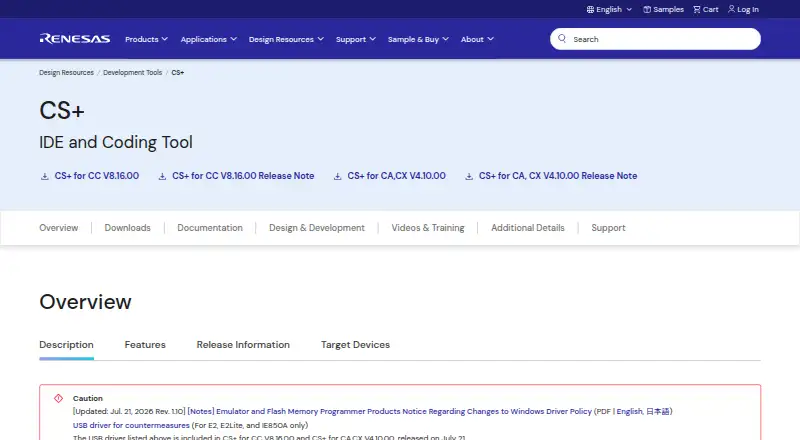
CS+ is Renesas's integrated development environment for creating software for Renesas microcontrollers. Its installer includes compiler packages for target products, and compatible Renesas emulators can provide debugging functions. CS+ for CC supports RL78, RH850 and RX families; CS+ for CA,CX supports RL78, 78K and V850 families. The GUI can generate C device-driver programs for MCU peripherals, though some MCUs do not support generation. Modified or saved source files build automatically in the background, and action events can display variable values at a specified address. Smart Browser in CS+ for CC presents device information, hardware manuals, sample code and related FAQs. The IDE can interoperate with Smart Configurator for RX, and Renesas offers a co-simulation tool connecting CS+ with MATLAB and Simulink. The IDE is free for development and production, but evaluation compiler packages may impose limits. Current versions are listed for Windows 10 64-bit and Windows 11; 32-bit use requires CS+ IDE V8.06 or earlier. Debugging emulators are sold separately.
Who it suits
CS+ suits developers working with the Renesas MCU families supported by its CC or CA,CX variants. It is intended for Windows users developing and debugging MCU software.
What it does well
- Free IDE for development and production.
- Background builds modified or saved source files.
- Supports specified Renesas MCU families.
- Smart Browser includes device information and sample code.
What to know first
- Compatible debugging emulators are sold separately.
- Some MCUs do not support code generation.
- 32-bit use requires CS+ IDE V8.06 or earlier.
- Evaluation compiler packages may impose limits.
Limits
The IDE is free for development and production. Evaluation compiler packages have separate limits, including possible object-size or available-memory restrictions.
Plans
| Plan | Billed and limits | Price |
|---|---|---|
| CS+ for CC | IDE is free for development and production · compiler evaluation limits apply when using an evaluation compiler | Free |
| CS+ for CA,CX | IDE is free · compiler evaluation editions may restrict object size or available memory | Free |
As renesas.com lists them, read 3 Oct 2026. The maker's own page has the final word.
Getting started
- Visit the Renesas CS+ website
- Choose CS+ for CC or CS+ for CA,CX for the relevant target family
- Install CS+ and the compiler package for the target product
- Use a compatible Renesas emulator for debugging
- For 32-bit Windows, use CS+ IDE V8.06 or earlier
CS+ is Renesas’s IDE and coding environment for software targeting its microcontrollers. It suits developers working with supported Renesas MCU families who want device-focused build and debug tools. Its family-specific capabilities are useful, but compiler evaluation restrictions and the cost of separate emulators matter when planning a project.
Overview
CS+ is free for development and production, with two editions covering distinct MCU families. CS+ for CC supports RL78, RH850, and RX; CS+ for CA,CX supports RL78, 78K, and V850. That makes confirming the exact target and edition an important first step: the editions are not interchangeable across all Renesas devices.
The installer includes compiler packages for target products, but the IDE’s free status does not remove restrictions attached to evaluation compilers. The IDE itself has no evaluation edition. CS+ automatically builds saved or modified source files in the background, and action events can display variable values at a specified address. Those features support a focused MCU workflow without requiring a separate manual build step for every edit.
Key features
Device-aware development
For MCUs that support it, the GUI generates C device-driver programs for peripheral functions. This can reduce repetitive setup work, though code generation is not universal across supported devices. CS+ for CC’s Smart Browser brings device information, hardware manual content, sample code, and related FAQs into the environment, which is especially useful when developing against a covered device.
Debugging and integration
Compatible Renesas emulators provide debugging functions, including IECUBE, IE850, IE850A, E2, E2 Lite, and E20; they are sold separately. CS+ supports integrated debugging, flashing, hardware probes, and RTOS use. Main-core debugging also supports work on user programs while keeping secure information confidential from engineers working on non-secure programs.
CS+ can interoperate with Smart Configurator for the RX family, and Renesas offers a co-simulation tool linking CS+ with MATLAB and Simulink. These integrations may suit teams already using those tools, but they do not make CS+ a general-purpose environment for unrelated hardware.
Pricing
CS+ for CC costs nothing: the IDE is free for development and production, while evaluation compiler limits apply when an evaluation compiler is used. CS+ for CA,CX also costs nothing; evaluation compiler editions may restrict object size or available memory. The practical distinction is that the IDE has no paid tier, but compiler selection can affect what a project can build.
There is no CS+ evaluation edition or free-trial period. Compatible debugging emulators are separate purchases, so a free IDE does not mean a complete debugging setup has no hardware cost. Renesas provides online support communities, a knowledge base, and ticket submission for technical questions or confidential information.
Platforms
Current CS+ versions run in Windows 10 64-bit and Windows 11 environments; 32-bit use requires CS+ IDE V8.06 or earlier. Although Windows, Linux, and macOS appear among the supported desktop platforms, the stated operating environment for current CS+ versions is Windows. Users on Linux or macOS should verify compatibility before choosing it.
Who it's for
CS+ is a strong fit for developers whose work is centered on the covered Renesas MCU families and who value device-specific code generation, reference material, and background builds. It is less suitable when a project requires an uncovered MCU, an operating environment outside current Windows support, or a debugging setup without separately purchased compatible hardware. Renesas says it is not generally promoted to customers in the U.S. and Europe and directs interested customers there to regional marketing departments.
Pros and cons
- Pro: Free IDE for development and production, with compiler packages for target products included in the installer.
- Pro: Background builds, address-based variable display, and device-specific code generation can streamline work on supported targets.
- Pro: Smart Browser in CS+ for CC consolidates device references, sample code, and FAQs.
- Con: The two editions cover different MCU families, and some MCUs do not support code generation.
- Con: Evaluation compilers can impose limits, including object-size or memory restrictions, and compatible emulators cost extra.
- Con: Current stated operating support is Windows 10 64-bit and Windows 11, despite broader desktop platform labels.
Alternatives
e² studio is worth considering for a free Renesas-oriented IDE when separate compiler packages and their licensing or evaluation terms are acceptable. Choose Arm Keil MDK if its freemium model and Community plan’s non-commercial use terms, Keil Studio, Keil μVision, and Cortex-M support better fit your needs.
C2000Ware is a free option for C2000 microcontrollers, with an installer that requires export approval. Arduino IDE is a free, open-source alternative with autocompletion, code navigation, and live debugging. For another free IDE, Eclipse IDE is free and open source.
ESP-IDF Extension for VS Code is a free VS Code extension for ESP-IDF. IAR Embedded Workbench may suit readers seeking a paid tool with a 14-day evaluation, limited to non-commercial use and excluding runtime library source, C-STAT, and MISRA C support. LTspice is a free option with unlimited use and Windows and macOS downloads.
Browse Embedded Development IDEs, Embedded Systems Toolchains, C++ IDEs, or IDE Software for more options.
Verdict
Choose CS+ if your project targets a supported Renesas MCU and you want a free IDE with MCU-aware coding, background builds, and debugging support. Its main advantage is the focused Renesas workflow; look elsewhere if your target or operating environment falls outside that fit, or if compiler restrictions and separate emulator costs are deal-breakers.
Verdict
CS+ offers MCU-focused development tools, background builds and debugging support through compatible emulators. Confirm that your MCU family and Windows environment match the listed support, and account for compiler evaluation limits or separate emulator costs.
Questions
Is CS+ free?
Yes. The IDE is free for development and production.
Does CS+ have a free trial?
No. CS+ itself has no evaluation edition; evaluation compiler packages have their own periods and limitations.
Which operating systems are listed?
The listed desktop platforms are Windows, Linux, and macOS. Current CS+ versions are listed for Windows 10 64-bit and Windows 11; 32-bit use requires CS+ IDE V8.06 or earlier.
Which Renesas MCU families does it support?
CS+ for CC supports RL78, RH850, and RX. CS+ for CA,CX supports RL78, 78K, and V850.
Are debugging emulators included?
Compatible emulators are sold separately. Listed models include IECUBE, IE850, IE850A, E2, E2 Lite, and E20.
Who makes CS+?
CS+ is offered by Renesas.
Facts from CS+'s own pages
- Build and debug
- CS+ automatically builds modified or saved source files in the background and supports action events that display variable values at a specified address. · renesas.com, 3 Oct 2026
- Code generation
- Its GUI can generate C device driver programs for MCU peripheral functions, though some MCUs do not support this feature. · renesas.com, 3 Oct 2026
- Emulators
- Compatible debugging emulators are sold separately; listed models include IECUBE, IE850, IE850A, E2, E2 Lite, and E20. · renesas.com, 3 Oct 2026
- Evaluation distinction
- CS+ itself has no evaluation edition; evaluation compiler packages have their own periods and limitations, while the IDE product is available for free. · renesas.com, 3 Oct 2026
- Founded
- 2002 · renesas.com, 28 Sept 2026
- Headquarters
- Toyosu Foresia, 3-2-24 Toyosu, Koto-ku, Tokyo 135-0061, Japan · renesas.com, 28 Sept 2026
- Included tools
- The CS+ installer includes compiler packages for target products, and compatible Renesas emulators can provide debugging functions. · renesas.com, 3 Oct 2026
- Integrations
- CS+ can interoperate with Smart Configurator for the RX family, and Renesas offers a co-simulation tool linking CS+ with MATLAB and Simulink. · renesas.com, 3 Oct 2026
- Operating system
- The listed operating environment for current CS+ versions is Windows 10 64-bit and Windows 11; 32-bit use requires CS+ IDE V8.06 or earlier. · renesas.com, 3 Oct 2026
- Purpose
- CS+ is an integrated development environment and coding tool for developing software for Renesas MCUs. · renesas.com, 3 Oct 2026
- Regional availability
- Renesas says CS+ is not generally promoted to customers in the U.S. and Europe and directs interested customers there to regional marketing departments. · renesas.com, 3 Oct 2026
- Security feature
- Main-core debugging supports developing user programs while keeping secure information confidential from engineers working on non-secure programs. · renesas.com, 3 Oct 2026
- Smart Browser
- For CS+ for CC, Smart Browser displays device information, hardware manual content, sample code, and related FAQs. · renesas.com, 3 Oct 2026
- Support
- Renesas offers online support communities, a knowledge base, and ticket submission for technical questions or confidential information. · renesas.com, 3 Oct 2026
- Target families
- CS+ for CC supports RL78, RH850, and RX families, while CS+ for CA,CX supports RL78, 78K, and V850 families. · renesas.com, 3 Oct 2026
Where CS+ stands on Freedom251
- Embedded Development IDEs#4 of 29
- Embedded Systems Toolchains#5 of 30
- C++ IDEs#8 of 24