Freedom251 › Game Overlay Software

Crosshair X
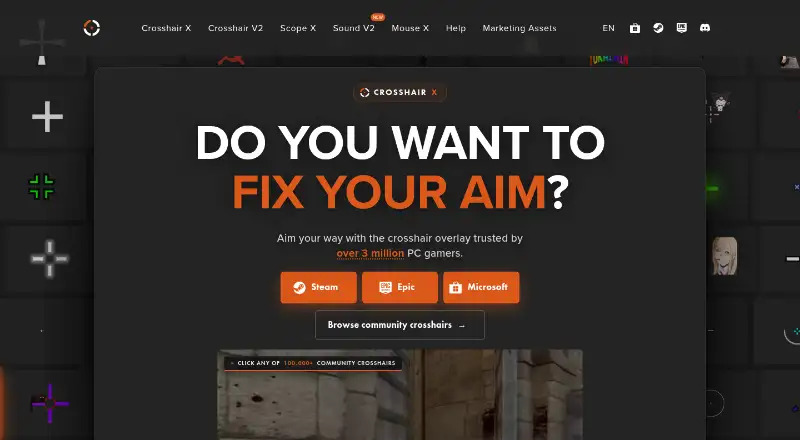
What Crosshair X is
Crosshair X places a customizable crosshair over PC games, including games without a built-in reticle. Its designer supports lines, dots, outlines, colors, opacity, animations, and uploaded images. Crosshairs can react to firing with multi-stage or per-button animations. PNG or animated GIF overlays, text, emoji, and status indicators can also be added as layers.
Display controls let players choose a monitor, save positions for different games, and show or hide the overlay using shortcuts or mouse states. For exclusive-fullscreen games, Crosshair X uses Xbox Game Bar; windowed and borderless games use a separate transparent overlay. The maker says the software does not inject code, change game files, access game memory, simulate input, scan gameplay, or communicate with game servers.
Steam Workshop users can browse thousands of community designs and publish their own. Crosshairs can also be shared with a code or exported as image files. Crosshair X is for Windows players, including people playing shooters, battle royales, survival games, and other genres. The Steam plan is 3.99 USD once and includes every Workshop crosshair; the Epic Games Store base game price is 9.99 USD once. A Microsoft Store plan is listed as free, with a free trial available.
Who it suits
Crosshair X suits Windows PC players who want a custom aiming overlay, including players of shooters, battle royales, survival games, and other genres. Its controls may appeal to players who want different designs or positions for different games.
What it does well
- Customizes lines, dots, outlines, colors, opacity, and images.
- Animations can respond to firing, including per-button options.
- Supports PNG and animated GIF overlays with text and indicators.
- Steam Workshop offers thousands of community designs.
- Crosshairs can be shared by code or exported as images.
- Includes display selection and shortcut or mouse-state visibility controls.
What to know first
- Runs on Windows only.
- The pricing model is paid and there is no free plan.
- The Epic Games Store base game price is 9.99 USD once.
Plans
| Plan | Billed and limits | Price |
|---|---|---|
| Crosshair X (Microsoft Store) | Free trial available · Windows | Free |
| Crosshair X (Steam) | One-time purchase · Every Workshop crosshair included · Windows 10 minimum; Windows 11 recommended | $3.99, paid once |
| Crosshair X (Epic Games Store) | Base Game price shown on Epic Games Store · Windows 10 minimum; Windows 11 recommended | $9.99, paid once |
As centerpointgaming.com lists them, read 4 Oct 2026. The maker's own page has the final word.
Getting started
- Visit the Crosshair X website or choose a listed store plan.
- Choose the Microsoft Store, Steam, or Epic Games Store listing.
- Install on a Windows PC; the Steam and Epic listings specify Windows 10 minimum and Windows 11 recommended.
- Use the designer to create or select a crosshair.
- Choose a monitor and set display behavior for your games.
Verdict
Pick Crosshair X if you play on Windows and want a configurable overlay with game-specific positioning, animations, and community designs. Look elsewhere if you need a platform other than Windows or a free plan.
Questions
What does Crosshair X cost?
The Steam plan is 3.99 USD once and includes every Workshop crosshair. The Epic Games Store base game price is 9.99 USD once. A Microsoft Store plan is listed as free, with a free trial available.
Is there a free plan?
The pricing model says there is no free plan. The Microsoft Store plan is listed as free, and a free trial is available.
Which platforms does it support?
Crosshair X supports Windows. The Steam and Epic Games Store listings specify Windows 10 minimum and Windows 11 recommended.
How does the overlay work in different display modes?
It uses Xbox Game Bar for exclusive-fullscreen games and a separate transparent overlay for windowed or borderless games.
Can I use or share community designs?
Steam Workshop users can browse thousands of community designs and publish their own. Crosshairs can also be shared with a code or exported as an image file.
What does the maker say about game access?
The maker says Crosshair X does not inject code, modify game files, read or write game memory, simulate input, scan gameplay, or communicate with game servers.
Facts from Crosshair X's own pages
- Animations
- The maker says crosshairs can have live animations that react to firing, including multi-stage and per-button animations. · centerpointgaming.com, 4 Oct 2026
- Anti-cheat and game access
- The maker states that Crosshair X does not inject code, modify game files, read or write game memory, simulate input, scan gameplay, or communicate with game servers. · centerpointgaming.com, 4 Oct 2026
- Community designs
- The Steam Workshop listing says users can browse thousands of community designs and publish their own. · store.steampowered.com, 4 Oct 2026
- Custom designer
- The designer supports lines, dots, outlines, colors, opacity, animations, and image uploads. · store.steampowered.com, 4 Oct 2026
- Display controls
- Users can choose a monitor, save positions for different games, and show or hide the crosshair with shortcuts or mouse states. · store.epicgames.com, 4 Oct 2026
- Image and text layers
- The maker says users can add PNG or animated GIF overlays and render text, emoji, or status indicators as layers. · centerpointgaming.com, 4 Oct 2026
- Intended users
- The maker describes Crosshair X for PC players, including players of shooters, battle royales, survival games, and other games. · store.steampowered.com, 4 Oct 2026
- Overlay method
- The maker says Crosshair X uses Xbox Game Bar for exclusive-fullscreen games and a separate transparent overlay for windowed or borderless games. · centerpointgaming.com, 4 Oct 2026
- Privacy
- The privacy policy says the website collects device and order information, uses Google Analytics, and may use personal information for targeted advertising. · centerpointgaming.com, 4 Oct 2026
- Purpose
- Crosshair X overlays a custom crosshair on top of PC games, including games without a built-in crosshair. · centerpointgaming.com, 4 Oct 2026
- Refund window
- The maker says Steam’s 14-day refund window applies. · centerpointgaming.com, 4 Oct 2026
- Sharing
- The maker says crosshairs can be shared with a code or exported as an image file. · store.steampowered.com, 4 Oct 2026
- Support
- The contact page directs users to join the maker’s Discord, create a ticket or post in a related text channel, and says someone will get back to them shortly. · centerpointgaming.com, 4 Oct 2026
Where Crosshair X stands on Freedom251
- Game Overlay Software#21 of 25