
Cross DJ
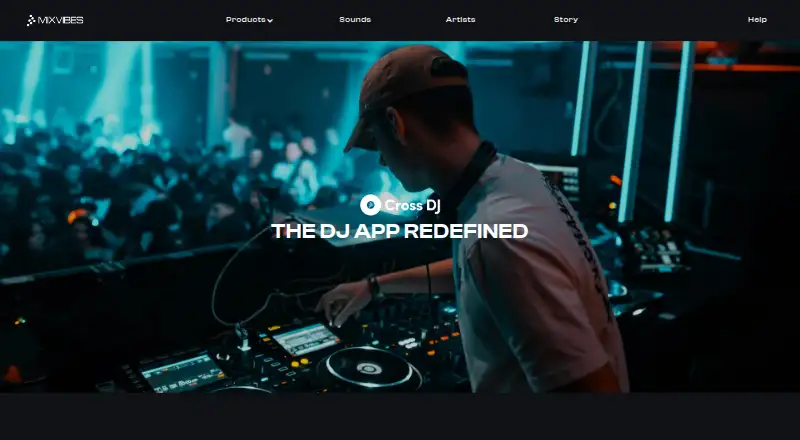
What Cross DJ is
Cross DJ is a DJ mixing app for creating and performing sets on Android, iOS, and macOS. Its two-deck mixer combines classic DJ EQs with real-time stem separation that can isolate beats and vocals. A waveform player lets users zoom in and line up tracks, while hot cues and adjustable loops support track preparation and mixing. The launcher adds samples and one-shots, and the product page lists more than 30 effects. Automix can automate transitions between tracks. The App Store listing says users can stream music from Spotify, Beatport, and SoundCloud Go+, or access tracks through iCloud, Dropbox, and Google Drive. Cross DJ also supports cloud library sync, Ableton Link, named MIDI controllers, USB audio interfaces, and external mixers. The app has a free plan with optional in-app purchases. Cross DJ Premium costs $19.99 a year and unlocks Pro features on iOS and Mac; Cross DJ Pro for Android is listed at $36.99, paid once. Subscriptions do not transfer between Apple and Android devices.
Who it suits
Cross DJ suits DJs who want a mobile or Mac app for mixing, with options for streaming music, using external audio equipment, or syncing with other apps and hardware. The free app may suit people who want to start without a paid subscription.
What it does well
- Two-deck mixer includes real-time stem separation.
- Includes hot cues, adjustable loops, and over 30 effects.
- Automix can automate transitions.
- Supports Spotify, Beatport, and SoundCloud Go+ streaming.
- Free app with optional in-app purchases.
What to know first
- Premium subscription does not transfer between Apple and Android.
- Android Pro purchase is listed at $36.99, paid once.
Plans
| Plan | Billed and limits | Price |
|---|---|---|
| Cross DJ | Free · in-app purchases available · Free app; optional premium features | Free |
| Cross DJ Premium (Yearly) | Yearly · Optional PRO subscription; unlocks Cross DJ Pro features on iOS and Mac | $19.99 a year |
| Cross DJ Pro - Mix & Remix | Buy · Android app; Google Play listing shows in-app purchases | $36.99, paid once |
As mixvibes.com lists them, read 4 Oct 2026. The maker's own page has the final word.
Getting started
- Visit the Cross DJ website.
- Choose the Android, iOS, or macOS version.
- Start with the free app, which has optional in-app purchases.
- Choose Cross DJ Premium on iOS or Mac for $19.99 a year, or Cross DJ Pro on Android for $36.99, paid once.
Overview
Cross DJ is a DJ mixing app for creating and performing sets on Android, iOS, and macOS. It is best suited to DJs who want a compact two-deck setup with stem tools, library access, and hardware connections. Its feature mix is broad for that format, but DJs who need more than two decks should look elsewhere.
Key features
The mixer pairs classic DJ EQs with real-time stem separation for isolating beats and vocals. A zoomable waveform player helps with track alignment, while hot cues and adjustable loops let DJs mark and revisit sections. The sample launcher adds samples and one-shots, and more than 30 effects give transitions room for variation. Automix can handle transitions when a hands-off flow matters more than shaping every change manually.
Cross DJ can stream from Spotify, Beatport, and SoundCloud Go+, and access music through iCloud, Dropbox, and Google Drive. Cloud library sync is useful for DJs moving among supported devices, while USB audio interfaces, external mixers, and named MIDI controllers make it more than a touch-only app. Ableton Link adds synchronization with other apps and hardware. The two-deck limit remains the central constraint: these tools help refine a mix, but do not expand the number of simultaneous decks.
Pricing
| Plan | Price | What it includes |
|---|---|---|
| Cross DJ | free | Free app with optional premium features and in-app purchases. It is the sensible starting point for learning the workflow before paying. |
| Cross DJ Premium (Yearly) | $19.99 a year | Optional PRO subscription that unlocks Cross DJ Pro features on iOS and Mac. It suits Apple users who want those upgrades on both with the same Apple ID. |
| Cross DJ Pro - Mix & Remix | $36.99, paid once | Android app purchase; Google Play shows in-app purchases. It is the Android purchase option for those who prefer a one-time price over the Apple annual subscription. |
The Apple subscription works on iPhone, iPad, or Mac with the same Apple ID, but does not transfer to Android; Android subscriptions do not transfer to Apple devices. Choose with your platform in mind rather than assuming a purchase will follow you across ecosystems.
Platforms
Cross DJ is available on Android, iOS, and macOS. Support is available at [email protected]; MIXVIBES also points users to app store changelogs and Discord for updates on known issues and fixes.
Who it's for
Cross DJ fits mobile or Mac DJs who want two-deck mixing with cueing, loops, stems, effects, music-source options, and the choice to connect external equipment. Its free plan is a practical entry point, and the paid options make sense for users who know they want premium features on their chosen platform. It is a poorer fit for performers whose style depends on more than two decks or on carrying one subscription between Apple and Android.
Pros and cons
- Pro: Streaming, cloud-library access, and hardware connections give DJs several ways to bring music and equipment into a set.
- Con: Two decks cap the complexity of mixes, regardless of the app's other performance tools.
- Con: Subscriptions do not cross between Apple and Android, which complicates a multi-platform setup.
Alternatives
YouDJ is worth considering for readers who want broad platform coverage including web, Linux, and Windows; its maker identifies Erik as the solo programmer behind the app.
VirtualDJ offers a free option for nonprofessional use without professional equipment, while its HOME plan starts at $4 a month for entry-level controllers.
ClubDJ Pro is an option for readers who want an online mixer or a free trial; its Online Mixer has no video mixing or MIDI support.
djay offers a free download with core mixing features and an optional PRO subscription for advanced features.
rekordbox may suit DJs who prioritize music management and cloud syncing: its free plan supports 1,000 cloud tracks and one synced device under the stated eligibility conditions.
DJUCED is limited to macOS and Windows, but its free Standard plan supports four decks and use with a Hercules controller.
edjing Mix is another free mobile option on Android and iOS, with two decks, a crossfader, and a three-band EQ.
future.dj pro may suit home users on Mac or Windows who want a free two-deck plan, though controller support is limited to 10 minutes per session.
For a broader comparison, browse DJ Software.
Verdict
Cross DJ is a strong fit for DJs who want a free starting point, capable two-deck mixing, stem separation, and support for external equipment across mobile and Mac. Its breadth is the main reason to choose it; the two-deck ceiling and non-portable platform subscriptions are the reasons to look elsewhere.
Verdict
Cross DJ combines core mixing tools with streaming access, library sync, and support for external equipment. Check which platform you use before paying, since subscriptions do not move between Apple and Android devices.
Questions
Is Cross DJ free?
Yes. The Cross DJ app is free, with optional in-app purchases.
How much do the paid versions cost?
Cross DJ Premium costs $19.99 a year and unlocks Pro features on iOS and Mac. Cross DJ Pro for Android is listed at $36.99, paid once.
Which platforms does Cross DJ support?
The maker lists Android, iOS, and macOS.
Can an Apple subscription be used on Android?
No. An iPhone subscription works on iPad or Mac with the same Apple ID, but does not transfer to Android. Android subscriptions do not transfer to Apple devices.
Which music sources are named?
The App Store listing names Spotify, Beatport, and SoundCloud Go+ for streaming, plus iCloud, Dropbox, and Google Drive for music access.
Facts from Cross DJ's own pages
- Ableton Link
- Cross DJ supports Ableton Link to sync performance with other apps and hardware. · apps.apple.com, 4 Oct 2026
- Automix
- Smart transitions can automate mixes through Automix. · mixvibes.com, 4 Oct 2026
- Company history
- MIXVIBES says it began in 1995, and identifies Eric Guez as its CEO at the time of its founding. · mixvibes.com, 4 Oct 2026
- Effects
- The product page lists more than 30 effects. · mixvibes.com, 4 Oct 2026
- Founded
- 2012 · mixvibes.com, 28 Sept 2026
- Hardware
- The App Store listing names supported MIDI controllers and says the app supports USB audio interfaces and external mixers. · apps.apple.com, 4 Oct 2026
- Headquarters
- Paris, France · mixvibes.com, 28 Sept 2026
- Loops and samples
- The app offers hot cues, adjustable loops, and a launcher with samples and one-shots. · mixvibes.com, 4 Oct 2026
- Mixer and stems
- Its mixer includes classic DJ EQs and real-time stem separation to isolate beats and vocals. · mixvibes.com, 4 Oct 2026
- Music sources
- The App Store listing says users can stream tracks from Spotify, Beatport, and SoundCloud Go+, and access music through iCloud, Dropbox, and Google Drive. · apps.apple.com, 4 Oct 2026
- Platform availability
- The maker lists Cross DJ as available on iOS, macOS, and Android. · mixvibes.com, 4 Oct 2026
- Player
- The waveform player lets users zoom and line up tracks. · mixvibes.com, 4 Oct 2026
- Purpose
- Cross DJ is a DJ mixing app for creating and performing mixes. · mixvibes.com, 4 Oct 2026
- Subscription portability
- A subscription bought on iPhone works on iPad or Mac with the same Apple ID, but does not transfer to Android; Android subscriptions do not transfer to Apple devices. · mixvibes.com, 4 Oct 2026
- Support
- MIXVIBES lists [email protected] for support and points users to app store changelogs and Discord for updates on known issues and fixes. · mixvibes.com, 4 Oct 2026
Where Cross DJ stands on Freedom251
- DJ Software#3 of 29