Freedom251 › 3D Printing Software

Craftware Pro
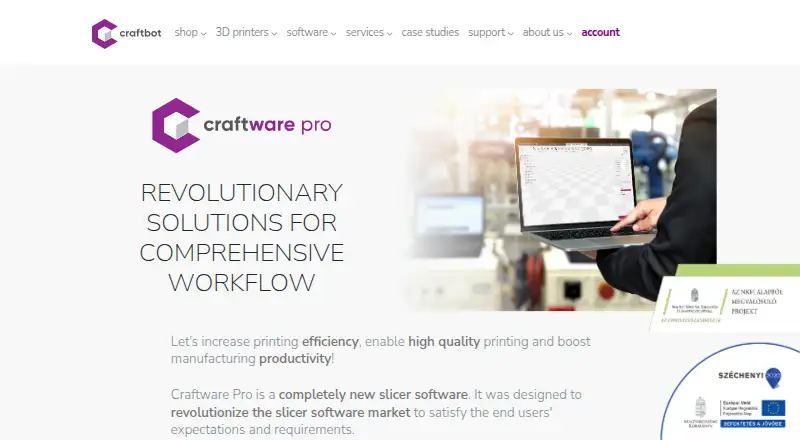
What Craftware Pro is
Craftware Pro is slicer software for 3D printing workflows, with CAD functions for designing simple objects and personalizing existing ones. Its Smart, Easy, and Expert modes offer different levels of slicing control. Multi-tray workflows let users manage multiple printers and slice their contents, while heterogeneous printing supports different settings for nozzles in IDEX print heads. Auto supports, printer control, and multi-material tools are also listed.
The free Standard plan includes full slicer functionality. Premium adds productivity functions described as reducing print and preparation times and manual intervention. Premium costs $9.99 for 30 days for one person using up to three devices. Premium Enterprise costs $49.99 for 30 days for up to 10 devices and is intended for companies whose preceding-year net annual revenue exceeds $100,000. Stated platforms are Windows, macOS, and Linux; downloads are also listed for Chrome OS. The maker offers a knowledge base, support ticket form, and forum.
Who it suits
Craftware Pro is presented for beginners, advanced users, and experts working with 3D printing. Its Enterprise plan is aimed at companies above the stated revenue threshold.
What it does well
- Free Standard plan includes full slicer functionality.
- Offers Smart, Easy, and Expert slicing modes.
- Multi-tray workflow manages multiple printers.
- Supports different nozzle settings for IDEX heads.
What to know first
- Premium costs $9.99 for 30 days.
- Enterprise costs $49.99 for 30 days.
- Enterprise is limited to 10 devices.
Limits
The free Standard plan includes full slicer functionality. Premium costs $9.99 for 30 days for one person on up to three devices; Premium Enterprise costs $49.99 for 30 days for up to 10 devices and is intended for companies whose preceding business year's net annual revenue exceeds $100,000.
Plans
| Plan | Billed and limits | Price |
|---|---|---|
| Standard | FREE · Full slicer functionality · for everyone | Free |
| Premium Enterprise | $49.99 for 30 days · Full slicer functionality + Productivity Functions · up to 10 different devices · companies whose net annual revenue regarding the preceding business year exceed 100.000 USD | $49.99 a month |
| Premium Enterprise | $499.99 for 1 year · Full slicer functionality + Productivity Functions · up to 10 different devices · companies whose net annual revenue regarding the preceding business year exceed 100.000 USD | $499.99 a year |
| Premium | $9.99 for 30 days · Full slicer functionality + Productivity Functions · one person with up to 3 different devices · for individuals, small businesses, non-profits and educational institutions | $9.99 a month |
| Premium | $99.99 for 1 year · Full slicer functionality + Productivity Functions · one person with up to 3 different devices · for individuals, small businesses, non-profits and educational institutions | $99.99 a year |
As craftunique.com lists them, read 9 Oct 2026. The maker's own page has the final word.
Getting started
- Visit https://www.craftunique.com/craftware
- Choose the free Standard plan or a paid plan.
- Download the version for your operating system.
- Use Smart, Easy, or Expert mode to prepare a print.
Verdict
The free Standard plan provides full slicer functionality, while paid plans add productivity functions. Users can choose among three slicing modes and tools for multi-printer and IDEX workflows.
Questions
Is Craftware Pro free?
Yes. The Standard plan costs nothing and includes full slicer functionality.
How much do the paid plans cost?
Premium is $9.99 for 30 days. Premium Enterprise is $49.99 for 30 days.
What do the paid plans add?
Premium adds productivity functions to full slicer functionality. The maker describes those functions as reducing print time, preparation time, and manual intervention.
What platforms are listed?
The stated platforms are Linux, macOS, and Windows. Downloads are also listed for Chrome OS.
Who makes Craftware Pro?
Craftbot makes Craftware Pro. The company describes itself as a 3D printer developer, innovator, and manufacturer based in Budapest, Hungary, and says it was founded in 2014.
What support is available?
The maker links users to a knowledge base, support ticket form, and Craftbot forum.
Facts from Craftware Pro's own pages
- CAD tools
- Its CAD functions let users design simple objects and personalize existing objects. · craftunique.com, 9 Oct 2026
- Company
- Craftbot describes itself as a developer, innovator and manufacturer of 3D printers based in Budapest, Hungary, and says it was founded in 2014. · craftunique.com, 9 Oct 2026
- Downloads
- The downloads section lists versions for Windows, macOS, Linux and Chrome OS. · craftunique.com, 9 Oct 2026
- Founded
- 2014 · craftunique.com, 28 Sept 2026
- Headquarters
- Budapest, Hungary · craftunique.com, 28 Sept 2026
- IDEX support
- Heterogeneous printing supports different settings for different nozzles in IDEX print heads. · craftunique.com, 9 Oct 2026
- Intended users
- The maker describes Craftware Pro as suitable for beginners, advanced users and experts. · craftunique.com, 9 Oct 2026
- Multi-tray workflow
- The multi-tray option lets users manage multiple printers and slice their contents, which the page says simplifies farm management. · craftunique.com, 9 Oct 2026
- Premium productivity
- Premium plans add productivity functions described as reducing print times, preparation times and the need for manual intervention. · craftunique.com, 9 Oct 2026
- Product
- Craftware Pro is slicer software designed to support 3D printing workflows. · craftunique.com, 9 Oct 2026
- Slicing modes
- It offers Smart, Easy and Expert slicing modes for different levels of slicing experience. · craftunique.com, 9 Oct 2026
- Support
- The maker links users to a knowledge base, support ticket form and Craftbot forum. · craftunique.com, 9 Oct 2026
Where Craftware Pro stands on Freedom251
- 3D Printing Software#5 of 35