Freedom251 › PC Benchmark Software
Corona 10 Benchmark
What Corona 10 Benchmark is
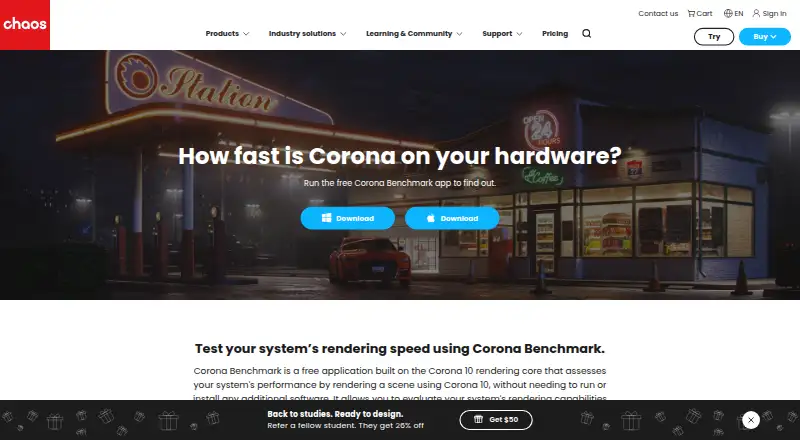
Corona 10 Benchmark is a free application for measuring system rendering speed with the Corona 10 rendering core, without requiring other software. It renders a scene for exactly one minute, then reports performance in rays per second; higher scores indicate better performance. Results also summarize the processor, operating frequency, physical and logical core counts, and installed RAM. Users can compare a score with other results, optionally submit their own, and save completed runs locally to compare after system changes. The benchmark supports custom test profiles, text-file exports, and CLI or automation use. Chaos also describes a command-console stress test for checking whether a machine’s cooling can keep up with the CPU. The application is available for Windows and macOS, with downloads provided as a Windows ZIP archive and a macOS DMG image. Installation involves downloading and extracting the archive, then running the file. The benchmark page links to Chaos documentation for more detailed usage information.
Who it suits
It suits people comparing CPU rendering performance, checking hardware, or stress testing a Windows or macOS system. It can also help users compare saved results after system changes.
What it does well
- Free application requiring no other software.
- Runs a one-minute rendering test.
- Reports system hardware details with the score.
- Supports score comparison and local result saving.
- Offers text exports and CLI or automation use.
What to know first
- Each render runs for exactly one minute.
- Available for Windows and macOS only.
- Official downloads are ZIP and DMG files.
Limits
Each benchmark renders for exactly one minute, then stops.
Plans
| Plan | Billed and limits | Price |
|---|---|---|
| Corona Benchmark | Free application · renders a scene for exactly 1 minute | Free |
As chaos.com lists them, read 7 Oct 2026. The maker's own page has the final word.
Getting started
- Open the Corona Benchmark page on the Chaos website.
- Download the Windows ZIP archive or macOS DMG image.
- Extract the archive as directed by the maker.
- Run the application file.
- Save a result locally or compare it with other scores.
Verdict
Corona 10 Benchmark provides a focused, timed rendering test with hardware details and options to compare or save scores. Its one-minute run and Windows/macOS availability define its scope.
Questions
How much does Corona 10 Benchmark cost?
The listed plan is free; it is a free application.
Is there a free trial?
No. The facts list no free trial, and the application itself is free.
Which operating systems are supported?
Corona 10 Benchmark is available for Windows and macOS.
How long does a run take?
It renders for exactly one minute and then stops.
Can I save or export results?
Completed results can be saved locally, and results can be exported as a text file.
Who makes Corona 10 Benchmark?
It is from Chaos, founded in 1997 and headquartered in Karlsruhe, Germany.
Facts from Corona 10 Benchmark's own pages
- Benchmark score
- It reports performance in rays per second, with higher values indicating better performance. · chaos.com, 7 Oct 2026
- CLI or automation
- Yes · chaos.com, 22 Sept 2026
- Company focus
- Chaos develops technology for architecture, engineering, construction, product design, manufacturing, and media and entertainment. · chaos.com, 7 Oct 2026
- Compare results
- Users can compare their performance with other scores and optionally submit their own score. · chaos.com, 7 Oct 2026
- Comparison database
- Yes · chaos.com, 22 Sept 2026
- Custom test profiles
- Yes · chaos.com, 22 Sept 2026
- Downloads
- The official download links point to a Windows ZIP archive and a macOS DMG image. · chaos.com, 7 Oct 2026
- Founded
- 1997 · chaos.com, 4 Oct 2026
- Free plan
- Yes · chaos.com, 22 Sept 2026
- Headquarters
- Chaos says it is headquartered in Karlsruhe, Germany. · chaos.com, 7 Oct 2026
- Installation
- The maker describes installation as downloading and extracting an archive, then running the file. · chaos.com, 7 Oct 2026
- Operating systems
- Windows; macOS · chaos.com, 22 Sept 2026
- Purpose
- Corona Benchmark measures system rendering speed by rendering a scene with the Corona 10 rendering core, without requiring other software. · chaos.com, 7 Oct 2026
- Result export formats
- text file · chaos.com, 22 Sept 2026
- Run duration
- The benchmark renders for exactly 1 minute and then stops. · chaos.com, 7 Oct 2026
- Save results
- Completed results can be saved locally and compared with reruns after system changes. · chaos.com, 7 Oct 2026
- Stress testing
- The maker says users can stress test a machine to check whether its cooling can keep up with the CPU via the command console. · chaos.com, 7 Oct 2026
- Support documentation
- The benchmark page links to Chaos documentation for more detailed usage information. · chaos.com, 7 Oct 2026
- System summary
- The app reports the processor, operating frequency, physical and logical core counts, and installed RAM. · chaos.com, 7 Oct 2026
- Workload areas
- CPU rendering performance; hardware comparison; stress testing · chaos.com, 22 Sept 2026
Where Corona 10 Benchmark stands on Freedom251
- PC Benchmark Software#17 of 73
- PC benchmark tools#19 of 70