Copyfish
What Copyfish is
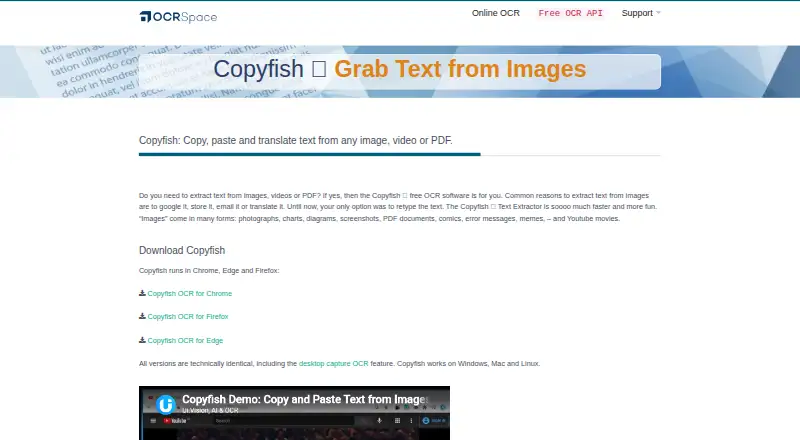
Copyfish is an OCR tool for turning text in images, videos, and PDFs into text you can copy, paste, or translate. Its browser extension works in Chrome, Edge, and Firefox. For material elsewhere on the desktop—including documents, menus, webpages, presentations, and games—Copyfish uses the XModules2 desktop automation module. The software has three OCR engines. Engine 3 handles handwriting, tables, and markdown, and supports more than 200 languages, though it can take longer with larger images. Copyfish also offers local OCR that runs offline on your machine; the maker says no image data leaves the computer in this mode. Offline OCR has fewer languages and somewhat reduced accuracy than online OCR. For translation, extracted text can be sent to Google Translate or DeepL, and the software supports translator extensions and popup dictionaries. Copyfish is free, open-source software under the GPL license, with source code on GitHub. OCR.space says hosted OCR documents are deleted after processing, except searchable PDFs, which remain available for 60 minutes before deletion. The listed Copyfish plan costs nothing. Desktop capture and local OCR require the free XModules2 app. Technical support is directed through the Copyfish help page and OCR software forum.
Who it suits
Copyfish suits people who want to extract text from images, videos, or PDFs in a browser, and users who need to capture text elsewhere on the desktop. It can also suit people needing handwriting OCR, offline processing, or translation links to Google Translate and DeepL.
What it does well
- Extracts text from images, videos, and PDFs.
- Browser extension runs in Chrome, Edge, and Firefox.
- Engine 3 supports handwriting, table, and markdown OCR.
- Engine 3 supports more than 200 languages.
- Local OCR works offline, with image data kept on the computer.
- Free and open source under the GPL license.
What to know first
- Desktop capture and local OCR require the XModules2 app.
- Offline OCR has fewer languages and somewhat reduced accuracy.
- Engine 3 can be slower on larger images.
Limits
The free Copyfish plan costs nothing. Local OCR has fewer languages and somewhat reduced accuracy than online OCR, and desktop capture and local OCR require XModules2.
Plans
| Plan | Billed and limits | Price |
|---|---|---|
| Copyfish | Free and open-source browser extension; desktop and offline OCR require the free XModules2 app | Free |
As ocr.space lists them, read 9 Oct 2026. The maker's own page has the final word.
Getting started
- Visit the Copyfish website.
- Install the browser extension for Chrome, Edge, or Firefox.
- Use the free Copyfish plan.
- Install the free XModules2 app for desktop capture or local OCR.
Verdict
Choose Copyfish if you want free OCR in a browser, or desktop capture with XModules2, and value an offline mode or translation integrations. Look elsewhere if offline OCR's reduced language coverage and accuracy are not suitable, or if you do not want to use the required desktop module for local OCR and desktop capture.
Questions
How much does Copyfish cost?
The Copyfish plan costs nothing. It is a free plan, with no free trial.
Which platforms does Copyfish support?
Copyfish is available as an extension and for Linux, macOS, and Windows. Its browser extension runs in Chrome, Edge, and Firefox.
Is Copyfish open source?
Yes. Copyfish is published under the GPL license, and its source code is on GitHub.
Does Copyfish work offline?
Yes. Local OCR runs offline on your machine. The maker says no image data leaves the computer; this mode has fewer languages and somewhat reduced accuracy than online OCR.
Does Copyfish need another app for desktop capture?
Yes. Desktop capture and local OCR require the XModules2 desktop automation module.
What translation tools work with Copyfish?
Copyfish can send extracted text to Google Translate or DeepL and supports translator extensions and popup dictionaries.
Facts from Copyfish's own pages
- Browser support
- The extension runs in Chrome, Edge, and Firefox. · ocr.space, 9 Oct 2026
- Company
- OCR.space is a service of a9t9 software GmbH, whose office is listed in Heidelberg, Germany. · ocr.space, 9 Oct 2026
- Desktop capture
- With the XModules2 app, Copyfish can capture text from desktop documents, menus, webpages, presentations, and games. · ocr.space, 9 Oct 2026
- Desktop dependency
- Desktop capture and local OCR require the XModules2 desktop automation module. · ocr.space, 9 Oct 2026
- Free plan
- Yes · ocr.space, 21 Sept 2026
- Handwriting OCR
- Yes · ocr.space, 21 Sept 2026
- Supported inputs
- both · ocr.space, 21 Sept 2026
- OCR engines
- Copyfish offers three OCR engines, including handwriting, table, and markdown OCR in Engine 3; Engine 3 supports more than 200 languages and can be slower on larger images. · ocr.space, 9 Oct 2026
- Offline OCR
- Local OCR runs offline on the user's machine, and the maker says no image data leaves the computer; offline OCR has fewer languages and somewhat reduced accuracy than online OCR. · ocr.space, 9 Oct 2026
- Online OCR data handling
- OCR.space says hosted OCR documents are deleted after processing, except searchable PDFs, which remain available for 60 minutes before deletion. · ocr.space, 9 Oct 2026
- Open source
- Copyfish is free and open-source software published under the GPL license, with source code on GitHub. · ocr.space, 9 Oct 2026
- Primary platform
- both · ocr.space, 21 Sept 2026
- Privacy
- The maker says local OCR runs completely offline and no image data leaves the computer. · ocr.space, 9 Oct 2026
- Purpose
- Copyfish extracts text from images, videos, and PDFs so it can be copied, pasted, or translated. · ocr.space, 9 Oct 2026
- Support
- The maker directs users to the Copyfish help page and OCR software forum for technical support. · ocr.space, 9 Oct 2026
- Translation integrations
- Copyfish can send extracted text to Google Translate or DeepL and supports translator extensions and popup dictionaries. · ocr.space, 9 Oct 2026
Where Copyfish stands on Freedom251
- OCR software#14 of 40